


Key Required VerifiedUniversal
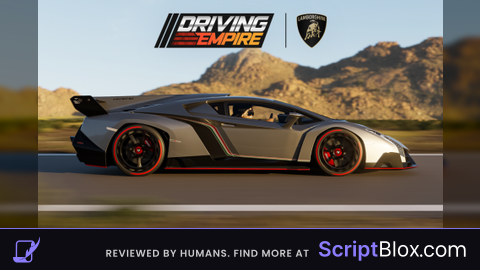
-- [[ MAID DRIVE EMPIRE AUTO FARM ]] --
-- Features: Supersonic Speeds, Hover, Anti-AFK

local CoreGui = game:GetService("CoreGui")
local Players = game:GetService("Players")
local RunService = game:GetService("RunService")
local player = Players.LocalPlayer
local guiName = "MaidDriveAutoFarm_V2"

local old = CoreGui:FindFirstChild(guiName) or player.PlayerGui:FindFirstChild(guiName)
if old then old:Destroy() end

local settings = {
    Enabled = false,
    Speed = 400,
    Height = 50,
    TurnSpeed = 2,
}

local ScreenGui = Instance.new("ScreenGui")
ScreenGui.Name = guiName
pcall(function() ScreenGui.Parent = CoreGui end)
if not ScreenGui.Parent then ScreenGui.Parent = player.PlayerGui end

local MainFrame = Instance.new("Frame")
MainFrame.Name = "MainFrame"
MainFrame.Parent = ScreenGui
MainFrame.BackgroundColor3 = Color3.fromRGB(20, 20, 25)
MainFrame.Position = UDim2.new(0.5, 160, 0.5, -100)
MainFrame.Size = UDim2.new(0, 250, 0, 300)
MainFrame.Active = true
MainFrame.Draggable = true
MainFrame.BorderSizePixel = 0

local UICorner = Instance.new("UICorner", MainFrame)
UICorner.CornerRadius = UDim.new(0, 10)

-- Glow/Stroke
local UIStroke = Instance.new("UIStroke", MainFrame)
UIStroke.Color = Color3.fromRGB(80, 80, 150)
UIStroke.Thickness = 2

-- Title
local Title = Instance.new("TextLabel", MainFrame)
Title.Size = UDim2.new(1, 0, 0, 40)
Title.BackgroundTransparency = 1
Title.Font = Enum.Font.GothamBlack
Title.Text = "MAID MONEY FARM"
Title.TextColor3 = Color3.fromRGB(0, 255, 255)
Title.TextSize = 22

local Status = Instance.new("TextLabel", MainFrame)
Status.Position = UDim2.new(0,0,0.15,0)
Status.Size = UDim2.new(1,0,0,20)
Status.BackgroundTransparency = 1
Status.TextColor3 = Color3.fromRGB(150,150,150)
Status.Text = "Idle..."
Status.Font = Enum.Font.Gotham

local ToggleBtn = Instance.new("TextButton", MainFrame)
ToggleBtn.Position = UDim2.new(0.1, 0, 0.25, 0)
ToggleBtn.Size = UDim2.new(0.8, 0, 0, 45)
ToggleBtn.BackgroundColor3 = Color3.fromRGB(255, 60, 60)
ToggleBtn.Font = Enum.Font.GothamBlack
ToggleBtn.Text = "START FARM"
ToggleBtn.TextColor3 = Color3.new(1,1,1)
ToggleBtn.TextSize = 20
Instance.new("UICorner", ToggleBtn).CornerRadius = UDim.new(0,8)

local SpeedBtn = Instance.new("TextButton", MainFrame)
SpeedBtn.Position = UDim2.new(0.1, 0, 0.5, 0)
SpeedBtn.Size = UDim2.new(0.8, 0, 0, 30)
SpeedBtn.BackgroundColor3 = Color3.fromRGB(60,60,70)
SpeedBtn.Text = "Speed: 400 (Fast)"
SpeedBtn.TextColor3 = Color3.new(1,1,1)
SpeedBtn.Font = Enum.Font.GothamBold
Instance.new("UICorner", SpeedBtn)

local HeightBtn = Instance.new("TextButton", MainFrame)
HeightBtn.Position = UDim2.new(0.1, 0, 0.65, 0)
HeightBtn.Size = UDim2.new(0.8, 0, 0, 30)
HeightBtn.BackgroundColor3 = Color3.fromRGB(60,60,70)
HeightBtn.Text = "Height: 50 Studs"
HeightBtn.TextColor3 = Color3.new(1,1,1)
HeightBtn.Font = Enum.Font.GothamBold
Instance.new("UICorner", HeightBtn)

local CloseBtn = Instance.new("TextButton", MainFrame)
CloseBtn.Position = UDim2.new(0.1, 0, 0.85, 0)
CloseBtn.Size = UDim2.new(0.8, 0, 0, 30)
CloseBtn.BackgroundColor3 = Color3.fromRGB(30,10,10)
CloseBtn.Text = "UNLOAD"
CloseBtn.TextColor3 = Color3.fromRGB(255,80,80)
CloseBtn.Font = Enum.Font.Gotham
Instance.new("UICorner", CloseBtn)

local speedIndex = 2
local speedPresets = {
    {100, "Slow"},
    {200, "Average"},
    {300, "Fast"},
    {400, "Superspeed"},
    {500, "Supersonic"},
    {600, "Hyperspeed"},
    {700, "Godspeed"}
}

SpeedBtn.MouseButton1Click:Connect(function()
    speedIndex = speedIndex + 1
    if speedIndex > #speedPresets then speedIndex = 1 end

    local preset = speedPresets[speedIndex]
    settings.Speed = preset[1]
    SpeedBtn.Text = "Speed: " .. preset[1] .. " (" .. preset[2] .. ")"
end)

ToggleBtn.MouseButton1Click:Connect(function()
    settings.Enabled = not settings.Enabled
    if settings.Enabled then
        ToggleBtn.BackgroundColor3 = Color3.fromRGB(60, 255, 100)
        ToggleBtn.Text = "RUNNING..."
    else
        ToggleBtn.BackgroundColor3 = Color3.fromRGB(255, 60, 60)
        ToggleBtn.Text = "START FARM"


        local char = player.Character
        if char then
            local hum = char:FindFirstChild("Humanoid")
            if hum and hum.SeatPart then
                hum.SeatPart.AssemblyLinearVelocity = Vector3.new(0,0,0)
                hum.SeatPart.AssemblyAngularVelocity = Vector3.new(0,0,0)
            end
        end
    end
end)

CloseBtn.MouseButton1Click:Connect(function()
    settings.Enabled = false
    ScreenGui:Destroy()
end)


RunService.Stepped:Connect(function()
    if not settings.Enabled then return end

    local char = player.Character
    if not char then return end

    local humanoid = char:FindFirstChild("Humanoid")
    if not humanoid then return end

    local seat = humanoid.SeatPart

    if seat and seat:IsA("VehicleSeat") then
        Status.Text = "Active: " .. settings.Speed .. " spd"
        Status.TextColor3 = Color3.fromRGB(0, 255, 100)

        local vehicle = seat.Parent
        local root = (vehicle:IsA("Model") and vehicle.PrimaryPart) or seat


        local look = root.CFrame.LookVector

        root.AssemblyLinearVelocity = Vector3.new(look.X * settings.Speed, 0, look.Z * settings.Speed)


        local currentPos = root.Position
        if currentPos.Y < settings.Height then

            root.AssemblyLinearVelocity = root.AssemblyLinearVelocity + Vector3.new(0, 50, 0)
        elseif currentPos.Y > settings.Height + 10 then

            root.AssemblyLinearVelocity = root.AssemblyLinearVelocity - Vector3.new(0, 10, 0)
        else

            root.AssemblyLinearVelocity = Vector3.new(root.AssemblyLinearVelocity.X, 0, root.AssemblyLinearVelocity.Z)
        end


        root.AssemblyAngularVelocity = Vector3.new(0, settings.TurnSpeed * 0.1, 0)

        seat.Throttle = 1
    else
        Status.Text = "Sit in vehicle!"
        Status.TextColor3 = Color3.fromRGB(255, 100, 100)
    end
end)
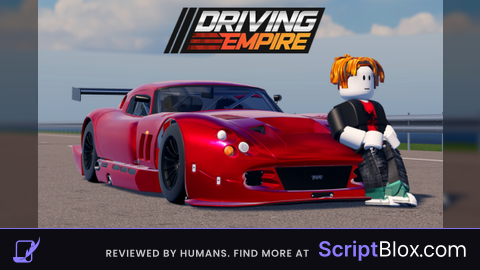
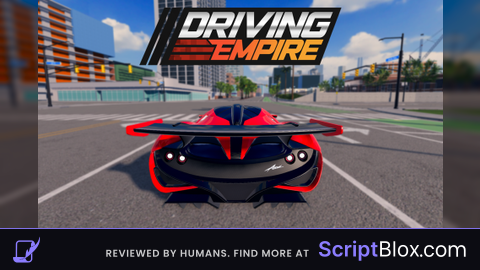
Work good, but It doesn't bring in much money
Can you make an auto-farm for cars? I think the car one is better.