

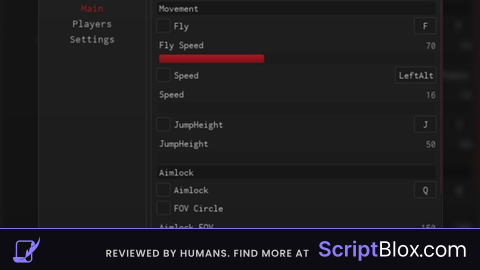
KeylessUniversal

local Players = game:GetService("Players")
local UIS = game:GetService("UserInputService")
local RunService = game:GetService("RunService")

local player = Players.LocalPlayer

local gui = Instance.new("ScreenGui")
gui.Name = "TPmove"
gui.ResetOnSpawn = false
gui.Parent = player:WaitForChild("PlayerGui")

local frame = Instance.new("Frame")
frame.Size = UDim2.new(0, 280, 0, 170)
frame.Position = UDim2.new(0.5, -140, 0.5, -85)
frame.BackgroundColor3 = Color3.fromRGB(30, 30, 30)
frame.Active = true
frame.Draggable = true
frame.Parent = gui

local title = Instance.new("TextLabel")
title.Size = UDim2.new(1, 0, 0, 28)
title.BackgroundColor3 = Color3.fromRGB(20, 20, 20)
title.Text = "TPmove"
title.TextColor3 = Color3.new(1,1,1)
title.Parent = frame

local close = Instance.new("TextButton")
close.Size = UDim2.new(0, 28, 0, 28)
close.Position = UDim2.new(1, -28, 0, 0)
close.Text = "X"
close.BackgroundColor3 = Color3.fromRGB(170, 0, 0)
close.TextColor3 = Color3.new(1,1,1)
close.Parent = frame

close.MouseButton1Click:Connect(function()
	gui.Enabled = false
end)

local speedBox = Instance.new("TextBox")
speedBox.Size = UDim2.new(1, -20, 0, 30)
speedBox.Position = UDim2.new(0, 10, 0, 50)
speedBox.PlaceholderText = "0 - 200"
speedBox.Text = ""
speedBox.BackgroundColor3 = Color3.fromRGB(45,45,45)
speedBox.TextColor3 = Color3.new(1,1,1)
speedBox.Parent = frame

local execBtn = Instance.new("TextButton")
execBtn.Size = UDim2.new(1, -20, 0, 30)
execBtn.Position = UDim2.new(0, 10, 0, 85)
execBtn.Text = "EXECUTE"
execBtn.BackgroundColor3 = Color3.fromRGB(60,60,60)
execBtn.TextColor3 = Color3.new(1,1,1)
execBtn.Parent = frame

local deactBtn = Instance.new("TextButton")
deactBtn.Size = UDim2.new(1, -20, 0, 25)
deactBtn.Position = UDim2.new(0, 10, 0, 120)
deactBtn.Text = "DEACTIVATE"
deactBtn.BackgroundColor3 = Color3.fromRGB(150,0,0)
deactBtn.TextColor3 = Color3.new(1,1,1)
deactBtn.Parent = frame

local active = false
local stepDistance = 1
local stepInterval = 0.05
local lastStep = 0

local function getRoot()
	local char = player.Character
	if not char then return end
	return char:FindFirstChild("HumanoidRootPart")
end

RunService.RenderStepped:Connect(function()
	if not active then return end

	local root = getRoot()
	if not root then return end

	local now = tick()
	if now - lastStep < stepInterval then return end
	lastStep = now

	local dir = root.CFrame.LookVector
	root.CFrame = root.CFrame + (dir * stepDistance)
end)

execBtn.MouseButton1Click:Connect(function()
	local val = tonumber(speedBox.Text)
	if not val then return end

	stepDistance = math.clamp(val, 1, 200)
	active = true
end)

deactBtn.MouseButton1Click:Connect(function()
	active = false
end)

UIS.InputBegan:Connect(function(input, gp)
	if gp then return end
	if input.KeyCode == Enum.KeyCode.X then
		gui.Enabled = not gui.Enabled
	end
end)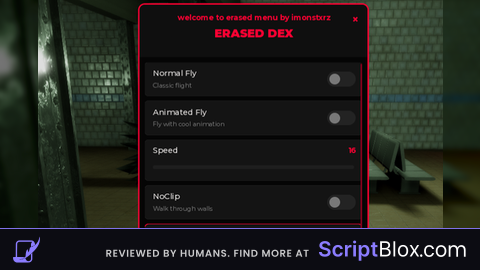
Please comment on anything you want changed!
should work IF you are moving, like MoveDirection isn't nil