

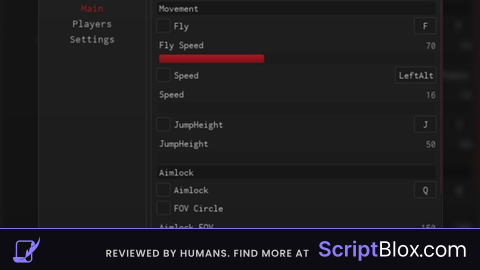
KeylessUniversal

-- Simple player highlighting and nametag script with toggle feature now
local Players = game:GetService("Players")
local RunService = game:GetService("RunService")
local UserInputService = game:GetService("UserInputService")
local LocalPlayer = Players.LocalPlayer
local MaxDistance = 400.5 -- Range in studs for nametags to show

-- Toggle variable
local NametagsEnabled = true

-- Function to create a nametag for a player
local function CreateNametag(Player)
    if Player == LocalPlayer then return end -- Skip local player

    local function SetupNametag(Character)
        local Head = Character:FindFirstChild("Head")
        if not Head then return end -- If no head, exit

        -- Remove existing nametag if it exists
        local OldNametag = Head:FindFirstChild("Nametag")
        if OldNametag then
            OldNametag:Destroy()
        end

        local BillboardGui = Instance.new("BillboardGui")
        BillboardGui.Name = "Nametag"
        BillboardGui.Adornee = Head
        BillboardGui.Size = UDim2.new(0, 75, 0, 150)
        BillboardGui.StudsOffset = Vector3.new(0, 2, 0)
        BillboardGui.AlwaysOnTop = true

        local TextLabel = Instance.new("TextLabel")
        TextLabel.Size = UDim2.new(1, 0, 1, 0)
        TextLabel.Text = Player.Name
        TextLabel.TextColor3 = Color3.fromRGB(255, 255, 255) -- White color
        TextLabel.BackgroundTransparency = 1
        TextLabel.TextStrokeTransparency = 0.75 -- Outline for better visibility
        TextLabel.Font = Enum.Font.Code
        TextLabel.TextScaled = true
        TextLabel.Parent = BillboardGui

        BillboardGui.Parent = Head

        -- Function to update visibility based on distance and toggle
        local function UpdateVisibility()
            if NametagsEnabled and Player.Character and Player.Character:FindFirstChild("Head") and LocalPlayer.Character and LocalPlayer.Character:FindFirstChild("Head") then
                local Distance = (Player.Character.Head.Position - LocalPlayer.Character.Head.Position).Magnitude
                BillboardGui.Enabled = (Distance <= MaxDistance)
            else
                BillboardGui.Enabled = false
            end
        end

        -- Monitor visibility
        local Connection
        Connection = RunService.Heartbeat:Connect(function()
            if Player.Character and Player.Character:FindFirstChild("Head") then
                UpdateVisibility()
            else
                BillboardGui:Destroy() -- Clean up nametag when player dies
                Connection:Disconnect()
            end
        end)
    end

    -- Apply when character spawns or respawns
    if Player.Character then
        SetupNametag(Player.Character)
    end
    Player.CharacterAdded:Connect(SetupNametag)
end

-- Function to apply ESP/Highlight to a player
local function ApplyHighlight(Player)
    if Player == LocalPlayer then return end -- Skip local player

    local function SetupHighlight(Character)
        -- Remove old highlights
        for _, v in pairs(Character:GetChildren()) do
            if v:IsA("Highlight") then
                v:Destroy()
            end
        end

        local Highlighter = Instance.new("Highlight")
        Highlighter.Parent = Character

        local function UpdateFillColor()
            local DefaultColor = Color3.fromRGB(255, 48, 51) -- Default red color
            Highlighter.FillColor = Player.TeamColor and Player.TeamColor.Color or DefaultColor
        end

        UpdateFillColor()
        Player:GetPropertyChangedSignal("TeamColor"):Connect(UpdateFillColor)

        -- Remove highlight when player dies
        local Humanoid = Character:FindFirstChildOfClass("Humanoid")
        if Humanoid then
            Humanoid.Died:Connect(function()
                Highlighter:Destroy()
            end)
        end
    end

    -- Apply highlight on spawn and respawn
    if Player.Character then
        SetupHighlight(Player.Character)
    end
    Player.CharacterAdded:Connect(SetupHighlight)
end

-- Function to toggle nametags
local function ToggleNametags()
    NametagsEnabled = not NametagsEnabled -- Flip the toggle state
    print("Nametags Enabled:", NametagsEnabled)

    for _, Player in pairs(Players:GetPlayers()) do
        if Player ~= LocalPlayer and Player.Character and Player.Character:FindFirstChild("Head") then
            local Nametag = Player.Character.Head:FindFirstChild("Nametag")
            if Nametag then
                Nametag.Enabled = NametagsEnabled
            end
        end
    end
end

-- Bind the toggle function to the "[" key
UserInputService.InputBegan:Connect(function(Input, GameProcessed)
    if not GameProcessed and Input.KeyCode == Enum.KeyCode.LeftBracket then
        ToggleNametags()
    end
end)

-- Apply ESP and Nametags to all current players
for _, Player in pairs(Players:GetPlayers()) do
    CreateNametag(Player)
    ApplyHighlight(Player)
end

-- Apply ESP and Nametags to players who join later
Players.PlayerAdded:Connect(function(Player)
    CreateNametag(Player)
    ApplyHighlight(Player)
end)
-- 4/3/2025 X:XXPM (Script Updated)
-- 4/4/2025 1:59PM (Edit / Update)
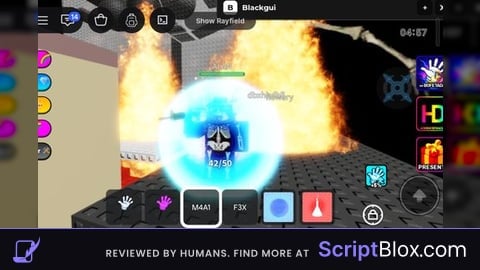
it works but doesnt it doesnt highlight the people
but shows name