

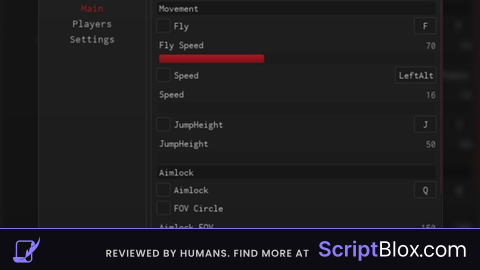
KeylessUniversal
local ReplicatedStorage = game:GetService("ReplicatedStorage")
local RequestCommand = ReplicatedStorage:WaitForChild("HDAdminHDClient").Signals.RequestCommandSilent
local player = game.Players.LocalPlayer
local CoreGui = game:GetService("CoreGui")

-- Biến trạng thái bật/tắt (Mặc định ban đầu là BẬT)
local isEnabled = true
-- Khóa chống spam khi đang trong quá trình đợi HD Admin xử lý đổi dạng
local isProcessing = false

----------------------------------------------------------------
-- 1. TẠO GIAO DIỆN GUI (Nút bấm On/Off bảo vệ R6)
----------------------------------------------------------------
local screenGui = Instance.new("ScreenGui")
screenGui.Name = "R6AntiR15_Gui"
-- Đảm bảo GUI không bị mất khi nhân vật chết/hồi sinh
screenGui.ResetOnSpawn = false

-- Tự động đưa vào CoreGui để không bị lẫn vào PlayerGui thông thường
local parentTarget = CoreGui:FindFirstChild("RobloxGui") or CoreGui
screenGui.Parent = parentTarget

-- Tạo nút bấm chính
local toggleButton = Instance.new("TextButton")
toggleButton.Size = UDim2.new(0, 100, 0, 40)
toggleButton.Position = UDim2.new(0.05, 0, 0.4, 0) -- Nằm ở cạnh trái màn hình
toggleButton.BackgroundColor3 = Color3.fromRGB(46, 204, 113) -- Màu xanh lá (ON)
toggleButton.TextColor3 = Color3.fromRGB(255, 255, 255)
toggleButton.TextSize = 16
toggleButton.Font = Enum.Font.SourceSansBold
toggleButton.Text = "R6 AUTO: ON"
toggleButton.Parent = screenGui

-- Bo góc cho nút bấm nhìn mượt hơn
local uiCorner = Instance.new("UICorner")
uiCorner.CornerRadius = UDim.new(0, 8)
uiCorner.Parent = toggleButton

-- Hiệu ứng kéo thả nút bấm (Giúp bro di chuyển nút đi chỗ khác nếu vướng)
local dragging, dragInput, dragStart, startPos
toggleButton.InputBegan:Connect(function(input)
    if input.UserInputType == Enum.UserInputType.MouseButton1 or input.UserInputType == Enum.UserInputType.Touch then
        dragging = true
        dragStart = input.Position
        startPos = toggleButton.Position
    end
end)
toggleButton.InputChanged:Connect(function(input)
    if input.UserInputType == Enum.UserInputType.MouseMovement or input.UserInputType == Enum.UserInputType.Touch then
        dragInput = input
    end
end)
game:GetService("UserInputService").InputChanged:Connect(function(input)
    if input == dragInput and dragging then
        local delta = input.Position - dragStart
        toggleButton.Position = UDim2.new(startPos.X.Scale, startPos.X.Offset + delta.X, startPos.Y.Scale, startPos.Y.Offset + delta.Y)
    end
end)
game:GetService("UserInputService").InputEnded:Connect(function(input)
    if input.UserInputType == Enum.UserInputType.MouseButton1 or input.UserInputType == Enum.UserInputType.Touch then
        dragging = false
    end
end)

----------------------------------------------------------------
-- 2. LOGIC XỬ LÝ KIỂM TRA R6 / R15
----------------------------------------------------------------
local function checkAndRun()
    -- Nếu tắt chế độ (OFF) hoặc đang trong quá trình chờ delay thì dừng ngay
    if not isEnabled or isProcessing then return end

    local char = player.Character
    if char then
        local humanoid = char:FindFirstChildOfClass("Humanoid")
        -- Chỉ kích hoạt khi bật ON và phát hiện nhân vật đang ở dạng R15
        if humanoid and humanoid.RigType == Enum.HumanoidRigType.R15 then
            isProcessing = true -- Khóa chốt chống spam ngay lập tức
            print("🔄 [GUI] Phát hiện R15! Đang thực thi lệnh ;r6 me...")

            pcall(function()
                RequestCommand:InvokeServer(";r6 me")
            end)

            -- Chờ hẳn 4 giây (thời gian an toàn để HD Admin xử lý hồi sinh xong R6) rồi mới mở lại khóa quét
            task.wait(4)
            isProcessing = false
        end
    end
end

----------------------------------------------------------------
-- 3. SỰ KIỆN TƯƠNG TÁC BẤM NÚT & VÒNG LẶP QUÉT AN TOÀN
----------------------------------------------------------------
toggleButton.MouseButton1Click:Connect(function()
    isEnabled = not isEnabled
    if isEnabled then
        toggleButton.Text = "R6 AUTO: ON"
        toggleButton.BackgroundColor3 = Color3.fromRGB(46, 204, 113) -- Đổi sang Xanh
        print("🟢 Đã BẬT tự động ép R6.")
        -- Quét kiểm tra ngay khi vừa bật lại
        checkAndRun()
    else
        toggleButton.Text = "R6 AUTO: OFF"
        toggleButton.BackgroundColor3 = Color3.fromRGB(231, 76, 60) -- Đổi sang Đỏ
        isProcessing = false -- Reset khóa khi tắt để lần sau bật lại không bị kẹt
        print("🔴 Đã TẮT tự động ép R6. Bạn có thể dùng R15 tự do.")
    end
end)

-- Vòng lặp quét nhẹ mỗi 0.5 giây (Chỉ hoạt động khi GUI trạng thái ON)
task.spawn(function()
    while true do
        if isEnabled and not isProcessing then
            checkAndRun()
        end
        task.wait(0.5)
    end
end)
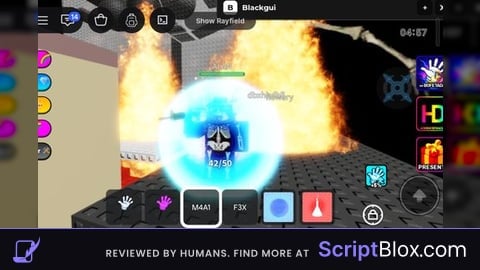
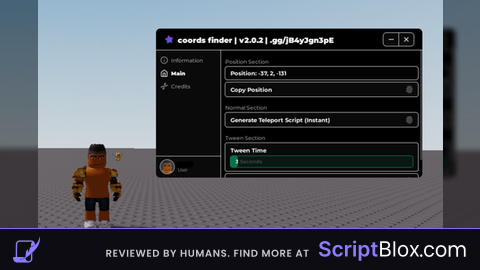
Literally im skid