
KeylessUniversal
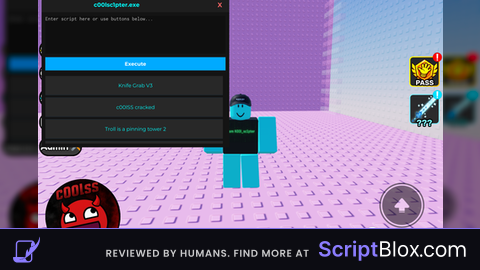
-- c00lsc1pter.exe
-- Save as .lua and execute with your favorite injector

local ScreenGui = Instance.new("ScreenGui")
local MainFrame = Instance.new("Frame")
local TopBar = Instance.new("Frame")
local Title = Instance.new("TextLabel")
local CloseButton = Instance.new("TextButton")
local ExecutorBox = Instance.new("TextBox")
local ExecuteBtn = Instance.new("TextButton")
local ScrollFrame = Instance.new("ScrollingFrame")
local UIListLayout = Instance.new("UIListLayout")

-- Settings
ScreenGui.Parent = game.CoreGui
ScreenGui.ResetOnSpawn = false

MainFrame.Name = "c00lsc1pter.exe"
MainFrame.Parent = ScreenGui
MainFrame.BackgroundColor3 = Color3.fromRGB(20, 20, 20)
MainFrame.BorderSizePixel = 0
MainFrame.Position = UDim2.new(0.3, 0, 0.2, 0)
MainFrame.Size = UDim2.new(0, 500, 0, 400)
MainFrame.Active = true
MainFrame.Draggable = true

-- Top bar for dragging + title
TopBar.Parent = MainFrame
TopBar.BackgroundColor3 = Color3.fromRGB(30, 30, 30)
TopBar.Size = UDim2.new(1, 0, 0, 40)
TopBar.BorderSizePixel = 0

Title.Parent = TopBar
Title.BackgroundTransparency = 1
Title.Size = UDim2.new(0.8, 0, 1, 0)
Title.Font = Enum.Font.GothamBold
Title.Text = "c00lsc1pter.exe"
Title.TextColor3 = Color3.fromRGB(0, 255, 255)
Title.TextSize = 18

CloseButton.Parent = TopBar
CloseButton.BackgroundTransparency = 1
CloseButton.Position = UDim2.new(0.9, 0, 0, 0)
CloseButton.Size = UDim2.new(0.1, 0, 1, 0)
CloseButton.Font = Enum.Font.GothamBold
CloseButton.Text = "X"
CloseButton.TextColor3 = Color3.fromRGB(255, 100, 100)
CloseButton.TextSize = 20
CloseButton.MouseButton1Click:Connect(function()
    ScreenGui:Destroy()
end)

-- Executor text box
ExecutorBox.Parent = MainFrame
ExecutorBox.BackgroundColor3 = Color3.fromRGB(15, 15, 15)
ExecutorBox.BorderSizePixel = 0
ExecutorBox.Position = UDim2.new(0, 10, 0, 50)
ExecutorBox.Size = UDim2.new(1, -20, 0, 100)
ExecutorBox.Font = Enum.Font.Code
ExecutorBox.Text = ""
ExecutorBox.PlaceholderText = "Enter script here or use buttons below..."
ExecutorBox.TextColor3 = Color3.fromRGB(255, 255, 255)
ExecutorBox.TextSize = 14
ExecutorBox.MultiLine = true
ExecutorBox.TextXAlignment = Enum.TextXAlignment.Left
ExecutorBox.TextYAlignment = Enum.TextYAlignment.Top
ExecutorBox.ClearTextOnFocus = false

-- Execute button
ExecuteBtn.Parent = MainFrame
ExecuteBtn.BackgroundColor3 = Color3.fromRGB(0, 170, 255)
ExecuteBtn.Position = UDim2.new(0, 10, 0, 160)
ExecuteBtn.Size = UDim2.new(1, -20, 0, 35)
ExecuteBtn.Font = Enum.Font.GothamBold
ExecuteBtn.Text = "Execute"
ExecuteBtn.TextColor3 = Color3.new(1, 1, 1)
ExecuteBtn.TextSize = 16
ExecuteBtn.MouseButton1Click:Connect(function()
    local success, err = pcall(function()
        loadstring(ExecutorBox.Text)()
    end)
    if not success then
        warn("Execution error: " .. tostring(err))
    end
end)

-- Scrolling list of script buttons
ScrollFrame.Parent = MainFrame
ScrollFrame.BackgroundTransparency = 1
ScrollFrame.Position = UDim2.new(0, 10, 0, 210)
ScrollFrame.Size = UDim2.new(1, -20, 1, -220)
ScrollFrame.CanvasSize = UDim2.new(0, 0, 0, 0)
ScrollFrame.ScrollBarThickness = 6

UIListLayout.Parent = ScrollFrame
UIListLayout.Padding = UDim.new(0, 8)

-- Function to create buttons with error handling
local function CreateScriptButton(name, url)
    local Button = Instance.new("TextButton")
    Button.Parent = ScrollFrame
    Button.BackgroundColor3 = Color3.fromRGB(40, 40, 40)
    Button.Size = UDim2.new(1, 0, 0, 50)
    Button.Font = Enum.Font.Gotham
    Button.Text = name
    Button.TextColor3 = Color3.fromRGB(0, 255, 255)
    Button.TextSize = 16
    Button.MouseButton1Click:Connect(function()
        local success, err = pcall(function()
            loadstring(game:HttpGet(url, true))()
        end)
        if not success then
            warn("Script load error for " .. name .. ": " .. tostring(err))
        end
    end)
end

-- Update canvas size once after all buttons are added
local function UpdateCanvas()
    ScrollFrame.CanvasSize = UDim2.new(0, 0, 0, UIListLayout.AbsoluteContentSize.Y + 20)
end

-- === Original URLs with Knife Hub swapped to V3 ===
CreateScriptButton("Knife Grab V3", "https://raw.githubusercontent.com/Cycybersucz/Roblox-Grab-Knifev3-Script/main/Roblox-Grab-Knifev3-Script.txt")
CreateScriptButton("c00lSS cracked", "https://raw.githubusercontent.com/mizu-dump/Lua2Loadstring/main/Main/C00lSS.lua")
CreateScriptButton("Troll is a pinning tower 2", "https://raw.githubusercontent.com/mizu-dump/Lua2Loadstring/main/Main/Slap .lua")
CreateScriptButton("Infinite Yield", "https://raw.githubusercontent.com/EdgeIY/infiniteyield/master/source")
CreateScriptButton("Rohub", "https://pastebin.com/raw/KSvbtcPE")
CreateScriptButton("Emotes", "https://raw.githubusercontent.com/7yd7/Hub/refs/heads/Branch/GUIS/Emotes.lua")
CreateScriptButton("FE blade", "https://pastefy.app/59mJGQGe/raw")

UpdateCanvas()

-- Final touch
print("c00lsc1pter.exe loaded! Knife Grab now V3 (Z=Equip, X=Stab, C=Throw, etc.)")
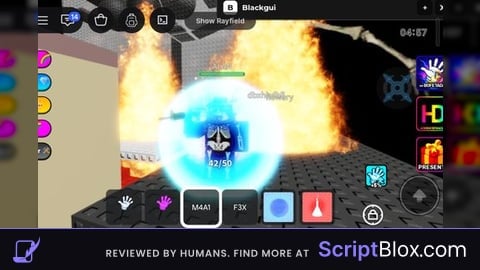
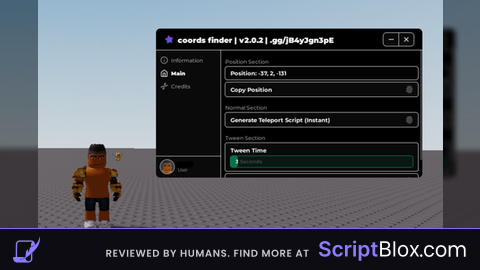
😝Some script serverside😝
😏I like it😏(GGs script)