
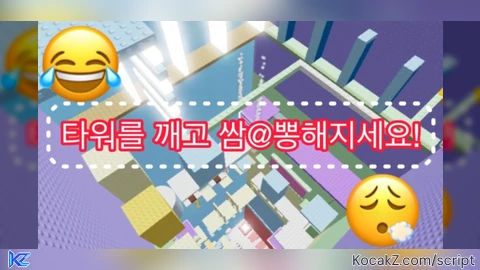
Menara Ssampong Script – C00lkid m4 animation r6 (read description)
local p = game.Players.LocalPlayer

local g = Instance.new("ScreenGui", p.PlayerGui)
g.Name = "AnimToggle"
g.ResetOnSpawn = false

local main = Instance.new("Frame", g)
main.Size = UDim2.new(0, 140, 0, 70)
main.Position = UDim2.new(1, -150, 0.5, -35)
main.BackgroundColor3 = Color3.fromRGB(30,30,30)
Instance.new("UICorner", main)

local title = Instance.new("TextLabel", main)
title.Size = UDim2.new(1, 0, 0, 20)
title.Text = "  Anim Controller"
title.TextXAlignment = Enum.TextXAlignment.Left
title.TextColor3 = Color3.new(1,1,1)
title.BackgroundColor3 = Color3.fromRGB(45,45,45)
title.Font = Enum.Font.GothamBold
title.TextSize = 12
Instance.new("UICorner", title)

local btnMin = Instance.new("TextButton", title)
btnMin.Size = UDim2.new(0, 20, 0, 20)
btnMin.Position = UDim2.new(1, -22, 0, 0)
btnMin.Text = "-"
btnMin.BackgroundColor3 = Color3.fromRGB(70,70,70)
btnMin.TextColor3 = Color3.new(1,1,1)
btnMin.Font = Enum.Font.GothamBold
btnMin.TextScaled = true
Instance.new("UICorner", btnMin)

local b = Instance.new("TextButton", main)
b.Size = UDim2.new(1, -10, 0, 40)
b.Position = UDim2.new(0, 5, 0, 25)
b.Text = "ANIM: OFF"
b.BackgroundColor3 = Color3.fromRGB(80,80,80)
b.TextColor3 = Color3.new(1,1,1)
b.Font = Enum.Font.GothamBold
b.TextScaled = true
Instance.new("UICorner", b)

-- DRAG & MINIMIZE
local dragging, dragInput, dragStart, startPos
title.InputBegan:Connect(function(input)
	if input.UserInputType == Enum.UserInputType.MouseButton1 or input.UserInputType == Enum.UserInputType.Touch then
		dragging = true dragStart = input.Position startPos = main.Position
		input.Changed:Connect(function() if input.UserInputState == Enum.UserInputState.End then dragging = false end end)
	end
end)
title.InputChanged:Connect(function(input)
	if input.UserInputType == Enum.UserInputType.MouseMovement or input.UserInputType == Enum.UserInputType.Touch then dragInput = input end
end)
game:GetService("UserInputService").InputChanged:Connect(function(input)
	if input == dragInput and dragging then
		local delta = input.Position - dragStart
		main.Position = UDim2.new(startPos.X.Scale, startPos.X.Offset + delta.X, startPos.Y.Scale, startPos.Y.Offset + delta.Y)
	end
end)

local minimized = false
btnMin.MouseButton1Click:Connect(function()
	minimized = not minimized
	if minimized then main.Size = UDim2.new(0,140,0,20) b.Visible=false btnMin.Text="+"
	else main.Size = UDim2.new(0,140,0,70) b.Visible=true btnMin.Text="-" end
end)

-- ANIM + FOOTSTEP
local IDLE = "rbxassetid://112916477760662"
local WALK = "rbxassetid://95388940645239"
local RUN = "rbxassetid://119327996325377"
local FOOTSTEP_ID = "rbxassetid://137620518840395"

local enabled = false
local curTrack, conn, stepConn
local tracks = {}
local stepSound = nil

local function stopAll()
	if curTrack then curTrack:Stop(0.15) curTrack=nil end
	if conn then conn:Disconnect() conn=nil end
	if stepConn then stepConn:Disconnect() stepConn=nil end
	for _, t in pairs(tracks) do pcall(function() t:Stop(0.15) end) end
	tracks = {}
	if stepSound then stepSound:Stop() end
end

local function createFootstepSound(root)
	if stepSound then stepSound:Destroy() end
	stepSound = Instance.new("Sound")
	stepSound.Name = "Footstep"
	stepSound.SoundId = FOOTSTEP_ID
	stepSound.Volume = 1
	stepSound.RollOffMode = Enum.RollOffMode.Linear
	stepSound.Parent = root
end

local function loadAll(hum)
	stopAll()
	local char = hum.Parent
	local root = char:WaitForChild("HumanoidRootPart")
	local animator = hum:WaitForChild("Animator")

	createFootstepSound(root)

	local function make(id)
		local a = Instance.new("Animation") a.AnimationId = id
		return animator:LoadAnimation(a)
	end
	tracks.Idle = make(IDLE) tracks.Walk = make(WALK) tracks.Run = make(RUN)
	for _, t in pairs(tracks) do t.Looped = true t.Priority = Enum.AnimationPriority.Movement end
end

local function play(name)
	if not enabled then return end
	if not tracks[name] then return end
	if curTrack == tracks[name] then return end
	if curTrack then curTrack:Stop(0.15) end
	curTrack = tracks[name] curTrack:Play(0.15)
end

local function hookHumanoid(hum)
	loadAll(hum)
	if conn then conn:Disconnect() end
	if stepConn then stepConn:Disconnect() end

	local lastStep = 0
	conn = hum.Running:Connect(function(s)
		if not enabled then return end
		if s < 0.1 then
			play("Idle")
		elseif s < 16 then
			play("Walk")
		else
			play("Run")
		end
	end)

	-- FOOTSTEP LOOP
	stepConn = game:GetService("RunService").Heartbeat:Connect(function()
		if not enabled or not stepSound then return end
		if hum.MoveDirection.Magnitude > 0.1 and hum.FloorMaterial ~= Enum.Material.Air then
			local speed = hum.MoveDirection.Magnitude * hum.WalkSpeed
			local interval = speed > 16 and 0.25 or 0.4 -- lari lebih cepet bunyinya
			if tick() - lastStep >= interval then
				lastStep = tick()
				stepSound:Play()
			end
		end
	end)

	play("Idle")
end

b.MouseButton1Click:Connect(function()
	enabled = not enabled
	if enabled then
		b.Text = "ANIM: ON" b.BackgroundColor3 = Color3.fromRGB(0,170,0)
		local char = p.Character or p.CharacterAdded:Wait()
		hookHumanoid(char:WaitForChild("Humanoid"))
	else
		b.Text = "ANIM: OFF" b.BackgroundColor3 = Color3.fromRGB(80,80,80)
		stopAll()
	end
end)

p.CharacterAdded:Connect(function(char)
	task.wait(0.5)
	local hum = char:WaitForChild("Humanoid")
	if enabled then hookHumanoid(hum) end
end)
How to Execute Menara Ssampong Script – C00lkid m4 animation r6 (read description)
Step 1: Copy Code: Click the Copy Code button in the viewer above to grab the clean Lua loadstring.
Step 2: Launch Executor: Open a compatible, unpatched executor. If you need one, check our Roblox Executors Directory.
Step 3: Join Experience: Launch Roblox and join Menara Ssampong.
Step 4: Attach & Run: Attach/inject your executor into the Roblox process, paste the code into the script tab, and press Execute.

Features & Information
Script Changelog (1)
Community Comments (5)
Frequently Asked Questions
How do I execute Menara Ssampong Script – C00lkid m4 animation r6 (read description) in Roblox?
To run Menara Ssampong Script – C00lkid m4 animation r6 (read description), copy the Lua loadstring from the code viewer above, launch Roblox and join Menara Ssampong, attach a working executor (such as Potassium, Solara, or Delta from our Executors directory), paste the code into your executor console, and click Execute.
Is Menara Ssampong Script – C00lkid m4 animation r6 (read description) keyless or does it require an access key?
Menara Ssampong Script – C00lkid m4 animation r6 (read description) requires an access key. You can retrieve the official key directly using the Get Script Key link provided above.
Is Menara Ssampong Script – C00lkid m4 animation r6 (read description) currently safe and working?
This script is active and operational. Always test scripts using a secondary (alt) Roblox account to safeguard your main profile against anti-cheat bans.
not working
@test243322 only works at Ssampong Tower
@XVvanNX i know but it doesn't work
is it fe
@kaizeo yeah in ssampong tower