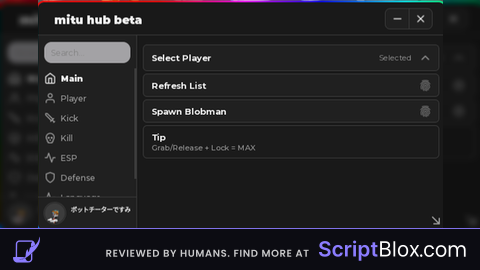
Keyless
local spin_gui = Instance.new("ScreenGui")
spin_gui.IgnoreGuiInset = false
spin_gui.ResetOnSpawn = true
spin_gui.ZIndexBehavior = Enum.ZIndexBehavior.Sibling
spin_gui.Name = "SpinGui"
spin_gui.Parent = game.Players.LocalPlayer:WaitForChild("PlayerGui")

local spin_frame = Instance.new("Frame")
spin_frame.BackgroundColor3 = Color3.new(0.415686, 0.415686, 0.415686)
spin_frame.BorderColor3 = Color3.new(0, 0, 0)
spin_frame.BorderSizePixel = 0
spin_frame.Position = UDim2.new(0.0335892513, 0, 0.397418499, 0)
spin_frame.Size = UDim2.new(0, 168, 0, 120)
spin_frame.Visible = true
spin_frame.Name = "SpinFrame"
spin_frame.Active = true
spin_frame.Draggable = true
spin_frame.Parent = spin_gui

local how_long = Instance.new("TextLabel")
how_long.Font = Enum.Font.SourceSansBold
how_long.Text = "Time Untill Next Spin:"
how_long.TextColor3 = Color3.new(0.576471, 0.576471, 0.576471)
how_long.TextScaled = true
how_long.TextSize = 24
how_long.TextWrapped = true
how_long.BackgroundColor3 = Color3.new(0.454902, 0.454902, 0.454902)
how_long.BackgroundTransparency = 0.550000011920929
how_long.BorderColor3 = Color3.new(0, 0, 0)
how_long.BorderSizePixel = 0
how_long.Size = UDim2.new(0, 168, 0, 54)
how_long.Visible = true
how_long.Name = "HowLong"
how_long.Parent = spin_frame

local uistroke = Instance.new("UIStroke")
uistroke.Thickness = 2.200000047683716
uistroke.Parent = how_long

local uicorner = Instance.new("UICorner")
uicorner.CornerRadius = UDim.new(0, 22)
uicorner.Parent = how_long

local uistroke_2 = Instance.new("UIStroke")
uistroke_2.ApplyStrokeMode = Enum.ApplyStrokeMode.Border
uistroke_2.Color = Color3.new(0.294118, 0.294118, 0.294118)
uistroke_2.Thickness = 2.200000047683716
uistroke_2.Parent = how_long

local this_long = Instance.new("TextLabel")
this_long.Font = Enum.Font.SourceSansBold
this_long.Text = "9:59"
this_long.TextColor3 = Color3.new(0.0509804, 1, 0)
this_long.TextScaled = true
this_long.TextSize = 24
this_long.TextWrapped = true
this_long.BackgroundColor3 = Color3.new(0.454902, 0.454902, 0.454902)
this_long.BackgroundTransparency = 0.550000011920929
this_long.BorderColor3 = Color3.new(0, 0, 0)
this_long.BorderSizePixel = 0
this_long.Position = UDim2.new(0, 0, 0.545385718, 0)
this_long.Size = UDim2.new(0, 168, 0, 54)
this_long.Visible = true
this_long.Name = "ThisLong"
this_long.Parent = spin_frame

local uistroke_3 = Instance.new("UIStroke")
uistroke_3.Thickness = 2.200000047683716
uistroke_3.Parent = this_long

local uicorner_2 = Instance.new("UICorner")
uicorner_2.CornerRadius = UDim.new(0, 22)
uicorner_2.Parent = this_long

local uistroke_4 = Instance.new("UIStroke")
uistroke_4.ApplyStrokeMode = Enum.ApplyStrokeMode.Border
uistroke_4.Color = Color3.new(0.294118, 0.294118, 0.294118)
uistroke_4.Thickness = 2.200000047683716
uistroke_4.Parent = this_long

local uicorner_3 = Instance.new("UICorner")
uicorner_3.CornerRadius = UDim.new(0, 22)
uicorner_3.Parent = spin_frame

local RunService = game:GetService("RunService")

local function updateText()
	this_long.Text = workspace.Slots.Slots.Screen.SlotGui.TimeLeftFrame.TimeText.Text
end

RunService.RenderStepped:Connect(updateText)No comments yet for this script.