
-- Farewell Infortality.
-- Version: 2.82
-- Script made by Izumy.#9033
-- Instances:
local GUI = Instance.new("ScreenGui")
local OpenFrame = Instance.new("Frame")
local Open = Instance.new("TextButton")
local Main = Instance.new("Frame")
local TextOben = Instance.new("TextLabel")
local TextUnten = Instance.new("TextLabel")
local Start = Instance.new("TextButton")
local Stop = Instance.new("TextButton")
local Close = Instance.new("TextButton")
local Oben = Instance.new("Frame")
local Unten = Instance.new("Frame")
--Properties:
GUI.Name = "GUI"
GUI.Parent = game.CoreGui

OpenFrame.Name = "OpenFrame"
OpenFrame.Parent = GUI
OpenFrame.Active = true
OpenFrame.BackgroundColor3 = Color3.new(0.247059, 0.247059, 0.247059)
OpenFrame.Position = UDim2.new(0, 0, 0.539840639, 0)
OpenFrame.Size = UDim2.new(0, 114, 0, 30)

Open.Name = "Open"
Open.Parent = OpenFrame
Open.BackgroundColor3 = Color3.new(0.247059, 0.247059, 0.247059)
Open.BorderSizePixel = 0
Open.Position = UDim2.new(0.0370370373, 0, 0.13333334, 0)
Open.Size = UDim2.new(0, 104, 0, 22)
Open.Font = Enum.Font.SciFi
Open.Text = "Open"
Open.TextColor3 = Color3.new(0, 0, 0)
Open.TextSize = 20
Open.MouseButton1Down:connect(function()
Main.Visible = true
OpenFrame.Visible = false
end)

Main.Name = "Main"
Main.Parent = GUI
Main.Active = true
Main.BackgroundColor3 = Color3.new(0.203922, 0.203922, 0.203922)
Main.BackgroundTransparency = 0.20000000298023
Main.BorderColor3 = Color3.new(0, 0, 0)
Main.Position = UDim2.new(0.393034846, 0, 0.288844645, 0)
Main.Size = UDim2.new(0, 172, 0, 211)
Main.Draggable = true

TextOben.Name = "TextOben"
TextOben.Parent = Main
TextOben.BackgroundColor3 = Color3.new(0, 0.333333, 1)
TextOben.BorderColor3 = Color3.new(0, 0, 0)
TextOben.Position = UDim2.new(-0.116279073, 0, -0.0900473967, 0)
TextOben.Size = UDim2.new(0, 263, 0, 32)
TextOben.Font = Enum.Font.SciFi
TextOben.Text = "Broken Farm Cash v.2"
TextOben.TextColor3 = Color3.new(0, 0, 0)
TextOben.TextSize = 30

TextUnten.Name = "TextUnten"
TextUnten.Parent = Main
TextUnten.BackgroundColor3 = Color3.new(0, 0.333333, 1)
TextUnten.Position = UDim2.new(-0.116279073, 0, 0.928909957, 0)
TextUnten.Size = UDim2.new(0, 212, 0, 31)
TextUnten.Font = Enum.Font.SciFi
TextUnten.Text = "Credits: Izumy.#9033"
TextUnten.TextColor3 = Color3.new(0, 0, 0)
TextUnten.TextSize = 24

Start.Name = "Start"
Start.Parent = Main
Start.BackgroundColor3 = Color3.new(1, 1, 1)
Start.BackgroundTransparency = 1
Start.BorderSizePixel = 0
Start.Position = UDim2.new(0.0755813941, 0, 0.113744073, 0)
Start.Size = UDim2.new(0, 146, 0, 54)
Start.Font = Enum.Font.Cartoon
Start.Text = "Start"
Start.TextColor3 = Color3.new(0, 0, 0)
Start.TextSize = 40
Start.MouseButton1Down:connect(function()
game.Players.LocalPlayer.Character.HumanoidRootPart.CFrame = CFrame.new(2207, 128, -374)
end)
Start.MouseButton1Down:connect(function()
plr = game:GetService('Players').LocalPlayer
torso = plr.Character.UpperTorso
hum = plr.Character.Humanoid
mouse = plr:GetMouse()
stop = false
while stop == false do
local bp = Instance.new('BodyPosition')
bp.MaxForce = Vector3.new(999999,999999,999999)
bp.Position = torso.Position
bp.Parent = torso
local bav = Instance.new('BodyAngularVelocity')
bav.MaxTorque = Vector3.new(992229,999999,999999)
bav.AngularVelocity = Vector3.new(200,200,200)
bav.Parent = torso
wait()
end
end)
Start.MouseButton1Down:connect(function()
local VirtualUser=game:service'VirtualUser'
game:service'Players'.LocalPlayer.Idled:connect(function()
VirtualUser:CaptureController()
VirtualUser:ClickButton2(Vector2.new())
end)
end)

Stop.Name = "Stop"
Stop.Parent = Main
Stop.BackgroundColor3 = Color3.new(1, 1, 1)
Stop.BackgroundTransparency = 1
Stop.BorderSizePixel = 0
Stop.Position = UDim2.new(0.0755813941, 0, 0.369668275, 0)
Stop.Size = UDim2.new(0, 146, 0, 54)
Stop.Font = Enum.Font.Cartoon
Stop.Text = "Stop"
Stop.TextColor3 = Color3.new(0, 0, 0)
Stop.TextSize = 40
Stop.MouseButton1Down:connect(function()
local player = game.Players.LocalPlayer.Name

game.workspace[player]:BreakJoints()
end)

Close.Name = "Close"
Close.Parent = Main
Close.BackgroundColor3 = Color3.new(1, 1, 1)
Close.BackgroundTransparency = 1
Close.BorderSizePixel = 0
Close.Position = UDim2.new(0.0755813941, 0, 0.654028475, 0)
Close.Size = UDim2.new(0, 145, 0, 45)
Close.Font = Enum.Font.SciFi
Close.Text = "Close"
Close.TextColor3 = Color3.new(0, 0, 0)
Close.TextSize = 25
Close.MouseButton1Down:connect(function()
OpenFrame.Visible = true
Main.Visible = false
end)

Oben.Name = "Oben"
Oben.Parent = Main
Oben.BackgroundColor3 = Color3.new(1, 1, 1)
Oben.BackgroundTransparency = 1
Oben.BorderSizePixel = 0
Oben.Position = UDim2.new(-0.116279066, 0, -0.0900473967, 0)
Oben.Size = UDim2.new(0, 213, 0, 30)

Unten.Name = "Unten"
Unten.Parent = Main
Unten.BackgroundColor3 = Color3.new(1, 1, 1)
Unten.BackgroundTransparency = 1
Unten.BorderSizePixel = 0
Unten.Position = UDim2.new(-0.116279073, 0, 0.933649242, 0)
Unten.Size = UDim2.new(0, 212, 0, 30)
-- Scripts:
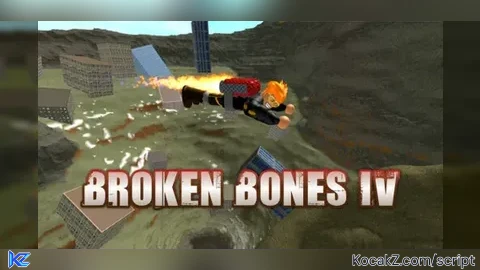
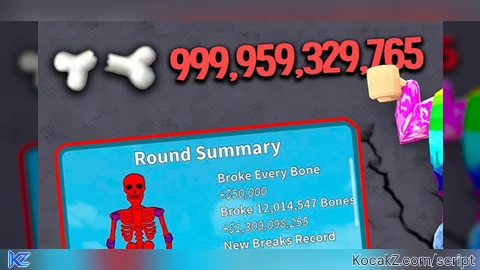
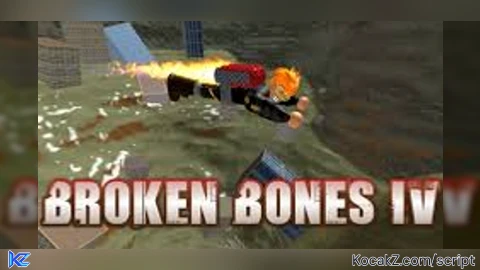
How to Execute Broken Bones IV Script – IV autofarm (Auto Farm)
Step 1: Copy Code: Click the Copy Code button in the viewer above to grab the clean Lua loadstring.
Step 2: Launch Executor: Open a compatible, unpatched executor. If you need one, check our Roblox Executors Directory.
Step 3: Join Experience: Launch Roblox and join Broken Bones IV.
Step 4: Attach & Run: Attach/inject your executor into the Roblox process, paste the code into the script tab, and press Execute.
Features & Information
Script Changelog (1)
Community Comments (3)
Frequently Asked Questions
How do I execute Broken Bones IV Script – IV autofarm (Auto Farm) in Roblox?
To run Broken Bones IV Script – IV autofarm (Auto Farm), copy the Lua loadstring from the code viewer above, launch Roblox and join Broken Bones IV, attach a working executor (such as Potassium, Solara, or Delta from our Executors directory), paste the code into your executor console, and click Execute.
Is Broken Bones IV Script – IV autofarm (Auto Farm) keyless or does it require an access key?
Broken Bones IV Script – IV autofarm (Auto Farm) requires an access key. You can retrieve the official key directly using the Get Script Key link provided above.
Is Broken Bones IV Script – IV autofarm (Auto Farm) currently safe and working?
This script is active and operational. Always test scripts using a secondary (alt) Roblox account to safeguard your main profile against anti-cheat bans.



vouch, cant afk tho
how do you get it?
cd o script???