

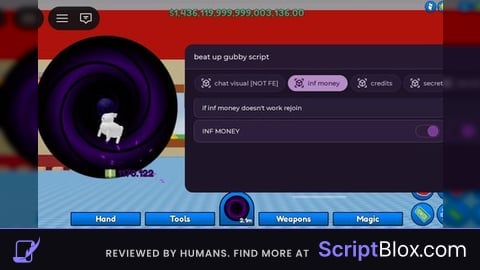
Keyless
local Rayfield = loadstring(game:HttpGet('https://sirius.menu/rayfield'))()
local API = loadstring(game:HttpGet('https://raw.githubusercontent.com/tomatotxt/gubby/refs/heads/main/moneyapi3.luau'))()
local Window = Rayfield:CreateWindow({
   Name = "fast money script",
   Icon = "circle-dollar-sign", -- Icon in Topbar. Can use Lucide Icons (string) or Roblox Image (number). 0 to use no icon (default).
   LoadingTitle = "The IRS is here..",
   LoadingSubtitle = "...",
   ShowText = "show money gui", -- for mobile users to unhide rayfield, change if you'd like
   Theme = "Amber Glow", -- Check https://docs.sirius.menu/rayfield/configuration/themes

   ToggleUIKeybind = "K", -- The keybind to toggle the UI visibility (string like "K" or Enum.KeyCode)

   DisableRayfieldPrompts = true,
   DisableBuildWarnings = true, -- Prevents Rayfield from warning when the script has a version mismatch with the interface

   KeySystem = false, -- Set this to true to use our key system
})

local Tab = Window:CreateTab("Money", 4483362458) -- Title, Image

local Paragraph = Tab:CreateParagraph({Title = "Clarification", Content = "Controls money at highest speed possible. Changing Money by 300 million or more may disconnect you."})

local Input = Tab:CreateInput({
   Name = "SetMoney",
   CurrentValue = "",
   PlaceholderText = "Target Number",
   RemoveTextAfterFocusLost = false,
   Flag = "Input1",
   Callback = function(Text)
		local TargetMoney = tonumber(Text)
		if TargetMoney then
			API.SetMoney(TargetMoney)
		else
			print("Enter Number no commas no spaces")
		end
   end,
})
local Input2 = Tab:CreateInput({
   Name = "AddMoney",
   CurrentValue = "",
   PlaceholderText = "Amount to Add",
   RemoveTextAfterFocusLost = false,
   Flag = "Input2",
   Callback = function(Text)
		local TargetMoney = tonumber(Text)
		if TargetMoney then
			API.AddMoney(TargetMoney)
		else
			print("Enter Number no commas no spaces")
		end
   end,
})
W script
amazing script ngl w manz
Gubbertron
visuals...
@SussyBakatttt is real
@SussyBakatttt You can spend the money and it works what you even mean bro?
im tr* to buy an oil and it didn't worked, it's visuals lol, then i rejoined the game i got like my default 2100
patched
L script dont work
@ThatAverageDeltaUser Just tested it and its working your executor clearly bad or you are using incorrectly.
To Make It Work You Have To Wait For Your Cash To Reach One Million Then It Should Reset To Your Default Then Add Whatever Number You Want In The Set Cash Then Wait For Your Cash To Stop Going Up And Then You Can Spend It