
 tzukizy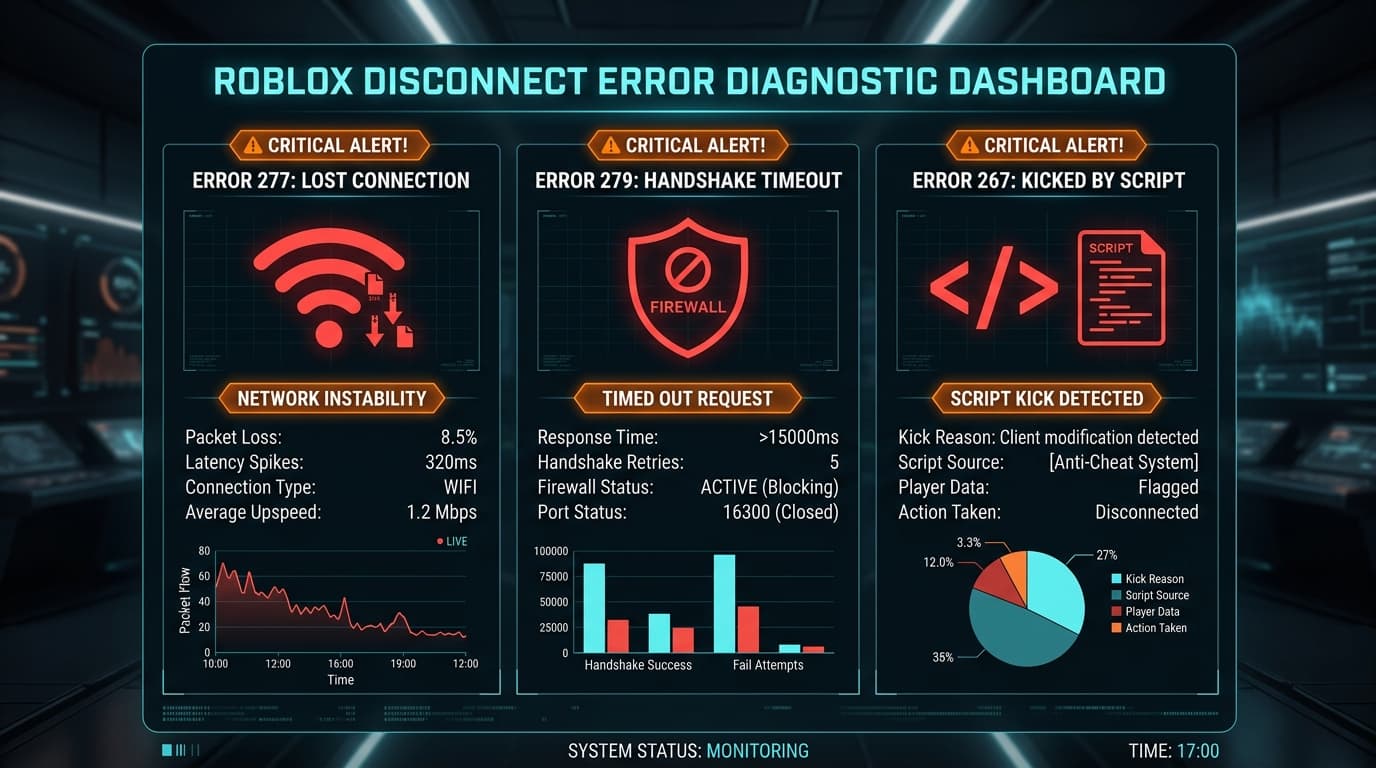
Encountering a disconnect popup in the middle of a Roblox raid, competitive match, or trading session is one of the most disruptive experiences on the platform. Three specific error codes account for the overwhelming majority of these interruptions: Error Code 277, Error Code 279, and Error Code 267.
While all three errors terminate your active session, each stems from fundamentally different architectural layers: one is triggered by network transport socket failure, one by initial handshake and firewall timeouts, and one by game-level Luau script execution flags. Trying random fixes without understanding which error you are facing wastes time. This master diagnostic guide breaks down how each error works and provides the exact technical steps needed to fix Roblox error codes 277 279 267 on Windows.
Roblox Disconnect Error Comparison
Before adjusting network adapters or registry settings, use this diagnostic matrix to match your screen prompt to the underlying technical cause:
| Error Code | Screen Prompt Message | Architectural Layer | Primary Root Cause | Fast Verification |
|---|---|---|---|---|
| 277 | "Please check your internet connection and try again (Error Code: 277)" | Transport Layer (UDP Socket Drop) | Client lost heartbeat packets with Roblox server for >10 seconds; Wi-Fi packet drops or ISP router MTU fragmentation. | Check if browser loads websites or if other background apps disconnected simultaneously. |
| 279 (ID=17) | "Failed to connect to the Game... (Error Code: 279, ID=17)" | Session Layer (Handshake Timeout) | Windows Firewall or router blocking outgoing UDP ports (49152–65535) or DNS failed to resolve server cluster IP. | Test joining a private VIP server or empty server instance in another region. |
| 267 | "You have been kicked from the game (Error Code: 267)" | Application Layer (Luau Script Kick) | Developer-coded script executed player:Kick() due to account age filter, ping spike, high-speed movement flag, or script detection. | Check the custom string message appended after the prompt in the kick dialog. |
Part 1: How to Fix Roblox Error Code 277 (Lost Connection / Socket Drop)
Error Code 277 occurs when the Roblox client detects that the UDP socket connection to the game server has gone silent. If the server does not receive client keepalive pings for approximately 10 to 15 seconds, it marks the session dead.
1. Flush DNS and Reset the Windows TCP/IP Stack
Stale routing tables often direct keepalive packets to invalid gateway nodes. Open PowerShell or Command Prompt as Administrator and execute:
ipconfig /flushdns
netsh int ip reset
netsh winsock reset
Restart your computer immediately after running these commands to rebind your local network sockets.
2. Adjust Network MTU (Maximum Transmission Unit)
If your router or ISP fragments packets larger than 1492 or 1500 bytes, packet reassembly failure will trigger code 277 drops during heavy asset streaming.
To check your adapter MTU:
netsh interface ipv4 show subinterfaces
If your MTU is higher than 1500 on a PPPoE DSL/Fiber connection, lower it to 1472 or 1492 to eliminate fragmentation:
netsh interface ipv4 set subinterface "Ethernet" mtu=1472 store=persistent
(Replace "Ethernet" with your active adapter name).
For further network route optimization, read our guide on how to reduce high ping and packet loss in Roblox.
Part 2: How to Fix Roblox Error Code 279 (Connection Attempt Failed / ID=17)
Error Code 279 almost always presents itself during the initial loading screen. The client reaches the matchmaking API, receives a server allocation, but fails to complete the direct UDP three-way handshake with the assigned game instance within the timeout window.
1. Allow Roblox Through Windows Defender Firewall
Windows Firewall frequently misidentifies newly updated Roblox binaries as unauthorized incoming socket listeners.
- Press Win + R, type
firewall.cpl, and press Enter. - Click Allow an app or feature through Windows Defender Firewall on the left menu.
- Click Change settings (requires administrator privileges).
- Locate Roblox in the list. Ensure both the Private and Public checkboxes are checked.
- If Roblox is not listed, click Allow another app..., browse to:
%localappdata%\Roblox\Versions\version-xxxxxxxx\RobloxPlayerBeta.exeand add it explicitly.
2. Switch to a High-Performance Public DNS Resolver
When Roblox assigns a server in a new cluster, residential ISP DNS servers often fail to resolve the edge domain promptly. Switching your adapter to Cloudflare (1.1.1.1) or Google (8.8.8.8) resolves server addresses in single-digit milliseconds.
Follow our comprehensive walkthrough on how to change DNS servers on Windows 11 with DNS over HTTPS to configure this securely.
3. Open Roblox UDP Port Ranges on Your Router
Roblox utilizes dynamic UDP port allocation across the 49152–65535 range. If your router has strict NAT or an aggressive SPI (Stateful Packet Inspection) firewall:
- Log in to your router gateway (typically
192.168.1.1or192.168.0.1). - Navigate to Port Forwarding / NAT Rules.
- Create a rule forwarding UDP Ports 49152 to 65535 directly to your PC's local static IP address.
Part 3: How to Fix Roblox Error Code 267 (Kicked by Script)
Unlike 277 and 279, Error Code 267 is not a network failure. It is an intentional application-level kick dispatched by game code running on the server:
-- How developers invoke Error 267:
player:Kick("Account must be at least 30 days old to join.")
When this command runs, Roblox disconnects the player and displays Error 267 followed by the custom developer message.
1. Read the Secondary Kick Message
Always inspect the text beneath "Error Code: 267". Common conditions include:
- Account Age Restrictions: Many competitive and trading experiences require your account to be 7, 30, or 60 days old to deter bot swarms and alternate accounts. If this is the reason, you cannot bypass it; you must wait until your account reaches the required age.
- Anti-Cheat False Positives: If you experienced a severe frame drop or network teleportation lag, the game's movement validation script may have mistakenly flagged you for speed-hacking or noclip exploits. Rejoining a fresh server normally resolves this.
- VPN / Proxy Detection: Many developers integrate IP reputation APIs that automatically kick connections originating from commercial VPN datacenter IP pools. Disable your VPN before launching Roblox.
If you suspect third-party overlay injectors or background utilities are triggering client security violations, review our troubleshooting guide on what to check when your client or key fails security checks.
Part 4: Complete System Cache Reset (Universal Fallback)
If you repeatedly encounter disconnects across multiple experiences, your client's cached server certificates and cookies may be corrupt.
- Close all browser tabs and Roblox processes.
- Press Win + R, type
%localappdata%\Roblox, and hit Enter. - Delete the HttpCache and downloads folders.
- Press Win + R, type
inetcpl.cplto open Internet Properties. - In the General tab, under Browsing history, click Delete..., select Temporary Internet files and website files, and click Delete.
- Switch to the Advanced tab, scroll down to the Security section, and ensure Use TLS 1.2 and Use TLS 1.3 are checked.
Practical Takeaway
Fixing Roblox disconnect errors begins with accurate diagnosis:
- If you get Error 277: Treat it as a packet drop. Flush DNS, reset Winsock, and switch from unstable Wi-Fi to a direct Ethernet cable.
- If you get Error 279: Treat it as a port or handshake block. Verify Windows Firewall permissions and configure Cloudflare DNS.
- If you get Error 267: Treat it as an in-game script filter. Read the developer kick message, turn off VPNs, and ensure your account meets experience prerequisites.
Understanding these distinctions prevents unnecessary troubleshooting and ensures you get back into your game quickly.