
Keyless
getgenv().Config = {
    Invite = "informant.wtf",
    Version = "0.1",
}

getgenv().luaguardvars = {
    DiscordName = "shutka1",
}

-- Сервисы
local Players = game:GetService("Players")
local UserInputService = game:GetService("UserInputService")
local RunService = game:GetService("RunService")
local ProximityPromptService = game:GetService("ProximityPromptService")
local ReplicatedStorage = game:GetService("ReplicatedStorage")
local player = Players.LocalPlayer
local camera = workspace.CurrentCamera

-- Переменные для функций
local espEnabled = false
local espFolder = Instance.new("Folder", player.PlayerGui)
espFolder.Name = "ESPFolder"

local aiming = false
local aimbotEnabled = false
local aimbotActive = false
local aimbotFOV = 30
local aimbotSmoothness = 3
local aimbotToggleMode = false

local instantInteractEnabled = false
local godModeActive = false
local nightVisionEnabled = false

-- Создаем меню с вкладками
local function createMenu()
    -- Основной GUI
    local ScreenGui = Instance.new("ScreenGui")
    ScreenGui.Name = "RustCheatsMenu"
    ScreenGui.Parent = player:WaitForChild("PlayerGui")

    -- Главное окно
    local MainFrame = Instance.new("Frame")
    MainFrame.Name = "MainWindow"
    MainFrame.Size = UDim2.new(0, 500, 0, 600)
    MainFrame.Position = UDim2.new(0.5, -250, 0.5, -300)
    MainFrame.BackgroundColor3 = Color3.fromRGB(25, 25, 35)
    MainFrame.BorderSizePixel = 0
    MainFrame.Active = true
    MainFrame.Draggable = true
    MainFrame.Parent = ScreenGui

    -- Заголовок
    local Title = Instance.new("TextLabel")
    Title.Name = "Title"
    Title.Size = UDim2.new(1, 0, 0, 40)
    Title.BackgroundColor3 = Color3.fromRGB(40, 40, 50)
    Title.Text = "Rust Cheats - Discord: shutka1 | Roblox: rustpro_1"
    Title.TextColor3 = Color3.fromRGB(255, 255, 255)
    Title.TextSize = 16
    Title.Font = Enum.Font.GothamBold
    Title.Parent = MainFrame

    -- Создаем вкладки
    local tabButtonsFrame = Instance.new("Frame")
    tabButtonsFrame.Name = "TabButtons"
    tabButtonsFrame.Size = UDim2.new(1, 0, 0, 40)
    tabButtonsFrame.Position = UDim2.new(0, 0, 0, 40)
    tabButtonsFrame.BackgroundColor3 = Color3.fromRGB(35, 35, 45)
    tabButtonsFrame.Parent = MainFrame

    -- Список вкладок
    local tabButtonsList = Instance.new("UIListLayout")
    tabButtonsList.FillDirection = Enum.FillDirection.Horizontal
    tabButtonsList.Parent = tabButtonsFrame

    -- Контейнер для содержимого вкладок
    local contentFrame = Instance.new("Frame")
    contentFrame.Name = "ContentFrame"
    contentFrame.Size = UDim2.new(1, -10, 1, -90)
    contentFrame.Position = UDim2.new(0, 5, 0, 85)
    contentFrame.BackgroundTransparency = 1
    contentFrame.Parent = MainFrame

    -- Храним вкладки
    local tabs = {}
    local currentTab = nil

    -- Функция создания вкладки
    local function createTab(name, displayName)
        local tabButton = Instance.new("TextButton")
        tabButton.Name = name .. "Tab"
        tabButton.Size = UDim2.new(0, 100, 1, 0)
        tabButton.BackgroundColor3 = Color3.fromRGB(40, 40, 50)
        tabButton.Text = displayName
        tabButton.TextColor3 = Color3.fromRGB(200, 200, 200)
        tabButton.TextSize = 12
        tabButton.Font = Enum.Font.Gotham
        tabButton.Parent = tabButtonsFrame

        local tabContent = Instance.new("ScrollingFrame")
        tabContent.Name = name .. "Content"
        tabContent.Size = UDim2.new(1, 0, 1, 0)
        tabContent.BackgroundTransparency = 1
        tabContent.Visible = false
        tabContent.ScrollBarThickness = 6
        tabContent.ScrollBarImageColor3 = Color3.fromRGB(100, 100, 120)
        tabContent.AutomaticCanvasSize = Enum.AutomaticSize.Y
        tabContent.Parent = contentFrame

        local contentLayout = Instance.new("UIListLayout")
        contentLayout.Padding = UDim.new(0, 10)
        contentLayout.Parent = tabContent

        -- Обработчик клика по вкладке
        tabButton.MouseButton1Click:Connect(function()
            if currentTab then
                currentTab.Visible = false
                for _, btn in pairs(tabButtonsFrame:GetChildren()) do
                    if btn:IsA("TextButton") then
                        btn.BackgroundColor3 = Color3.fromRGB(40, 40, 50)
                    end
                end
            end

            tabContent.Visible = true
            tabButton.BackgroundColor3 = Color3.fromRGB(60, 120, 200)
            currentTab = tabContent
        end)

        tabs[name] = tabContent
        return tabContent
    end

    -- Создаем все 5 вкладок
    local mainTab = createTab("Main", "Main")
    local visualsTab = createTab("Visuals", "Visuals")
    local teleportTab = createTab("Teleport", "Teleport")
    local itemsTab = createTab("Items", "Items&Weapon")
    local settingsTab = createTab("Settings", "Settings")

    -- Функция создания секции
    local function createSection(parent, name)
        local sectionFrame = Instance.new("Frame")
        sectionFrame.Name = name .. "Section"
        sectionFrame.Size = UDim2.new(1, 0, 0, 0)
        sectionFrame.AutomaticSize = Enum.AutomaticSize.Y
        sectionFrame.BackgroundColor3 = Color3.fromRGB(35, 35, 45)
        sectionFrame.BorderSizePixel = 0
        sectionFrame.Parent = parent

        local sectionTitle = Instance.new("TextLabel")
        sectionTitle.Name = "Title"
        sectionTitle.Size = UDim2.new(1, 0, 0, 30)
        sectionTitle.BackgroundColor3 = Color3.fromRGB(45, 45, 55)
        sectionTitle.Text = name
        sectionTitle.TextColor3 = Color3.fromRGB(255, 255, 255)
        sectionTitle.TextSize = 14
        sectionTitle.Font = Enum.Font.GothamBold
        sectionTitle.Parent = sectionFrame

        local contentFrame = Instance.new("Frame")
        contentFrame.Name = "Content"
        contentFrame.Size = UDim2.new(1, -10, 0, 0)
        contentFrame.Position = UDim2.new(0, 5, 0, 35)
        contentFrame.AutomaticSize = Enum.AutomaticSize.Y
        contentFrame.BackgroundTransparency = 1
        contentFrame.Parent = sectionFrame

        local contentLayout = Instance.new("UIListLayout")
        contentLayout.Padding = UDim.new(0, 5)
        contentLayout.Parent = contentFrame

        return contentFrame
    end

    -- Функция создания кнопки
    local function createButton(parent, text, callback)
        local button = Instance.new("TextButton")
        button.Name = text .. "Button"
        button.Size = UDim2.new(1, 0, 0, 35)
        button.BackgroundColor3 = Color3.fromRGB(60, 120, 200)
        button.Text = text
        button.TextColor3 = Color3.fromRGB(255, 255, 255)
        button.TextSize = 14
        button.Font = Enum.Font.Gotham
        button.Parent = parent

        button.MouseButton1Click:Connect(function()
            if callback then
                callback()
            end
        end)

        return button
    end

    -- Функция создания тоггла
    local function createToggle(parent, text, callback)
        local toggleFrame = Instance.new("Frame")
        toggleFrame.Name = text .. "Toggle"
        toggleFrame.Size = UDim2.new(1, 0, 0, 30)
        toggleFrame.BackgroundTransparency = 1
        toggleFrame.Parent = parent

        local label = Instance.new("TextLabel")
        label.Name = "Label"
        label.Size = UDim2.new(0.7, 0, 1, 0)
        label.BackgroundTransparency = 1
        label.Text = text
        label.TextColor3 = Color3.fromRGB(220, 220, 220)
        label.TextSize = 13
        label.TextXAlignment = Enum.TextXAlignment.Left
        label.Font = Enum.Font.Gotham
        label.Parent = toggleFrame

        local toggleButton = Instance.new("TextButton")
        toggleButton.Name = "ToggleButton"
        toggleButton.Size = UDim2.new(0, 50, 0, 25)
        toggleButton.Position = UDim2.new(0.7, 5, 0.5, -12)
        toggleButton.BackgroundColor3 = Color3.fromRGB(80, 80, 90)
        toggleButton.Text = "OFF"
        toggleButton.TextColor3 = Color3.fromRGB(255, 255, 255)
        toggleButton.TextSize = 12
        toggleButton.Font = Enum.Font.Gotham
        toggleButton.Parent = toggleFrame

        local state = false

        toggleButton.MouseButton1Click:Connect(function()
            state = not state
            if state then
                toggleButton.BackgroundColor3 = Color3.fromRGB(60, 180, 80)
                toggleButton.Text = "ON"
            else
                toggleButton.BackgroundColor3 = Color3.fromRGB(80, 80, 90)
                toggleButton.Text = "OFF"
            end

            if callback then
                callback(state)
            end
        end)

        return toggleFrame
    end

    -- Создаем секции на всех вкладках

    -- Main Tab: Combat и Building
    local combatSection = createSection(mainTab, "Combat")
    local buildingSection = createSection(mainTab, "Building")

    -- Visuals Tab: ESP и Other Visuals
    local espSection = createSection(visualsTab, "ESP")
    local otherVisualsSection = createSection(visualsTab, "Other Visuals")

    -- Teleport Tab
    local teleportSection = createSection(teleportTab, "Locations")

    -- Items Tab
    local itemsSection = createSection(itemsTab, "Item Spawner")

    -- Settings Tab
    local settingsSection = createSection(settingsTab, "Settings")

    -- Добавляем элементы на вкладку Main
    createButton(combatSection, "Infinity Ammo (9999999 ammo)", function()
        local TARGET_AMMO = 9999999

        local function setAmmoOnTool(tool)
            local acs = tool:FindFirstChild("ACS_Modulo", true)
            if not acs then return false end
            local vars = acs:FindFirstChild("Variaveis", true)
            if not vars then return false end
            local ammo = vars:FindFirstChild("Ammo")
            if not ammo then return false end

            if ammo:IsA("IntValue") or ammo:IsA("NumberValue") then
                if ammo.Value ~= TARGET_AMMO then
                    ammo.Value = TARGET_AMMO
                end
                return true
            end
            return false
        end

        local function processContainer(container)
            if not container then return end
            for _, child in ipairs(container:GetChildren()) do
                pcall(setAmmoOnTool, child)
            end
        end

        task.spawn(function()
            local backpack = player:WaitForChild("Backpack")
            processContainer(backpack)
        end)
    end)

    createButton(combatSection, "God Mode (Safe Zone)", function()
        local targetRotation = Vector3.new(0.0020000000949949026, 57.36399841308594, 89.99700164794922)
        local targetCFrame = CFrame.new(
            -302.364044, 22.5427284, -1095.56982,
            2.8199549e-05, -0.539300025, 0.842113733,
            1, 2.28938497e-05, -1.88251233e-05,
            -9.12683754e-06, 0.842113733, 0.539300025
        )

        local epsilon = 0.001

        for _, obj in ipairs(workspace:GetChildren()) do
            if obj:IsA("BasePart") then
                local rot = obj.Rotation
                local cfr = obj.CFrame

                local rotMatch = (rot - targetRotation).Magnitude < epsilon
                local cfrMatch = (cfr.Position - targetCFrame.Position).Magnitude < epsilon
                    and (cfr.LookVector - targetCFrame.LookVector).Magnitude < epsilon

                if rotMatch and cfrMatch then
                    obj.Size = obj.Size * 100000000
                    break
                end
            end
        end
    end)

    createButton(combatSection, "Admin Gun", function()
        local toolTemplate = ReplicatedStorage:WaitForChild("Tools"):WaitForChild("AK47")
        local eokaSettings = ReplicatedStorage:WaitForChild("Tools"):WaitForChild("EOKA"):WaitForChild("ACS_Modulo"):WaitForChild("Variaveis"):WaitForChild("Settings")

        local clonedTool = toolTemplate:Clone()
        clonedTool.Parent = player:WaitForChild("Backpack")

        local playerTool = player.Backpack:WaitForChild("AK47")
        local acsModulo = playerTool:WaitForChild("ACS_Modulo")
        local variaveis = acsModulo:WaitForChild("Variaveis")

        if variaveis:FindFirstChild("Settings") then
            variaveis.Settings:Destroy()
        end

        local newSettings = eokaSettings:Clone()
        newSettings.Parent = variaveis

        local targetPlayer = Players:FindFirstChild(player.Name)
        if targetPlayer then
            local targetTool = targetPlayer.Backpack:FindFirstChild("AK47")
            if targetTool then
                local targetVariaveis = targetTool:FindFirstChild("ACS_Modulo") and targetTool.ACS_Modulo:FindFirstChild("Variaveis")
                if targetVariaveis then
                    local ammo = targetVariaveis:FindFirstChild("Ammo")
                    if ammo and ammo:IsA("IntValue") then
                        ammo.Value = 9999
                    end
                end
            end
        end
    end)

    -- Aimbot элементы
    createToggle(combatSection, "Aimbot", function(state)
        aimbotEnabled = state
    end)

    createToggle(combatSection, "Instant Interact", function(state)
        instantInteractEnabled = state
    end)

    createToggle(combatSection, "God Mode", function(state)
        godModeActive = state
    end)

    createButton(combatSection, "Enable Aimbot", function()
        aimbotEnabled = true
        aimbotActive = true
    end)

    createButton(combatSection, "Disable Aimbot", function()
        aimbotEnabled = false
        aimbotActive = false
    end)

    -- Building элементы
    createButton(buildingSection, "Delete Every Building Permission", function()
        local myName = player.Name
        local builds = workspace:WaitForChild("Builds")
        for _, obj in ipairs(builds:GetChildren()) do
            local playerTag = obj:FindFirstChild("PlayerWhoPlaced")
            if playerTag and (playerTag:IsA("ObjectValue") or playerTag:IsA("StringValue")) then
                playerTag.Value = myName
            end
        end
    end)

    createButton(buildingSection, "Multi Tool", function()
        local backpack = player:WaitForChild("Backpack")
        local toolsFolder = ReplicatedStorage:WaitForChild("Tools")
        local hammerTool = toolsFolder:WaitForChild("Hammer")
        local buildingPlanTool = toolsFolder:WaitForChild("Building Plan")

        local hammerClone = hammerTool:Clone()
        hammerClone.Parent = backpack
        hammerClone:WaitForChild("ToolScript")

        local buildingPlanScript = buildingPlanTool:WaitForChild("ToolScript")
        local scriptClone = buildingPlanScript:Clone()
        scriptClone.Parent = hammerClone
    end)

    -- Visuals элементы
    createToggle(espSection, "ESP", function(state)
        espEnabled = state
    end)

    createButton(espSection, "Enable ESP", function()
        espEnabled = true
    end)

    createToggle(otherVisualsSection, "Night Vision", function(state)
        nightVisionEnabled = state
        if state then
            camera.Brightness = 2
            camera.Contrast = 1.5
            camera.ExposureCompensation = 0.5
        else
            camera.Brightness = 1
            camera.Contrast = 1
            camera.ExposureCompensation = 0
        end
    end)

    -- Teleport элементы
    createButton(teleportSection, "Admin Crate", function()
        local char = player.Character
        if char and char:FindFirstChild("HumanoidRootPart") then
            char:MoveTo(Vector3.new(923.024841, -37.889999, -29.086742))
        end
    end)

    createButton(teleportSection, "Admin Coin (gives 800k)", function()
        local char = player.Character
        if char and char:FindFirstChild("HumanoidRootPart") then
            char:MoveTo(Vector3.new(558.857, 1404.85, -549.329))
        end
    end)

    -- Items элементы
    local itemPaths = {
        ["AK47"] = "ReplicatedStorage.Tools.AK47",
        ["AWM"] = "ReplicatedStorage.Tools.AWM",
        ["BOLT"] = "ReplicatedStorage.Tools.BOLT",
        ["CROSSBOW"] = "ReplicatedStorage.Tools.CROSSBOW",
        ["EOKA"] = "ReplicatedStorage.Tools.EOKA",
        ["Hammer"] = "ReplicatedStorage.Tools.Hammer",
        ["Key"] = "ReplicatedStorage.Tools.Key",
        ["MP5"] = "ReplicatedStorage.Tools.MP5",
        ["P229"] = "ReplicatedStorage.Tools.P229",
        ["REVOLVER"] = "ReplicatedStorage.Tools.REVOLVER",
        ["RIFLE"] = "ReplicatedStorage.Tools.RIFLE",
        ["SKS"] = "ReplicatedStorage.Tools.SKS",
        ["THOMPSON"] = "ReplicatedStorage.Tools.THOMPSON",
        ["card"] = "ReplicatedStorage.Tools.card",
        ["M249"] = "ReplicatedStorage.ShopItems.M249",
        ["M39"] = "ReplicatedStorage.ShopItems.M39"
    }

    -- Простой способ: создаем кнопку для каждого предмета
    for itemName, path in pairs(itemPaths) do
        createButton(itemsSection, "Give " .. itemName, function()
            local parts = string.split(path, ".")
            local current = game

            for _, part in ipairs(parts) do
                current = current:FindFirstChild(part)
                if not current then return end
            end

            if current and current:IsA("Tool") then
                local backpack = player:WaitForChild("Backpack")
                local toolClone = current:Clone()
                toolClone.Parent = backpack
            end
        end)
    end

    -- Settings элементы
    createButton(settingsSection, "Save Settings", function()
        -- Сохранение настроек
    end)

    createButton(settingsSection, "Load Settings", function()
        -- Загрузка настроек
    end)

    createButton(settingsSection, "Reset Settings", function()
        -- Сброс настроек
    end)

    createButton(settingsSection, "Toggle Menu (RightCtrl)", function()
        MainFrame.Visible = not MainFrame.Visible
    end)

    -- Кнопка закрытия
    local closeButton = Instance.new("TextButton")
    closeButton.Name = "CloseButton"
    closeButton.Size = UDim2.new(0, 100, 0, 30)
    closeButton.Position = UDim2.new(0.5, -50, 1, -35)
    closeButton.BackgroundColor3 = Color3.fromRGB(220, 60, 60)
    closeButton.Text = "Close Menu"
    closeButton.TextColor3 = Color3.fromRGB(255, 255, 255)
    closeButton.TextSize = 14
    closeButton.Font = Enum.Font.GothamBold
    closeButton.Parent = MainFrame

    closeButton.MouseButton1Click:Connect(function()
        ScreenGui:Destroy()
    end)

    -- Активируем первую вкладку
    if tabButtonsFrame:FindFirstChild("MainTab") then
        tabButtonsFrame.MainTab.BackgroundColor3 = Color3.fromRGB(60, 120, 200)
        mainTab.Visible = true
        currentTab = mainTab
    end

    -- Клавиша для показа/скрытия меню
    UserInputService.InputBegan:Connect(function(input, processed)
        if not processed and input.KeyCode == Enum.KeyCode.RightControl then
            MainFrame.Visible = not MainFrame.Visible
        end
    end)

    return ScreenGui
end

-- Функции Aimbot
local function getClosestPlayerToCrosshair(fov)
    local closestPlayer = nil
    local closestAngle = math.huge
    local mousePos = Vector2.new(camera.ViewportSize.X/2, camera.ViewportSize.Y/2)

    for _, plr in pairs(Players:GetPlayers()) do
        if plr ~= player and plr.Character and plr.Character:FindFirstChild("Head") then
            local head = plr.Character.Head
            local headPos, onScreen = camera:WorldToViewportPoint(head.Position)

            if onScreen then
                local distance = (Vector2.new(headPos.X, headPos.Y) - mousePos).Magnitude
                local angle = math.deg(math.atan(distance / camera.ViewportSize.X * 2))

                if angle < fov and angle < closestAngle then
                    closestAngle = angle
                    closestPlayer = plr
                end
            end
        end
    end

    return closestPlayer
end

local function smoothAim(targetPosition, smoothness)
    local currentCFrame = camera.CFrame
    local targetDirection = (targetPosition - currentCFrame.Position).Unit
    local currentLookVector = currentCFrame.LookVector

    local dotProduct = currentLookVector:Dot(targetDirection)
    local angle = math.acos(math.clamp(dotProduct, -1, 1))

    if angle > math.rad(0.1) then
        local maxAngle = math.rad(smoothness or 5)
        local t = math.min(maxAngle / angle, 1)
        local newLookVector = currentLookVector:Lerp(targetDirection, t)
        return CFrame.new(currentCFrame.Position, currentCFrame.Position + newLookVector)
    end

    return currentCFrame
end

-- Input handling для aimbot
UserInputService.InputBegan:Connect(function(input, processed)
    if not processed then
        if input.UserInputType == Enum.UserInputType.MouseButton2 then
            aiming = true
            if aimbotEnabled and not aimbotToggleMode then
                aimbotActive = true
            end
        end
    end
end)

UserInputService.InputEnded:Connect(function(input)
    if input.UserInputType == Enum.UserInputType.MouseButton2 then
        aiming = false
        if not aimbotToggleMode then
            aimbotActive = false
        end
    end
end)

-- Основные циклы
RunService.RenderStepped:Connect(function()
    -- ESP
    if espEnabled then
        espFolder:ClearAllChildren()
        for _, plr in pairs(Players:GetPlayers()) do
            if plr ~= player and plr.Character and plr.Character:FindFirstChild("Head") then
                local highlight = Instance.new("Highlight")
                highlight.Adornee = plr.Character
                highlight.FillTransparency = 1
                highlight.OutlineColor = Color3.fromRGB(0,255,0)
                highlight.Parent = espFolder
            end
        end
    else
        espFolder:ClearAllChildren()
    end

    -- Aimbot
    if aimbotEnabled and aimbotActive and aiming then
        local targetPlayer = getClosestPlayerToCrosshair(aimbotFOV)

        if targetPlayer and targetPlayer.Character and targetPlayer.Character:FindFirstChild("Head") then
            local head = targetPlayer.Character.Head
            camera.CFrame = smoothAim(head.Position, aimbotSmoothness)
        end
    end

    -- Instant Interact
    if instantInteractEnabled then
        for _, prompt in pairs(workspace:GetDescendants()) do
            if prompt:IsA("ProximityPrompt") then
                prompt.HoldDuration = 0
            end
        end
    end
end)

-- Instant Interact обработчик
if instantInteractEnabled then
    ProximityPromptService.PromptAdded:Connect(function(prompt)
        prompt.HoldDuration = 0
    end)
end

-- Создаем меню
local menu = createMenu()

print("Rust Cheats loaded successfully!")
print("Menu has 5 tabs: Main, Visuals, Teleport, Items&Weapon, Settings")
print("Press RightControl to show/hide menu")
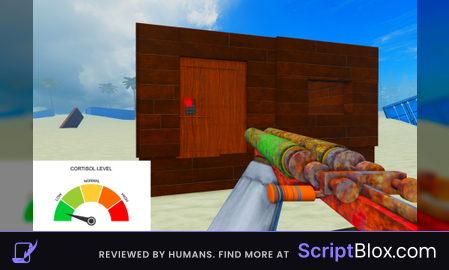
This was made by AI and none of the features actually work properly. 😭
@hxunted its all working, its not universal hub, its only for https://www.roblox.com/games/18944968230/rust-v1-14, aimbot toggle - k, to use - rb2
@hxunted and for infinity ammo use the dublicated weapon
its all working, its not universal hub, its only for https://www.roblox.com/games/18944968230/rust-v1-14, aimbot toggle - k, to use - rb2
Лучший скрипт,Передаю привет расту🤫
Честно скрипт для новичка хороший, но под вопросом это ли ии или человек писал, готовлю свой скрипт, и там уже можно превращять пушки в ОРЭШНИК и эбашить взрывами макс уроном, можно зайти и чекать выпустил ли я скрипт пока что
@Weirdman2112 буду с нетерпением ждать твой скрипт
@Weirdman2112 а когда примерно готов будет?
@nipratypa52 он не сделает, максимум возможно превратить калаш в автоматическую двушку, но то что он описал сделать не возможно так как для этого испольуется модульный скрипт settings а не хандлы через которые можно поменять патроны
@Weirdman2112 ты не сможешь это сделать, максимум возможно превратить калаш в автоматическую двушку с бесконечными патронами, но то что ты написал сделать не возможно так как для этого испольуется модульный скрипт settings а не хандлы через которые можно поменять патроны
либо же ждать пока зайдет админ и достанет ракетницу и скопировать настройки ракетницы
@ilyxagaydov вовсе нет я его в режиме видел и скрипт на орешник идеально работает просто миллиард взрывов лютых иза него я узнал об этом сайте
Но лагает дико
@nipratypa52 скорее всего это был админ, я провел ПОЛНУЮ проверку на наличие любых settings в replicatedstorage и там такого нет, так что это невозможно, если это и было то это пофиксили т.к. теперь intValue (local) используется только для патронов а чтобы сделать такое нужен доступ к серверной стороне, максимум что можно сделать это пулемёт ёка.