Interaction & Input Testing -
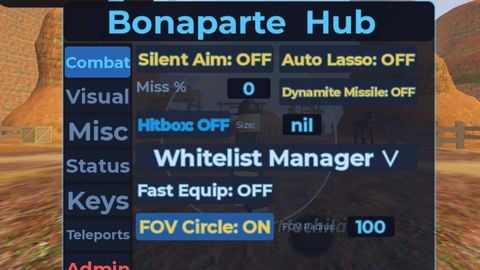
Camera Tracking Assistant: Smoothing-based viewport tracking to automatically focus the camera on nearby targets, simulating player focus.
Input Simulation: Automated click simulation for testing UI interactions, hitboxes, and event triggers without manual repetition.
Target Indicators: Dynamic Indicators on target parts that turn Red when focused by the camera tracking system.
Position-Force: Instantly move your humanoid in any direction using direction inputs.
Visuals & Analytics -
Gh0st Mode: Removes obstructive UI elements to provide a cleaner debugging experience.
Player Visualization: Full humanoidHitbox rendering, playerTags with user info, worldDistance tracking, and playerTeam identification.
Distance-based Sorting: Color-coded proximity: Pink (Closest), Red (≤750 studs), Yellow (≤1875 studs), and Green (>1875 studs).
Health HUD: Numerical health display and real-time health bars on player nametags.
Equipped Item Viewer: View the currently equipped items being held by nearby players.
Closest Player Tracker: Real-time HUD displaying the nearest player's name and worldDistance.
Local Health HUD: Compact display of your current character health and max health.
worldLighting Modifiers: Toggle Fullbright (maximum brightness, no shadows/fog) or FullDark (minimum brightness) to test visibility in extreme lighting conditions.
Any-Item-ESP: Create visual markers for any item, folder, or instance group in your workspace to track spawns and replication.
Developer Utilities -
PlayerPage: Comprehensive player management including whitelisting, blacklisting, and detailed property viewing/spectating for testing moderation and replication.
Item Panel: Robust item explorer and property editor for backpack and character tools.
World Humanoid Editor: Edit properties (WalkSpeed, JumpPower, Health, etc.) of any non-local Humanoid or NPC to test AI behavior and limits.
Br3ak3r (Collision Debugger): Isolate map geometry, remove physical obstacles, and disable collisions to analyze map structure and walk through walls.
H1ghL1ghter: Highlight specific parts and instantly retrieve their full workspace paths.
D3v Tool: Real-time HUD displaying World Time, Local Player Coordinates (LPC), and Mouse Coordinates (LMC).
Waypoint System: Create and manage custom 3D map markers visible from anywhere in the scene.
Free-cam: Cinematic, detached camera exploration for map scouting and recording.
Performance Monitor: Real-time FPS, ping, memory usage, and custom object counts (Broken/Highlighted instances).
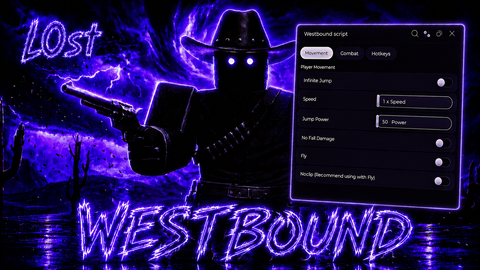
Humanoid Editor: Directly override your LocalPlayer's humanoid properties (WalkSpeed, JumpPower, MaxSlopeAngle) to test movement edge cases.
Anti-AFK: Built-in mechanism to prevent idle disconnections during long observation sessions.
Scroll-unlocker: Dynamically unlocks camera zoom limits, useful for surveying large maps.
Q-Teleport: Quick teleportation to mouse cursor position (Press Ctrl+Q) for rapid map traversal.
#Universal Menu#Apocalypse Rising#Westbound#Aimbot camera lock#Developer Tool