

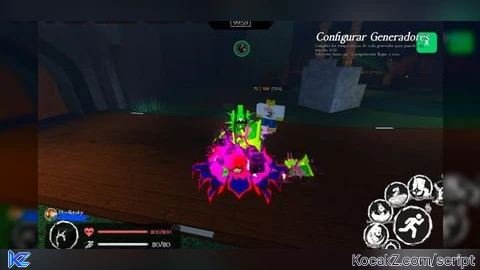
KeylessUniversal
-- =========================================================
-- DEV VIEWER PRO V5.1 - Fixed for mobile
-- I love you
-- =========================================================

local Players = game:GetService("Players")
local UserInputService = game:GetService("UserInputService")

local player = Players.LocalPlayer
local playerGui = player:WaitForChild("PlayerGui")

-- === CONFIGURACIÓN Y ESTADOS ===
local toggleKey = Enum.KeyCode.X
local enabled = false
local healthLabels = {}

-- Colores disponibles para elegir
local colorPalette = {
	Red = Color3.fromRGB(231, 76, 60),
	Yellow = Color3.fromRGB(241, 196, 15),
	Blue = Color3.fromRGB(52, 152, 219),
	Black = Color3.fromRGB(20, 20, 20),
	White = Color3.fromRGB(240, 240, 240),
	Emerald = Color3.fromRGB(46, 204, 113)
}

-- Ajustes actuales del usuario
local userSettings = {
	[100] = colorPalette.White,
	[50] = colorPalette.Yellow,
	[30] = colorPalette.Red
}

-- === INTERFAZ DE USUARIO (GUI) ===
local screenGui = Instance.new("ScreenGui")
screenGui.Name = "DevViewerPro_Mobile"
screenGui.ResetOnSpawn = false

-- FIX INTERFAZ: Evita bloquear los menús nativos del sistema
screenGui.DisplayOrder = -1
screenGui.ScreenInsets = Enum.ScreenInsets.DeviceSafeInsets

screenGui.Parent = playerGui

-- BOTÓN DE ACTIVACIÓN (Compacto)
local toggleButton = Instance.new("TextButton")
toggleButton.Name = "MainToggle"
toggleButton.Size = UDim2.new(0, 45, 0, 45)
-- FIX POSICIÓN: Desplazado a Y = 175 para quedar exactamente abajo del botón del sol (Y = 120)
toggleButton.Position = UDim2.new(1, -60, 0, 175)
toggleButton.BackgroundColor3 = Color3.fromRGB(15, 15, 15)
toggleButton.Text = "X"
toggleButton.TextColor3 = Color3.new(1,1,1)
toggleButton.TextSize = 20
toggleButton.Font = Enum.Font.GothamBold
toggleButton.Active = true
toggleButton.Parent = screenGui

local btnCorner = Instance.new("UICorner")
btnCorner.CornerRadius = UDim.new(0, 10)
btnCorner.Parent = toggleButton

-- PANEL DE COLORES (Reducido)
local menuFrame = Instance.new("Frame")
menuFrame.Size = UDim2.new(0, 270, 0, 310)
menuFrame.Position = UDim2.new(0.5, -135, 0.5, -155)
menuFrame.BackgroundColor3 = Color3.fromRGB(25, 25, 25)
menuFrame.BorderSizePixel = 0
menuFrame.Visible = false
menuFrame.Parent = screenGui

Instance.new("UICorner", menuFrame).CornerRadius = UDim.new(0, 15)

local title = Instance.new("TextLabel")
title.Size = UDim2.new(1, 0, 0, 45)
title.Text = "choose colors "
title.TextColor3 = Color3.new(1,1,1)
title.TextSize = 16
title.Font = Enum.Font.GothamBold
title.BackgroundTransparency = 1
title.Parent = menuFrame

-- Contenedor de opciones ajustado
local optionsList = Instance.new("Frame")
optionsList.Size = UDim2.new(1, -30, 1, -100)
optionsList.Position = UDim2.new(0, 15, 0, 45)
optionsList.BackgroundTransparency = 1
optionsList.Parent = menuFrame

local layout = Instance.new("UIListLayout")
layout.Padding = UDim.new(0, 10)
layout.Parent = optionsList

-- Función para crear filas de colores en miniatura
local function addColorSelection(labelText, threshold)
	local row = Instance.new("Frame")
	row.Size = UDim2.new(1, 0, 0, 55)
	row.BackgroundTransparency = 1
	row.Parent = optionsList

	local t = Instance.new("TextLabel")
	t.Size = UDim2.new(1, 0, 0, 15)
	t.Text = labelText
	t.TextColor3 = Color3.fromRGB(140, 140, 140)
	t.Font = Enum.Font.GothamMedium
	t.TextSize = 12
	t.TextXAlignment = Enum.TextXAlignment.Left
	t.BackgroundTransparency = 1
	t.Parent = row

	local buttons = Instance.new("Frame")
	buttons.Size = UDim2.new(1, 0, 0, 32)
	buttons.Position = UDim2.new(0, 0, 0, 20)
	buttons.BackgroundTransparency = 1
	buttons.Parent = row

	local hLayout = Instance.new("UIListLayout")
	hLayout.FillDirection = Enum.FillDirection.Horizontal
	hLayout.Padding = UDim.new(0, 6)
	hLayout.Parent = buttons

	for name, color in pairs(colorPalette) do
		local b = Instance.new("TextButton")
		b.Size = UDim2.new(0, 28, 0, 28)
		b.BackgroundColor3 = color
		b.Text = ""
		b.Parent = buttons
		Instance.new("UICorner", b).CornerRadius = UDim.new(0, 6)

		b.MouseButton1Click:Connect(function()
			userSettings[threshold] = color
			for _, other in pairs(buttons:GetChildren()) do
				if other:IsA("TextButton") then other.BorderSizePixel = 0 end
			end
			b.BorderSizePixel = 2
			b.BorderColor3 = Color3.new(1,1,1)
		end)
	end
end

addColorSelection("100%", 100)
addColorSelection("50%", 50)
addColorSelection("30%", 30)

-- BOTÓN LISTO COMPACTO
local readyBtn = Instance.new("TextButton")
readyBtn.Size = UDim2.new(1, -30, 0, 35)
readyBtn.Position = UDim2.new(0, 15, 1, -50)
readyBtn.BackgroundColor3 = colorPalette.Emerald
readyBtn.Text = "ready"
readyBtn.TextColor3 = Color3.new(1,1,1)
readyBtn.Font = Enum.Font.GothamBold
readyBtn.TextSize = 14
readyBtn.Parent = menuFrame
Instance.new("UICorner", readyBtn).CornerRadius = UDim.new(0, 8)

-- === LÓGICA DE FUNCIONAMIENTO ===

local function getDynamicColor(perc)
	if perc >= 0.85 then return userSettings[100]
	elseif perc >= 0.45 then return userSettings[50]
	else return userSettings[30]
	end
end

local function refreshTags()
	for _, data in pairs(healthLabels) do
		if data.billboard and data.humanoid then
			local perc = data.humanoid.Health / data.humanoid.MaxHealth
			data.label.TextColor3 = getDynamicColor(perc)
			data.billboard.Enabled = enabled
		end
	end
end

local function toggleUI()
	menuFrame.Visible = not menuFrame.Visible
	if not menuFrame.Visible then
		enabled = true
		toggleButton.BackgroundColor3 = colorPalette.Emerald
		refreshTags()
	end
end

readyBtn.MouseButton1Click:Connect(function()
	menuFrame.Visible = false
	enabled = true
	toggleButton.BackgroundColor3 = colorPalette.Emerald
	refreshTags()
end)

toggleButton.MouseButton1Click:Connect(toggleUI)

UserInputService.InputBegan:Connect(function(input, processed)
	if not processed and input.KeyCode == toggleKey then
		toggleUI()
	end
end)

-- === SISTEMA DE TAGS CORREGIDO ===
local function removeLabel(plr)
	if healthLabels[plr] then
		if healthLabels[plr].billboard then healthLabels[plr].billboard:Destroy() end
		healthLabels[plr] = nil
	end
end

local function createTag(plr, character)
	removeLabel(plr)

	local char = character or plr.Character
	if not char then return end

	local hum = char:WaitForChild("Humanoid", 10)
	local head = char:WaitForChild("Head", 10)
	if not hum or not head then return end

	local bb = Instance.new("BillboardGui", char)
	bb.Size = UDim2.new(0, 150, 0, 35)
	bb.StudsOffset = Vector3.new(0, 3.5, 0)
	bb.AlwaysOnTop = true
	bb.Enabled = enabled

	local lbl = Instance.new("TextLabel", bb)
	lbl.Size = UDim2.new(1, 0, 1, 0)
	lbl.BackgroundTransparency = 1
	lbl.Font = Enum.Font.GothamMedium
	lbl.TextSize = 13
	lbl.RichText = true
	lbl.TextStrokeTransparency = 0.85

	healthLabels[plr] = {billboard = bb, label = lbl, humanoid = hum}

	local function update()
		if hum and hum.Parent then
			local p = hum.Health / hum.MaxHealth
			lbl.Text = string.format("%d │ %d  <font color='#AAAAAA'>[%d%%]</font>", math.floor(hum.Health), math.floor(hum.MaxHealth), math.floor(p*100))
			lbl.TextColor3 = getDynamicColor(p)
		end
	end

	hum.HealthChanged:Connect(update)
	update()
end

local function setupPlayer(p)
	if p == player then return end

	p.CharacterAdded:Connect(function(newChar)
		task.wait(0.3)
		createTag(p, newChar)
	end)

	if p.Character then
		createTag(p, p.Character)
	end
end

Players.PlayerAdded:Connect(setupPlayer)
Players.PlayerRemoving:Connect(removeLabel)

for _, p in pairs(Players:GetPlayers()) do
	setupPlayer(p)
end

print("🚀 Dev Viewer Pro V5.1 (Fix Posición Móvil): Listo e integrado con Dev Lighting.")
  -- SOLUCIÓN AL LAG: Espera segura hasta que SetCore ("SendNotification") esté registrado en el juego
local registrado = false
while not registrado do
	local exito = pcall(function()
		StarterGui:SetCore("SendNotification", {
			Title = "charging...";
			Text = "Starting system...";
			Duration = 0.1;
		})
	end)

	if exito then
		registrado = true
	else
		task.wait(1) -- Si falló, espera 1 segundo y vuelve a intentar sin trabar el juego
	end
end

-- Una vez que ya cargó de forma segura, empieza tu bucle normal sin tirones de lag
while true do

	-- 1. CONFIGURA EL TEXTO AQUÍ:
	StarterGui:SetCore("SendNotification", {
		Title = "hi";
		Text = "i love you very much."; -- <--- CAMBIA EL MENSAJE AQUÍ
		Duration = 5;
	})

	-- 2. CONFIGURA EL TIEMPO DE ESPERA AQUÍ:
	task.wait(600) -- <--- CAMBIA EL TIEMPO EN SEGUNDOS AQUÍ

endNo comments yet for this script.


