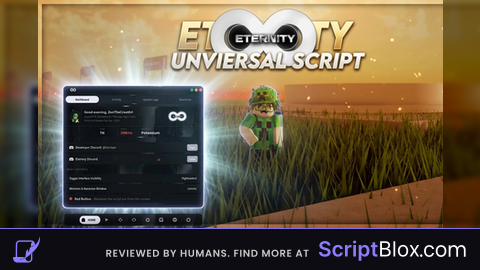
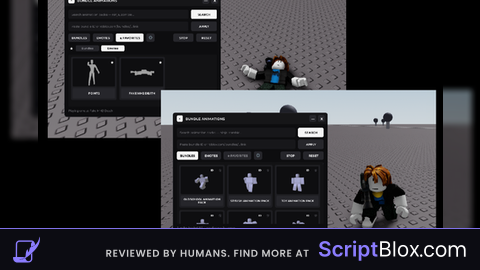
Keyless VerifiedUniversal
-- --- ⚙️ 初期設定 ---
local P = game:GetService("Players").LocalPlayer
local PlayerGui = P:FindFirstChild("PlayerGui") or P:WaitForChild("PlayerGui", 10)
local S = game:GetService("RunService")

-- 二重起動防止
if PlayerGui:FindFirstChild("TerukumaMicro") then PlayerGui.TerukumaMicro:Destroy() end

local flingActive = false

-- --- 🌀 荒ぶる物理(Fling)コア ---
task.spawn(function()
    while true do
        S.Heartbeat:Wait()
        if flingActive and P.Character and P.Character:FindFirstChild("HumanoidRootPart") then
            local hrp = P.Character.HumanoidRootPart
            local oldVel = hrp.Velocity

            -- 強力な物理加速
            hrp.Velocity = Vector3.new(90000, 90000, 90000)
            S.RenderStepped:Wait()
            hrp.Velocity = oldVel
            hrp.CFrame = hrp.CFrame * CFrame.Angles(0, math.rad(90), 0)
        end
    end
end)

-- --- 🎨 極小GUI構築 ---
local g = Instance.new("ScreenGui", PlayerGui)
g.Name = "TerukumaMicro"
g.ResetOnSpawn = false

-- メインフレーム (さらに小さく 60x60)
local f = Instance.new("Frame", g)
f.Size = UDim2.new(0, 60, 0, 65)
f.Position = UDim2.new(0.9, 0, 0.5, 0) -- 最初は右側に配置
f.BackgroundColor3 = Color3.fromRGB(15, 15, 15)
f.BackgroundTransparency = 0.2
f.Active = true
f.Draggable = true
Instance.new("UICorner", f)

-- 「てるクマ」ラベル
local l = Instance.new("TextLabel", f)
l.Size = UDim2.new(1, 0, 0, 20)
l.Position = UDim2.new(0, 0, 0, 2)
l.Text = "てるクマ"
l.TextColor3 = Color3.fromRGB(255, 200, 0) -- 目立つ金色
l.TextSize = 10
l.Font = Enum.Font.SourceSansBold
l.BackgroundTransparency = 1

-- 🌀 荒ぶるボタン
local btn = Instance.new("TextButton", f)
btn.Size = UDim2.new(0.8, 0, 0, 35)
btn.Position = UDim2.new(0.1, 0, 0, 25)
btn.Text = "OFF"
btn.BackgroundColor3 = Color3.fromRGB(120, 30, 30)
btn.TextColor3 = Color3.new(1, 1, 1)
btn.Font = Enum.Font.SourceSansBold
btn.TextSize = 14
Instance.new("UICorner", btn)

-- ボタンクリック動作
btn.MouseButton1Click:Connect(function()
    flingActive = not flingActive
    if flingActive then
        btn.Text = "ON"
        btn.BackgroundColor3 = Color3.fromRGB(30, 120, 50)
    else
        btn.Text = "OFF"
        btn.BackgroundColor3 = Color3.fromRGB(120, 30, 30)
    end
end)

print("てるクマ Micro Fling 起動成功!")No comments yet for this script.