


KeylessUniversal
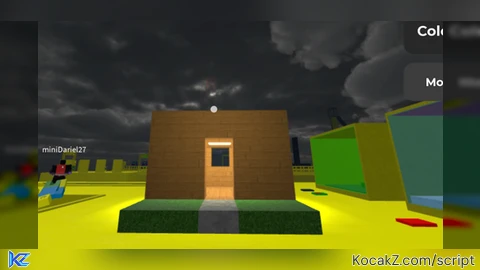
--[[
	StamperTool - LocalScript
	Coloque este script em StarterPlayer > StarterPlayerScripts

	O que mudou nessa versão:
	1) CORRIGIDO: antes, ao clicar no botão, o jogo recalculava a posição
	   usando o mouse EM CIMA DO BOTÃO, então o bloco aparecia "atrás" dele.
	   Agora o preview PARA de se mover quando o mouse/dedo está sobre
	   qualquer parte da interface, então ele fica travado no último lugar
	   válido no mundo — e é ali que o bloco é colocado.
	2) NOVO: uma barra de seleção de textura (terra, grama, pedra, areia,
	   neve, gelo, madeira, metal, vidro, lava, luz) — clique numa opção
	   pra escolher o tipo de bloco antes de colocar.
]]

local Players = game:GetService("Players")
local RunService = game:GetService("RunService")
local UserInputService = game:GetService("UserInputService")
local Workspace = game:GetService("Workspace")

local player = Players.LocalPlayer
local mouse = player:GetMouse()
local playerGui = player:WaitForChild("PlayerGui")

-- Se esse script já rodou antes (testou de novo sem parar o jogo, ou tem
-- uma cópia dele em outro lugar), remove a interface antiga primeiro.
-- Isso evita várias cópias transparentes empilhadas por cima uma da
-- outra — o que faria parecer que "tem algo na frente" bloqueando o
-- clique nos botões.
local oldGui = playerGui:FindFirstChild("StamperGui")
if oldGui then
	oldGui:Destroy()
end
local oldPreview = Workspace:FindFirstChild("StamperPreview")
if oldPreview then
	oldPreview:Destroy()
end

-- ================== CONFIGURAÇÕES ==================
local BLOCK_SIZE = Vector3.new(4, 4, 4)
local USE_GRID_SNAP = true
local GRID_SIZE = 4
local MAX_PLACE_DISTANCE = 100
-- =====================================================

-- ================== TIPOS DE BLOCO (TEXTURAS) ==================
local BLOCK_TYPES = {
	{ Name = "Terra",   Material = Enum.Material.Ground,      Color = Color3.fromRGB(115, 82, 54) },
	{ Name = "Grama",   Material = Enum.Material.Grass,       Color = Color3.fromRGB(74, 130, 51) },
	{ Name = "Pedra",   Material = Enum.Material.Slate,       Color = Color3.fromRGB(128, 128, 128) },
	{ Name = "Areia",   Material = Enum.Material.Sand,        Color = Color3.fromRGB(220, 200, 150) },
	{ Name = "Neve",    Material = Enum.Material.Snow,        Color = Color3.fromRGB(255, 255, 255) },
	{ Name = "Gelo",    Material = Enum.Material.Ice,         Color = Color3.fromRGB(200, 230, 255) },
	{ Name = "Madeira", Material = Enum.Material.WoodPlanks,  Color = Color3.fromRGB(130, 90, 50) },
	{ Name = "Metal",   Material = Enum.Material.Metal,       Color = Color3.fromRGB(180, 180, 190) },
	{ Name = "Vidro",   Material = Enum.Material.Glass,       Color = Color3.fromRGB(200, 230, 255), Transparency = 0.5 },
	{
		Name = "Lava", Material = Enum.Material.CrackedLava, Color = Color3.fromRGB(255, 80, 0),
		Light = { Color = Color3.fromRGB(255, 100, 0), Range = 12, Brightness = 3 },
	},
	{
		Name = "Luz", Material = Enum.Material.Neon, Color = Color3.fromRGB(255, 255, 200),
		Light = { Color = Color3.fromRGB(255, 255, 200), Range = 16, Brightness = 5 },
	},
}

local selectedType = BLOCK_TYPES[1]

-- Pasta pra guardar os blocos colocados
local placedFolder = Workspace:FindFirstChild("PlacedBlocks")
if not placedFolder then
	placedFolder = Instance.new("Folder")
	placedFolder.Name = "PlacedBlocks"
	placedFolder.Parent = Workspace
end

-- ================== BLOCO FANTASMA (PREVIEW) ==================
local previewPart = Instance.new("Part")
previewPart.Name = "StamperPreview"
previewPart.Size = BLOCK_SIZE
previewPart.Anchored = true
previewPart.CanCollide = false
previewPart.CanQuery = false
previewPart.Transparency = 0.5
previewPart.Material = Enum.Material.ForceField
previewPart.Color = Color3.fromRGB(0, 255, 100)
previewPart.Parent = Workspace

local isValidPlacement = true
local camera = Workspace.CurrentCamera

local function snap(position)
	if not USE_GRID_SNAP then
		return position
	end
	return Vector3.new(
		math.floor(position.X / GRID_SIZE + 0.5) * GRID_SIZE,
		math.floor(position.Y / GRID_SIZE + 0.5) * GRID_SIZE,
		math.floor(position.Z / GRID_SIZE + 0.5) * GRID_SIZE
	)
end

local raycastParams = RaycastParams.new()
raycastParams.FilterType = Enum.RaycastFilterType.Exclude
raycastParams.FilterDescendantsInstances = { previewPart }

local isDeleteMode = false
local lastHitInstance = nil -- a peça (do mundo ou já colocada) que a mira está tocando agora

-- Sistema de "mira central": em vez de depender de onde o mouse/dedo está
-- tocando (que no celular é pouco confiável e conflita com a interface),
-- o preview segue sempre o CENTRO da câmera, tipo uma mira. Pra mirar,
-- o jogador só precisa girar a câmera (arrastar o dedo em qualquer lugar
-- da tela) — não precisa acertar um ponto exato na tela.
RunService.RenderStepped:Connect(function()
	local character = player.Character
	if not character then
		return
	end

	raycastParams.FilterDescendantsInstances = { previewPart, character }

	local origin = camera.CFrame.Position
	local direction = camera.CFrame.LookVector * MAX_PLACE_DISTANCE
	local result = Workspace:Raycast(origin, direction, raycastParams)

	if result then
		lastHitInstance = result.Instance
	else
		lastHitInstance = nil
	end

	if isDeleteMode then
		-- modo apagar: a mira "abraça" o bloco colocado que está na frente,
		-- em vez de mostrar um preview de bloco novo
		local canDelete = lastHitInstance ~= nil and lastHitInstance:IsDescendantOf(placedFolder)
		if canDelete then
			previewPart.Size = lastHitInstance.Size + Vector3.new(0.2, 0.2, 0.2)
			previewPart.CFrame = lastHitInstance.CFrame
			previewPart.Color = Color3.fromRGB(255, 60, 60)
		else
			previewPart.Size = BLOCK_SIZE
			local hitPosition = result and (result.Position + result.Normal * (BLOCK_SIZE.Y / 2))
				or (origin + camera.CFrame.LookVector * MAX_PLACE_DISTANCE)
			previewPart.CFrame = CFrame.new(snap(hitPosition))
			previewPart.Color = Color3.fromRGB(120, 120, 120) -- nada pra apagar aqui
		end
		isValidPlacement = canDelete
		return
	end

	previewPart.Size = BLOCK_SIZE
	local hitPosition
	if result then
		-- assenta o bloco em cima da superfície atingida (funciona em
		-- chão, parede ou teto, seguindo a normal da superfície)
		hitPosition = result.Position + result.Normal * (BLOCK_SIZE.Y / 2)
		isValidPlacement = true
	else
		-- nada na frente: mostra o preview no limite da distância máxima,
		-- só como indicação visual, e marca como inválido
		hitPosition = origin + camera.CFrame.LookVector * MAX_PLACE_DISTANCE
		isValidPlacement = false
	end

	previewPart.CFrame = CFrame.new(snap(hitPosition))
	previewPart.Color = isValidPlacement and selectedType.Color or Color3.fromRGB(255, 60, 60)
end)

-- ================== INTERFACE ==================
local screenGui = Instance.new("ScreenGui")
screenGui.Name = "StamperGui"
screenGui.ResetOnSpawn = false
-- IgnoreGuiInset FICA DESLIGADO (false): assim o Roblox empurra nossa
-- interface pra baixo da barra de topo padrão (ícones de menu/chat),
-- em vez de ficar escondida atrás dela.
screenGui.IgnoreGuiInset = false
screenGui.DisplayOrder = -10 -- fica ATRÁS da interface/HUD do jogo, em vez de na frente
screenGui.Parent = playerGui

-- Mira central (mostra pra onde a câmera está apontando)
local reticle = Instance.new("Frame")
reticle.Name = "Reticle"
reticle.Size = UDim2.new(0, 8, 0, 8)
reticle.AnchorPoint = Vector2.new(0.5, 0.5)
reticle.Position = UDim2.new(0.5, 0, 0.5, 0)
reticle.BackgroundColor3 = Color3.new(1, 1, 1)
reticle.BackgroundTransparency = 0.3
reticle.ZIndex = 50
reticle.Parent = screenGui
local reticleCorner = Instance.new("UICorner")
reticleCorner.CornerRadius = UDim.new(1, 0)
reticleCorner.Parent = reticle

-- Botão de colocar bloco (canto superior direito — longe do joystick e do
-- botão de pulo do celular)
local placeButton = Instance.new("TextButton")
placeButton.Name = "PlaceButton"
placeButton.Size = UDim2.new(0, 150, 0, 55)
placeButton.Position = UDim2.new(1, -170, 0, 45)
placeButton.BackgroundColor3 = Color3.fromRGB(40, 40, 40)
placeButton.TextColor3 = Color3.new(1, 1, 1)
placeButton.Font = Enum.Font.GothamBold
placeButton.TextSize = 20
placeButton.Text = "Colocar Bloco"
placeButton.AutoButtonColor = true
placeButton.ZIndex = 50
placeButton.Parent = screenGui

local placeCorner = Instance.new("UICorner")
placeCorner.CornerRadius = UDim.new(0, 12)
placeCorner.Parent = placeButton

-- Botão de alternar modo (Colocar / Apagar), logo abaixo do botão principal
local modeButton = Instance.new("TextButton")
modeButton.Name = "ModeButton"
modeButton.Size = UDim2.new(0, 150, 0, 45)
modeButton.Position = UDim2.new(1, -170, 0, 110)
modeButton.BackgroundColor3 = Color3.fromRGB(60, 60, 60)
modeButton.TextColor3 = Color3.new(1, 1, 1)
modeButton.Font = Enum.Font.GothamBold
modeButton.TextSize = 16
modeButton.Text = "Modo: Colocar"
modeButton.AutoButtonColor = true
modeButton.ZIndex = 50
modeButton.Parent = screenGui

local modeCorner = Instance.new("UICorner")
modeCorner.CornerRadius = UDim.new(0, 12)
modeCorner.Parent = modeButton

-- Barra de seleção de texturas: coluna vertical rolável no MEIO da tela,
-- lado esquerdo — essa é a única região que ficou livre em todos os
-- prints que você mandou (topo tem o HUD do jogo e ícones, lado direito
-- tem o placar, embaixo tem os botões Menu/Skins e os controles)
local textureFrame = Instance.new("ScrollingFrame")
textureFrame.Name = "TextureBar"
textureFrame.Size = UDim2.new(0, 140, 0, 320)
textureFrame.AnchorPoint = Vector2.new(0, 0.5)
textureFrame.Position = UDim2.new(0, 20, 0.5, 0)
textureFrame.ScrollingDirection = Enum.ScrollingDirection.Y
textureFrame.AutomaticCanvasSize = Enum.AutomaticSize.Y
textureFrame.CanvasSize = UDim2.new(0, 0, 0, 0)
textureFrame.ScrollBarThickness = 6
textureFrame.ZIndex = 50
textureFrame.BackgroundColor3 = Color3.fromRGB(25, 25, 25)
textureFrame.BackgroundTransparency = 0.1
textureFrame.Parent = screenGui

local textureCorner = Instance.new("UICorner")
textureCorner.CornerRadius = UDim.new(0, 12)
textureCorner.Parent = textureFrame

local listLayout = Instance.new("UIListLayout")
listLayout.FillDirection = Enum.FillDirection.Vertical
listLayout.Padding = UDim.new(0, 8)
listLayout.HorizontalAlignment = Enum.HorizontalAlignment.Center
listLayout.SortOrder = Enum.SortOrder.LayoutOrder
listLayout.Parent = textureFrame

local padding = Instance.new("UIPadding")
padding.PaddingLeft = UDim.new(0, 10)
padding.PaddingRight = UDim.new(0, 10)
padding.PaddingTop = UDim.new(0, 10)
padding.PaddingBottom = UDim.new(0, 10)
padding.Parent = textureFrame

local textureButtons = {}

local function refreshSelection()
	for _, entry in ipairs(textureButtons) do
		local isSelected = entry.blockType == selectedType
		entry.stroke.Thickness = isSelected and 3 or 1
		entry.stroke.Color = isSelected and Color3.fromRGB(0, 255, 100) or Color3.fromRGB(255, 255, 255)
	end
end

for i, blockType in ipairs(BLOCK_TYPES) do
	local button = Instance.new("TextButton")
	button.Name = blockType.Name
	button.LayoutOrder = i
	button.Size = UDim2.new(0, 70, 0, 70)
	button.BackgroundColor3 = blockType.Color
	button.BackgroundTransparency = 0
	button.AutoButtonColor = true
	button.Text = blockType.Name
	button.TextSize = 13
	button.Font = Enum.Font.GothamBold
	button.TextColor3 = Color3.new(1, 1, 1)
	button.ZIndex = 51
	button.TextStrokeTransparency = 0
	button.Parent = textureFrame

	local btnCorner = Instance.new("UICorner")
	btnCorner.CornerRadius = UDim.new(0, 10)
	btnCorner.Parent = button

	local stroke = Instance.new("UIStroke")
	stroke.Thickness = 1
	stroke.Color = Color3.fromRGB(255, 255, 255)
	stroke.Parent = button

	-- .Activated funciona de forma confiável com clique E com toque,
	-- inclusive dentro de uma ScrollingFrame (MouseButton1Click às vezes
	-- falhava no celular se o dedo tremesse um pouco durante o toque)
	button.Activated:Connect(function()
		selectedType = blockType
		refreshSelection()
	end)

	table.insert(textureButtons, { button = button, stroke = stroke, blockType = blockType })
end

refreshSelection()

-- ================== ALTERNAR MODO (COLOCAR / APAGAR) ==================
modeButton.Activated:Connect(function()
	isDeleteMode = not isDeleteMode
	if isDeleteMode then
		modeButton.Text = "Modo: Apagar"
		modeButton.BackgroundColor3 = Color3.fromRGB(120, 40, 40)
		placeButton.Text = "Apagar Bloco"
		placeButton.BackgroundColor3 = Color3.fromRGB(120, 40, 40)
	else
		modeButton.Text = "Modo: Colocar"
		modeButton.BackgroundColor3 = Color3.fromRGB(60, 60, 60)
		placeButton.Text = "Colocar Bloco"
		placeButton.BackgroundColor3 = Color3.fromRGB(40, 40, 40)
	end
end)

-- ================== FUNÇÃO DO BOTÃO PRINCIPAL (COLOCAR OU APAGAR) ==================
placeButton.Activated:Connect(function()
	if isDeleteMode then
		-- só apaga se o que está na mira for um bloco que essa ferramenta colocou
		if lastHitInstance and lastHitInstance:IsDescendantOf(placedFolder) then
			lastHitInstance:Destroy()
		end
		return
	end

	if not isValidPlacement then
		return
	end

	local newBlock = Instance.new("Part")
	newBlock.Size = BLOCK_SIZE
	newBlock.CFrame = previewPart.CFrame
	newBlock.Anchored = true
	newBlock.CanCollide = true
	newBlock.Material = selectedType.Material
	newBlock.Color = selectedType.Color
	newBlock.Transparency = selectedType.Transparency or 0
	newBlock.Parent = placedFolder

	-- se o tipo escolhido tem luz (lava, bloco de luz), adiciona o PointLight
	if selectedType.Light then
		local light = Instance.new("PointLight")
		light.Color = selectedType.Light.Color
		light.Range = selectedType.Light.Range
		light.Brightness = selectedType.Light.Brightness
		light.Parent = newBlock
	end
end)No comments yet for this script.


