

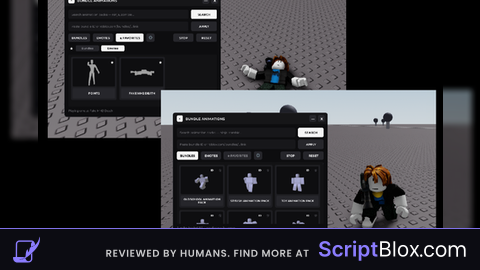
Keyless VerifiedUniversal
local correctPassword = "  " ---------- thats the key lol

local isGettingKey = false

-- Create a ScreenGui
local screenGui = Instance.new("ScreenGui")
screenGui.Name = "PasswordGui"
screenGui.ResetOnSpawn = false
screenGui.DisplayOrder = 10 -- Ensure it's on top
screenGui.Parent = game.Players.LocalPlayer.PlayerGui

-- Create a Frame for styling
local frame = Instance.new("Frame")
frame.Size = UDim2.new(0.4, 0, 0.25, 0)
frame.Position = UDim2.new(0.3, 0, 0.35, 0)
frame.BackgroundColor3 = Color3.fromRGB(255, 255, 255)
frame.Active = true -- Allows dragging
frame.Draggable = true -- Allows dragging
frame.Parent = screenGui

-- Create a TextBox
local textBox = Instance.new("TextBox")
textBox.Size = UDim2.new(0.9, 0, 0.35, 0)
textBox.Position = UDim2.new(0.05, 0, 0.2, 0)
textBox.PlaceholderText = "Enter Key"
textBox.TextScaled = true -- Auto scale text
textBox.Parent = frame

-- Create a TextButton for submitting password
local submitButton = Instance.new("TextButton")
submitButton.Size = UDim2.new(0.3, 0, 0.2, 0)
submitButton.Position = UDim2.new(0.35, 0, 0.6, 0)
submitButton.BackgroundColor3 = Color3.fromRGB(0, 120, 215)
submitButton.Text = "Submit"
submitButton.TextColor3 = Color3.fromRGB(255, 255, 255)
submitButton.Parent = frame

-- Create a TextButton for getting the key
local getKeyButton = Instance.new("TextButton")
getKeyButton.Size = UDim2.new(0.3, 0, 0.2, 0)
getKeyButton.Position = UDim2.new(0.35, 0, 0.8, 0)
getKeyButton.BackgroundColor3 = Color3.fromRGB(0, 120, 215)
getKeyButton.Text = "Get Key"
getKeyButton.TextColor3 = Color3.fromRGB(255, 255, 255)
getKeyButton.Parent = frame

-- Function to handle button click for submitting password
local function onButtonClicked()
    local enteredPassword = textBox.Text
    if enteredPassword == correctPassword then
        print("Correct password!")
       -----put your code under here


        -- Destroy the GUI elements
        screenGui:Destroy()
    else
        print("Incorrect password. Try again.")
    end
end

-- Function to handle button click for getting key
local function onGetKeyButtonClicked()
        setclipboard("https://scripcheck.great-site.net/?page_id=31") ------------- the copy part this gose to the players clipbord
    if isGettingKey then
        print("Password sent to browser.")
        getKeyButton.Text = "Get Key"
    else
        print("Getting key...")
        getKeyButton.Text = "Paste in Browser"
    end
    isGettingKey = not isGettingKey
end

-- Connect the functions to the button click events
submitButton.MouseButton1Click:Connect(onButtonClicked)
getKeyButton.MouseButton1Click:Connect(onGetKeyButtonClicked)

have fun lol
i wish i could tell you in words the amount of bypasses this has
as i sied its a simple key