

Key RequiredUniversal
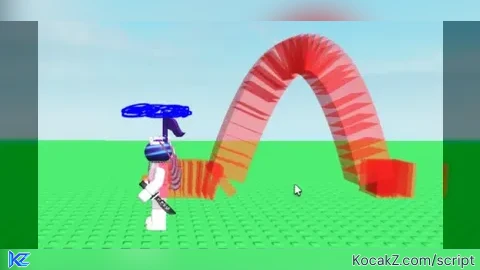
local Players = game:GetService("Players")
local player = Players.LocalPlayer
local character = player.Character or player.CharacterAdded:Wait()
local humanoidRootPart = character:WaitForChild("HumanoidRootPart")

local trajectoryEnabled = false --T to toggle it
local trajectoryColor = Color3.fromRGB(255, 0, 0)
local trajectoryThickness = 2

local trajectoryPoints = {} -- Stores the trajectory points
local trajectoryParts = {} -- Stores the trajectory part instances


local function updateTrajectoryPoints()
    if trajectoryEnabled then
        table.insert(trajectoryPoints, humanoidRootPart.Position)
        if #trajectoryPoints > 100 then
            table.remove(trajectoryPoints, 1)
        end
    else
        trajectoryPoints = {}
    end
end


local function drawTrajectory()
    for i = 1, #trajectoryParts do
        trajectoryParts[i]:Destroy()
    end
    trajectoryParts = {}

    if trajectoryEnabled and #trajectoryPoints > 1 then
        for i = 1, #trajectoryPoints - 1 do
            local startPoint = trajectoryPoints[i]
            local endPoint = trajectoryPoints[i + 1]
            if startPoint and endPoint then
                local segment = Instance.new("Part")
                segment.Name = "TrajectorySegment"
                segment.BrickColor = BrickColor.new(trajectoryColor)
                segment.Size = Vector3.new(trajectoryThickness, trajectoryThickness, (endPoint - startPoint).Magnitude)
                segment.Anchored = true
                segment.CanCollide = false
                segment.Transparency = 0.5
                segment.CFrame = CFrame.lookAt(startPoint, endPoint) * CFrame.new(0, 0, -segment.Size.Z/2)
                segment.Parent = workspace
                table.insert(trajectoryParts, segment)
            end
        end
    end
end


local function toggleTrajectory()
    trajectoryEnabled = not trajectoryEnabled
    if not trajectoryEnabled then
        for i = 1, #trajectoryParts do
            trajectoryParts[i]:Destroy()
        end
        trajectoryParts = {}
    end
end


character.Humanoid:GetPropertyChangedSignal("WalkSpeed"):Connect(updateTrajectoryPoints)
character.Humanoid.MoveToFinished:Connect(updateTrajectoryPoints)
game:GetService("RunService").Heartbeat:Connect(updateTrajectoryPoints)


game:GetService("RunService").RenderStepped:Connect(function()
    drawTrajectory()
end)


game:GetService("UserInputService").InputBegan:Connect(function(input)
    if input.KeyCode == Enum.KeyCode.T then
        toggleTrajectory()
    end
end)No comments yet for this script.


