

KeylessUniversal
local player = game.Players.LocalPlayer
local lighting = game:GetService("Lighting")
local playerGui = player:WaitForChild("PlayerGui")


for _, v in pairs(playerGui:GetChildren()) do
	if v.Name == "MoonGUI" then
		v:Destroy()
	end
end


local gui = Instance.new("ScreenGui", playerGui)
gui.Name = "MoonGUI"

local frame = Instance.new("Frame", gui)
frame.Size = UDim2.new(0,250,0,520)
frame.Position = UDim2.new(0,20,0.5,-260)
frame.BackgroundColor3 = Color3.fromRGB(25,25,25)
frame.Active = true
frame.Draggable = true

local toggleButton = Instance.new("TextButton", frame)
toggleButton.Size = UDim2.new(1,0,0,30)
toggleButton.Text = "☰ Moon GUI"
toggleButton.BackgroundColor3 = Color3.fromRGB(45,45,45)
toggleButton.TextColor3 = Color3.new(1,1,1)

local contentFrame = Instance.new("Frame", frame)
contentFrame.Size = UDim2.new(1,0,1,-30)
contentFrame.Position = UDim2.new(0,0,0,30)
contentFrame.BackgroundTransparency = 1

toggleButton.MouseButton1Click:Connect(function()
	contentFrame.Visible = not contentFrame.Visible
end)

local layout = Instance.new("UIListLayout", contentFrame)
layout.Padding = UDim.new(0,5)

local function btn(text)
	local b = Instance.new("TextButton", contentFrame)
	b.Size = UDim2.new(1,0,0,35)
	b.Text = text
	b.BackgroundColor3 = Color3.fromRGB(45,45,45)
	b.TextColor3 = Color3.new(1,1,1)
	return b
end


local dayBtn = btn("☀️ Day")
local morningBtn = btn("🌅 Morning")
local nightBtn = btn("🌙 Night")
local sunsetBtn = btn("🌇 Sunset")
local moonBtn = btn("🌕 Toggle Moon")
local raysBtn = btn("🌟 Toggle Sun Rays")

local orangeMoonBtn = btn("🟠 Orange Moon")
local blueMoonBtn = btn("🔵 Blue Moon")
local purpleMoonBtn = btn("🟣 Purple Moon")
local bloodMoonBtn = btn("🔥 Blood Moon")


local sky = lighting:FindFirstChildOfClass("Sky") or Instance.new("Sky", lighting)
sky.MoonTextureId = "rbxassetid://140416831535614"
sky.MoonAngularSize = 50


local color = lighting:FindFirstChildOfClass("ColorCorrectionEffect") or Instance.new("ColorCorrectionEffect", lighting)
color.TintColor = Color3.new(1,1,1)

local atmosphere = lighting:FindFirstChildOfClass("Atmosphere") or Instance.new("Atmosphere", lighting)

local rays = lighting:FindFirstChildOfClass("SunRaysEffect") or Instance.new("SunRaysEffect", lighting)
rays.Intensity = 0.25


local moonOn = true
local raysOn = true

local fogTarget = Color3.fromRGB(120,100,80)

local currentMoon = {
	texture = "rbxassetid://140416831535614",
	light = Color3.fromRGB(255,170,100),
	tint = Color3.fromRGB(240,170,110),
	rays = Color3.fromRGB(255,200,150)
}


local function resetFog()
	fogTarget = Color3.fromRGB(120,100,80)
	lighting.FogStart = 60
	lighting.FogEnd = 300
	atmosphere.Density = 0.4
	atmosphere.Haze = 2
end


local function smoothTransition(targetClock, duration)
	duration = duration or 2
	local startClock = lighting.ClockTime
	local steps = duration / 0.05
	local delta = (targetClock - startClock) / steps
	for i = 1, steps do
		lighting.ClockTime = lighting.ClockTime + delta
		wait(0.05)
	end
end


local function applyMoon()
	if moonOn and (lighting.ClockTime < 6 or lighting.ClockTime >= 18) then
		sky.MoonTextureId = currentMoon.texture
		color.TintColor = currentMoon.tint
		rays.Enabled = true
		rays.Intensity = 0.15
		rays.Color = currentMoon.rays
	else
		color.TintColor = Color3.new(1,1,1)
		rays.Enabled = raysOn
	end
end


spawn(function()
	while true do
		wait(0.1)
		lighting.FogColor = lighting.FogColor:Lerp(fogTarget,0.02)
		atmosphere.Color = atmosphere.Color:Lerp(fogTarget,0.02)
	end
end)


dayBtn.MouseButton1Click:Connect(function()
	smoothTransition(14,3)
	resetFog()
	applyMoon()
end)

morningBtn.MouseButton1Click:Connect(function()
	smoothTransition(6,3)
	resetFog()
	applyMoon()
end)

nightBtn.MouseButton1Click:Connect(function()
	smoothTransition(0,3)
	applyMoon()
end)

sunsetBtn.MouseButton1Click:Connect(function()
	smoothTransition(17,3)
	applyMoon()
end)


moonBtn.MouseButton1Click:Connect(function()
	moonOn = not moonOn
	if not moonOn then
		sky.MoonTextureId = ""
	end
	applyMoon()
end)


raysBtn.MouseButton1Click:Connect(function()
	raysOn = not raysOn
	applyMoon()
end)


orangeMoonBtn.MouseButton1Click:Connect(function()
	resetFog()
	fogTarget = Color3.fromRGB(180,120,80)
	currentMoon = {
		texture = "rbxassetid://140416831535614",
		tint = Color3.fromRGB(240,170,110),
		rays = Color3.fromRGB(255,200,150)
	}
	applyMoon()
end)


blueMoonBtn.MouseButton1Click:Connect(function()
	resetFog()
	fogTarget = Color3.fromRGB(80,120,180)
	currentMoon = {
		texture = "rbxassetid://15799505266",
		tint = Color3.fromRGB(150,200,255),
		rays = Color3.fromRGB(150,200,255)
	}
	applyMoon()
end)


purpleMoonBtn.MouseButton1Click:Connect(function()
	resetFog()
	fogTarget = Color3.fromRGB(120,80,150)
	currentMoon = {
		texture = "rbxassetid://95527391479266",
		tint = Color3.fromRGB(220,150,255),
		rays = Color3.fromRGB(220,150,255)
	}
	applyMoon()
end)


bloodMoonBtn.MouseButton1Click:Connect(function()
	resetFog()
	fogTarget = Color3.fromRGB(120,0,0)
	atmosphere.Density = 0.6
	atmosphere.Haze = 4

	currentMoon = {
		texture = "rbxassetid://6694062571",
		tint = Color3.fromRGB(255,80,80),
		rays = Color3.fromRGB(255,50,50)
	}


	smoothTransition(0, 2)


	spawn(function()
		local startClock = lighting.ClockTime
		local targetClock = 3
		local steps = 60
		local delta = (targetClock - startClock) / steps
		for i = 1, steps do
			lighting.ClockTime = lighting.ClockTime + delta
			wait(0.05)
		end
	end)

	applyMoon()
end)


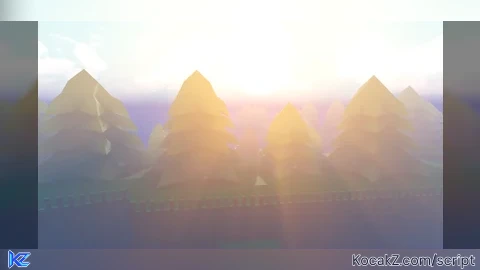
Yo, anyone tried the shaders? Thoughts?
is nice