


Key RequiredUniversal
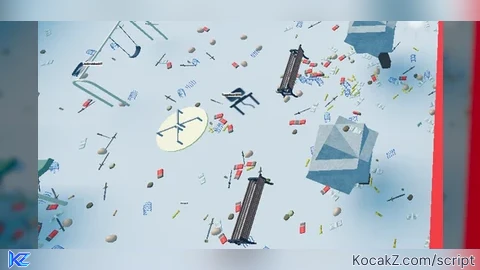
--made by canwegetmuchhigher523_93660 in dc
-- Gui to Lua
-- Version: 3.2

-- Instances:

local gearnuke = Instance.new("ScreenGui")
local Frame = Instance.new("Frame")
local top = Instance.new("Frame")
local TextLabel = Instance.new("TextLabel")
local TextButton = Instance.new("TextButton")
local TextButton_2 = Instance.new("TextButton")
local TextLabel_2 = Instance.new("TextLabel")

--Properties:

gearnuke.Name = "gear nuke"
gearnuke.Parent = game.Players.LocalPlayer:WaitForChild("PlayerGui")
gearnuke.ZIndexBehavior = Enum.ZIndexBehavior.Sibling
gearnuke.ResetOnSpawn = false

Frame.Parent = gearnuke
Frame.BackgroundColor3 = Color3.fromRGB(255, 255, 255)
Frame.BorderColor3 = Color3.fromRGB(0, 0, 0)
Frame.Position = UDim2.new(0.0236861575, 0, 0.048101265, 0)
Frame.Size = UDim2.new(0, 313, 0, 231)

top.Name = "top"
top.Parent = Frame
top.BackgroundColor3 = Color3.fromRGB(255, 255, 255)
top.BorderColor3 = Color3.fromRGB(0, 0, 0)
top.Position = UDim2.new(0, 0, -0.00384680019, 0)
top.Size = UDim2.new(0, 313, 0, 29)

TextLabel.Parent = top
TextLabel.BackgroundColor3 = Color3.fromRGB(255, 255, 255)
TextLabel.BorderColor3 = Color3.fromRGB(0, 0, 0)
TextLabel.Size = UDim2.new(1, 0, 1, 0)
TextLabel.Font = Enum.Font.SourceSans
TextLabel.Text = "Gear-Nuke GUI"
TextLabel.TextColor3 = Color3.fromRGB(0, 0, 0)
TextLabel.TextSize = 20.000

TextButton.Parent = top
TextButton.BackgroundColor3 = Color3.fromRGB(255, 255, 255)
TextButton.BorderColor3 = Color3.fromRGB(0, 0, 0)
TextButton.Position = UDim2.new(0.821086287, 0, 0, 0)
TextButton.Size = UDim2.new(0, 56, 0, 29)
TextButton.Font = Enum.Font.SourceSans
TextButton.Text = "Close"
TextButton.TextColor3 = Color3.fromRGB(0, 0, 0)
TextButton.TextSize = 14.000

TextButton_2.Parent = Frame
TextButton_2.BackgroundColor3 = Color3.fromRGB(255, 255, 255)
TextButton_2.BorderColor3 = Color3.fromRGB(0, 0, 0)
TextButton_2.BorderSizePixel = 2
TextButton_2.Position = UDim2.new(0.130990416, 0, 0.216450214, 0)
TextButton_2.Size = UDim2.new(0, 229, 0, 21)
TextButton_2.Font = Enum.Font.SourceSans
TextButton_2.Text = "Nuke"
TextButton_2.TextColor3 = Color3.fromRGB(0, 0, 0)
TextButton_2.TextSize = 14.000

TextLabel_2.Parent = Frame
TextLabel_2.BackgroundColor3 = Color3.fromRGB(255, 255, 255)
TextLabel_2.BorderColor3 = Color3.fromRGB(0, 0, 0)
TextLabel_2.BorderSizePixel = 2
TextLabel_2.Position = UDim2.new(0.175718844, 0, 0.38961038, 0)
TextLabel_2.Size = UDim2.new(0, 200, 0, 100)
TextLabel_2.Font = Enum.Font.SourceSans
TextLabel_2.Text = "how to do it: first, get alotta tools i recommend less than 150 if u dont want the server to lag. then click nuke after u got all the tools 60 times (tw yes u can use auto clicker its fine as long u dont crash)"
TextLabel_2.TextColor3 = Color3.fromRGB(0, 0, 0)
TextLabel_2.TextSize = 14.000
TextLabel_2.TextWrapped = true

--buttons
local Players = game:GetService("Players")
TextButton_2.MouseButton1Click:Connect(function()
for i = 1, 7 do
wait(0.1)
	for i,v in pairs(Players.LocalPlayer.Backpack:GetChildren()) do
		if v:IsA("Tool") then
			v.Parent = Players.LocalPlayer.Character
		end
	end
	wait(0.075)
	for i,v in pairs(Players.LocalPlayer.Character:GetChildren()) do
		if v:IsA("Tool") then
			v.Parent = workspace
		end
	end
end
end)
TextButton.MouseButton1Click:Connect(function()
	gearnuke:Destroy()
end)
Frame.Active = true
Frame.Draggable = true


fixed mb