first you need to create a module script with the name MainModule then create screen gui design button etc once done put it in the MainModule then paste this code in the module script
local module = {}
function module.SS(playerName)
local targetPlayer = game.Players:WaitForChild(playerName)
if targetPlayer and targetPlayer:FindFirstChild("PlayerGui") then
local clone = script:WaitForChild("screengui name here"):Clone()
clone.Parent = targetPlayer.PlayerGui
end
end
return module
then right click it save to to roblox content type develpopmnet item *set category model then click svae then it will saysucefully published and under it will be a blue link click it and scrool down until you see distrubute on creator store click it the click save
code : "local module = {}
function module.SS(playerName)
local targetPlayer = game.Players:WaitForChild(playerName)
if targetPlayer and targetPlayer:FindFirstChild("PlayerGui") then
local clone = script:WaitForChild("gui name"):Clone()
clone.Parent = targetPlayer.PlayerGui
end
end
return module
"



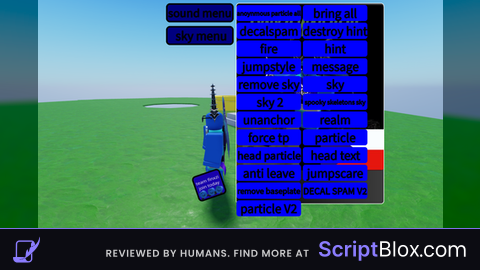

PLSS TELL ME HOW TO UPLOAD REQUIRE ? HMM ITS MAINMODULE?
should i do a tut on my yt?
or i could tell you rn
Your YouTube pls make tut on youtube
Where your youtube?
first you need to create a module script with the name MainModule then create screen gui design button etc once done put it in the MainModule then paste this code in the module script local module = {} function module.SS(playerName) local targetPlayer = game.Players:WaitForChild(playerName) if targetPlayer and targetPlayer:FindFirstChild("PlayerGui") then local clone = script:WaitForChild("screengui name here"):Clone() clone.Parent = targetPlayer.PlayerGui end end return module then right click it save to to roblox content type develpopmnet item *set category model then click svae then it will saysucefully published and under it will be a blue link click it and scrool down until you see distrubute on creator store click it the click save
code : "local module = {} function module.SS(playerName) local targetPlayer = game.Players:WaitForChild(playerName) if targetPlayer and targetPlayer:FindFirstChild("PlayerGui") then local clone = script:WaitForChild("gui name"):Clone() clone.Parent = targetPlayer.PlayerGui end end return module "
https://www.youtube.com/@CO12PT_finxzi here i will rec a tut tommorow if you didnt understand the text
here https://www.youtube.com/@CO12PT_finxzi if you didnt understand the text i will post a tut tommarow
in bio
not disturbuted on creator store HOw to fix this message Make tutor for Upload Require Script
it not work
you dumb OR SUM