

KeylessUniversal
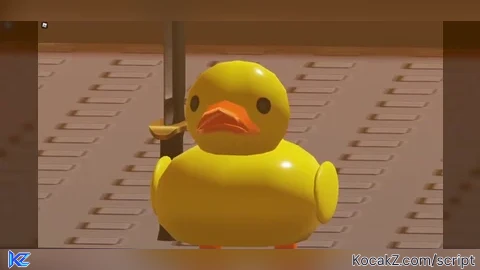
local TweenService = game:GetService("TweenService")

-- Variable to track if the script has been executed
local scriptExecuted = false

-- Function to initialize and run the script
local function initializeScript()
    if scriptExecuted then
        print("Script has already been executed.")
        return
    end

    scriptExecuted = true

    -- Create a ScreenGui and its components
    local player = game.Players.LocalPlayer
    local playerGui = player:WaitForChild("PlayerGui")

    -- Create the main ScreenGui
    local screenGui = Instance.new("ScreenGui")
    screenGui.Name = "MyGui"
    screenGui.Parent = playerGui

    -- Create a draggable frame as the main container
    local mainFrame = Instance.new("Frame")
    mainFrame.Name = "MainFrame"
    mainFrame.Size = UDim2.new(0, 300, 0, 200)
    mainFrame.Position = UDim2.new(0.5, -150, 0.5, -100)
    mainFrame.BackgroundColor3 = Color3.fromRGB(30, 30, 30)
    mainFrame.BorderSizePixel = 0
    mainFrame.Parent = screenGui

    -- Apply rounded corners to the main frame
    local mainFrameCorner = Instance.new("UICorner")
    mainFrameCorner.CornerRadius = UDim.new(0, 12)
    mainFrameCorner.Parent = mainFrame

    -- Add a title bar to the frame
    local titleBar = Instance.new("Frame")
    titleBar.Name = "TitleBar"
    titleBar.Size = UDim2.new(1, 0, 0, 30)
    titleBar.BackgroundColor3 = Color3.fromRGB(40, 40, 40)
    titleBar.BorderSizePixel = 0
    titleBar.Parent = mainFrame

    -- Apply rounded corners to the title bar
    local titleBarCorner = Instance.new("UICorner")
    titleBarCorner.CornerRadius = UDim.new(0, 12)
    titleBarCorner.Parent = titleBar

    -- Create a title text
    local titleText = Instance.new("TextLabel")
    titleText.Name = "TitleText"
    titleText.Size = UDim2.new(1, -60, 1, 0)
    titleText.Position = UDim2.new(0, 0, 0, 0)
    titleText.Text = "duck's gui V1.5"
    titleText.TextColor3 = Color3.fromRGB(255, 255, 255)
    titleText.BackgroundTransparency = 1
    titleText.TextScaled = true
    titleText.TextStrokeTransparency = 0
    titleText.Parent = titleBar

    -- Create a close button
    local closeButton = Instance.new("TextButton")
    closeButton.Name = "CloseButton"
    closeButton.Size = UDim2.new(0, 30, 1, 0)
    closeButton.Position = UDim2.new(1, -30, 0, 0)
    closeButton.Text = "X"
    closeButton.BackgroundColor3 = Color3.fromRGB(255, 0, 0)
    closeButton.TextColor3 = Color3.fromRGB(255, 255, 255)
    closeButton.BorderSizePixel = 0
    closeButton.Parent = titleBar

    -- Apply rounded corners to the close button
    local closeButtonCorner = Instance.new("UICorner")
    closeButtonCorner.CornerRadius = UDim.new(0, 12)
    closeButtonCorner.Parent = closeButton

    -- Create a minimize button with '-' to drop down
    local minimizeButton = Instance.new("TextButton")
    minimizeButton.Name = "MinimizeButton"
    minimizeButton.Size = UDim2.new(0, 30, 1, 0)
    minimizeButton.Position = UDim2.new(1, -60, 0, 0)
    minimizeButton.Text = "-"
    minimizeButton.BackgroundColor3 = Color3.fromRGB(100, 100, 100)
    minimizeButton.TextColor3 = Color3.fromRGB(255, 255, 255)
    minimizeButton.BorderSizePixel = 0
    minimizeButton.Parent = titleBar

    -- Apply rounded corners to the minimize button
    local minimizeButtonCorner = Instance.new("UICorner")
    minimizeButtonCorner.CornerRadius = UDim.new(0, 12)
    minimizeButtonCorner.Parent = minimizeButton

    -- Create a frame for buttons
    local buttonFrame = Instance.new("Frame")
    buttonFrame.Name = "ButtonFrame"
    buttonFrame.Size = UDim2.new(0, 120, 0, 195)  -- Increase height to fit new button
    buttonFrame.Position = UDim2.new(0, 10, 0, 30)
    buttonFrame.BackgroundTransparency = 1
    buttonFrame.Parent = mainFrame

    -- Function to create a button
    local function createButton(name, positionY, text, onClick)
        local button = Instance.new("TextButton")
        button.Name = name
        button.Size = UDim2.new(1, -20, 0, 30)
        button.Position = UDim2.new(0, 0, 0, positionY)
        button.Text = text
        button.BackgroundColor3 = Color3.fromRGB(60, 60, 60)
        button.TextColor3 = Color3.fromRGB(255, 255, 255)
        button.BorderSizePixel = 0
        button.Parent = buttonFrame

        -- Apply rounded corners to each button
        local buttonCorner = Instance.new("UICorner")
        buttonCorner.CornerRadius = UDim.new(0, 8)
        buttonCorner.Parent = button

        -- Connect the button click event
        button.MouseButton1Click:Connect(onClick)
    end

    -- Create buttons stacked directly on top of each other, with no gap
    local buttonHeight = 30
    createButton("TestButton", 0, "Test", function() print("Test button clicked") end)
    createButton("DYButton", buttonHeight, "DY", function() print("DY button clicked") end)
    createButton("MM2Button", buttonHeight * 2, "MM2", function() print("MM2 button clicked") end)
    createButton("AntiKickButton", buttonHeight * 3, "AntiKick", function() loadstring(game:HttpGet("https://raw.githubusercontent.com/Stefanuk12/ROBLOX/master/Universal/AntiKick.lua"))() end)
    createButton("CBButton", buttonHeight * 4, "CB", function() loadstring(game:HttpGet("https://raw.githubusercontent.com/SkireScripts/Ouxie/main/Projects/simplebypass.lua"))() end)
    createButton("ButterHubButton", buttonHeight * 5, "Butter Hub", function() loadstring(game:HttpGet('https://raw.githubusercontent.com/Butterisgood/Butter/main/Root2.lua'))("") end)

    -- Function to create tweens for dropdown effect
    local function createTween(frame, position, size)
        local tweenInfo = TweenInfo.new(1, Enum.EasingStyle.Quad, Enum.EasingDirection.Out)
        local goal = {Position = position, Size = size}
        local tween = TweenService:Create(frame, tweenInfo, goal)
        return tween
    end

    -- Function to toggle the dropdown effect
    local function toggleDropdown()
        if mainFrame.Size == UDim2.new(0, 300, 0, 200) then
            -- Minimize the frame
            local slideUpTween = createTween(mainFrame, mainFrame.Position, UDim2.new(0, 300, 0, 30))
            slideUpTween:Play()
            -- Hide the buttons
            buttonFrame.Visible = false
        else
            -- Expand the frame
            local slideDownTween = createTween(mainFrame, mainFrame.Position, UDim2.new(0, 300, 0, 200))
            slideDownTween:Play()
            -- Wait for the tween to complete before showing the buttons
            slideDownTween.Completed:Connect(function()
                buttonFrame.Visible = true
            end)
        end
    end

    -- Connect the minimize button click event
    minimizeButton.MouseButton1Click:Connect(toggleDropdown)

    -- Function to close GUI with sliding effect
    local function closeGui()
        local slideUpTween = createTween(mainFrame, UDim2.new(mainFrame.Position.X.Scale, mainFrame.Position.X.Offset, -1, 0), UDim2.new(0, 300, 0, 0))
        slideUpTween:Play()
        slideUpTween.Completed:Connect(function()
            screenGui:Destroy()  -- Close the main GUI after slide up animation
        end)
    end

    -- Connect the close button click event
    closeButton.MouseButton1Click:Connect(closeGui)

    -- Function to make a GUI draggable
    local function makeDraggable(frame)
        local dragging = false
        local dragInput, mousePos, framePos

        frame.InputBegan:Connect(function(input)
            if input.UserInputType == Enum.UserInputType.MouseButton1 then
                dragging = true
                mousePos = input.Position
                framePos = frame.Position

                input.Changed:Connect(function()
                    if input.UserInputState == Enum.UserInputState.End then
                        dragging = false
                    end
                end)
            end
        end)

        frame.InputChanged:Connect(function(input)
            if input.UserInputType == Enum.UserInputType.MouseMovement and dragging then
                local delta = input.Position - mousePos
                frame.Position = UDim2.new(framePos.X.Scale, framePos.X.Offset + delta.X, framePos.Y.Scale, framePos.Y.Offset + delta.Y)
            end
        end)
    end

    -- Make the main frame draggable
    makeDraggable(titleBar)

    -- Function to toggle the visibility of the entire GUI
    local function toggleGuiVisibility()
        screenGui.Enabled = not screenGui.Enabled
    end

    -- Bind the toggle function to a key press
    local userInputService = game:GetService("UserInputService")
    userInputService.InputBegan:Connect(function(input)
        if input.KeyCode == Enum.KeyCode.Delete then
            toggleGuiVisibility()
        end
    end)
end

-- Run the script
initializeScript()


@k00ld13 yh
if u cant make scritp and make scripts with chatgpt then dont post script