


KeylessUniversal
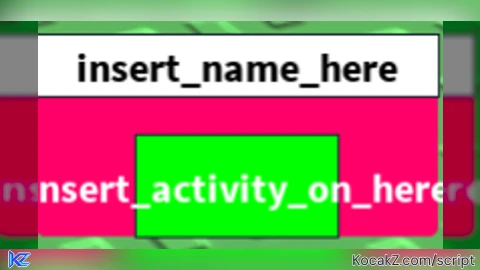
local ScreenGui = Instance.new("ScreenGui")
ScreenGui.Parent = game.Players.LocalPlayer:WaitForChild("PlayerGui")

local Frame = Instance.new("Frame")
Frame.Size = UDim2.new(0, 200, 0, 100)
Frame.Position = UDim2.new(0.5, -100, 0.5, -50)
Frame.BackgroundColor3 = Color3.fromRGB(255, 255, 255)
Frame.BorderSizePixel = 1
Frame.Parent = ScreenGui

local UICorner = Instance.new("UICorner")
UICorner.CornerRadius = UDim.new(0, 10)
UICorner.Parent = Frame

local Title = Instance.new("TextLabel")
Title.Size = UDim2.new(1, 0, 0, 30)
Title.Position = UDim2.new(0, 0, 0, 0)
Title.BackgroundColor3 = Color3.fromRGB(255, 255, 255)
Title.Text = "insert_name_here"
Title.TextColor3 = Color3.fromRGB(0, 0, 0)
Title.TextSize = 24
Title.Font = Enum.Font.SourceSansBold
Title.Parent = Frame

local Button = Instance.new("TextButton")
Button.Size = UDim2.new(0.5, 0, 0.5, 0)
Button.Position = UDim2.new(0.25, 0, 0.5, 0)
Button.BackgroundColor3 = Color3.fromRGB(0, 255, 0)
Button.Text = "insert_activity_on_here"
Button.TextColor3 = Color3.fromRGB(255, 255, 255)
Button.TextSize = 24
Button.Font = Enum.Font.SourceSansBold
Button.Parent = Frame

local isOn = false

local function updateColor()
    local hue = tick() % 6
    local color = Color3.fromHSV(hue, 1, 1)
    Frame.BackgroundColor3 = color
    UICorner.CornerRadius = UDim.new(0, 10 + math.sin(tick() * 5) * 5)
end

game:GetService("RunService").RenderStepped:Connect(updateColor)

Button.MouseButton1Click:Connect(function()
    if isOn then
        Button.Text = "insert_activity_on_here"
        Button.BackgroundColor3 = Color3.fromRGB(0, 255, 0)
    else
        Button.Text = "insert_activity_off_here"
        Button.BackgroundColor3 = Color3.fromRGB(255, 0, 0)
    end
    isOn = not isOn
end)

local dragging
local dragInput
local dragStart
local startPos

local function update(input)
    local delta = input.Position - dragStart
    Frame.Position = UDim2.new(startPos.X.Scale, startPos.X.Offset + delta.X, startPos.Y.Scale, startPos.Y.Offset + delta.Y)
end

Frame.InputBegan:Connect(function(input)
    if input.UserInputType == Enum.UserInputType.MouseButton1 or input.UserInputType == Enum.UserInputType.Touch then
        dragging = true
        dragStart = input.Position
        startPos = Frame.Position
        input.Changed:Connect(function()
            if input.UserInputState == Enum.UserInputState.End then
                dragging = false
            end
        end)
    end
end)

Frame.InputChanged:Connect(function(input)
    if input.UserInputType == Enum.UserInputType.MouseMovement or input.UserInputType == Enum.UserInputType.Touch then
        dragInput = input
    end
end)

game:GetService("UserInputService").InputChanged:Connect(function(input)
    if input == dragInput and dragging then
        update(input)
    end
end)


Cool