

![Sir Meme Hub | [16 GAMES] [$14.99 LIFETIME] | FARM/AIM/ESP](https://scriptblox.com/images/script/-1-1791044877945.webp)
Key Required VerifiedUniversal

--==================================================
-- FLY
-- V2
--==================================================

local Players = game:GetService("Players")
local UserInputService = game:GetService("UserInputService")
local RunService = game:GetService("RunService")

local player = Players.LocalPlayer
local camera = workspace.CurrentCamera

--==================================================
-- CONFIGURACIÓN
--==================================================

local SPEED = 60

local DRAG_DISTANCE = 8

--==================================================
-- VARIABLES
--==================================================

local flying = false

local bodyVelocity
local bodyGyro
local flyConnection

-- Variables del arrastre
local dragging = false
local pressed = false
local dragInput = nil
local dragStart
local startPosition
local dragStarted = false

--==================================================
-- CREAR GUI
--==================================================

local gui = Instance.new("ScreenGui")
gui.Name = "FlyGui"
gui.ResetOnSpawn = false
gui.Parent = player:WaitForChild("PlayerGui")

--==================================================
-- BOTÓN FLY
--==================================================

local flyButton = Instance.new("TextButton")
flyButton.Name = "FlyButton"

flyButton.Size = UDim2.fromOffset(90, 50)

flyButton.Position = UDim2.new(
	1,
	-110,
	1,
	-160
)

flyButton.BackgroundTransparency = 0.15
flyButton.BackgroundColor3 = Color3.fromRGB(35, 35, 35)

flyButton.TextColor3 = Color3.new(1, 1, 1)
flyButton.TextScaled = true
flyButton.Font = Enum.Font.GothamBold
flyButton.Text = "FLY"

flyButton.AutoButtonColor = true
flyButton.Parent = gui

--==================================================
-- BORDE REDONDEADO
--==================================================

local corner = Instance.new("UICorner")
corner.CornerRadius = UDim.new(0, 12)
corner.Parent = flyButton

--==================================================
-- INICIAR VUELO
--==================================================

local function startFly()

	if flying then
		return
	end

	local character = player.Character

	if not character then
		return
	end

	local humanoid = character:FindFirstChildOfClass("Humanoid")
	local root = character:FindFirstChild("HumanoidRootPart")

	if not humanoid or not root then
		return
	end

	flying = true

	humanoid.PlatformStand = true

	--==================================================
	-- VELOCIDAD
	--==================================================

	bodyVelocity = Instance.new("BodyVelocity")

	bodyVelocity.Name = "FlyVelocity"

	bodyVelocity.MaxForce = Vector3.new(
		math.huge,
		math.huge,
		math.huge
	)

	bodyVelocity.Velocity = Vector3.zero
	bodyVelocity.Parent = root

	--==================================================
	-- ORIENTACIÓN
	--==================================================

	bodyGyro = Instance.new("BodyGyro")

	bodyGyro.Name = "FlyGyro"

	bodyGyro.MaxTorque = Vector3.new(
		math.huge,
		math.huge,
		math.huge
	)

	bodyGyro.P = 9000
	bodyGyro.D = 500

	bodyGyro.CFrame = camera.CFrame
	bodyGyro.Parent = root

	--==================================================
	-- ACTUALIZAR VUELO
	--==================================================

	flyConnection = RunService.RenderStepped:Connect(function()

		if not flying then
			return
		end

		if not root.Parent then
			return
		end

		local direction = Vector3.zero

		--==================================================
		-- JOYSTICK MÓVIL
		--==================================================

		local moveDirection = humanoid.MoveDirection

		if moveDirection.Magnitude > 0 then

			local cameraLook = camera.CFrame.LookVector
			local cameraRight = camera.CFrame.RightVector

			local flatLook = Vector3.new(
				cameraLook.X,
				0,
				cameraLook.Z
			)

			if flatLook.Magnitude > 0 then
				flatLook = flatLook.Unit
			end

			local flatRight = Vector3.new(
				cameraRight.X,
				0,
				cameraRight.Z
			)

			if flatRight.Magnitude > 0 then
				flatRight = flatRight.Unit
			end

			local forwardAmount = moveDirection:Dot(flatLook)
			local rightAmount = moveDirection:Dot(flatRight)

			direction =
				cameraLook * forwardAmount
				+
				flatRight * rightAmount
		end

		--==================================================
		-- CONTROLES PC
		--==================================================

		-- IMPORTANTE:
		-- Si estamos escribiendo en el chat o en otro TextBox,
		-- NO se leen las teclas del teclado.

		if not UserInputService:GetFocusedTextBox() then

			if UserInputService:IsKeyDown(Enum.KeyCode.W) then
				direction += camera.CFrame.LookVector
			end

			if UserInputService:IsKeyDown(Enum.KeyCode.S) then
				direction -= camera.CFrame.LookVector
			end

			if UserInputService:IsKeyDown(Enum.KeyCode.A) then
				direction -= camera.CFrame.RightVector
			end

			if UserInputService:IsKeyDown(Enum.KeyCode.D) then
				direction += camera.CFrame.RightVector
			end

			--==================================================
			-- SUBIR / BAJAR
			--==================================================

			if UserInputService:IsKeyDown(Enum.KeyCode.Space) then
				direction += Vector3.yAxis
			end

			if UserInputService:IsKeyDown(Enum.KeyCode.LeftShift) then
				direction -= Vector3.yAxis
			end

		end

		--==================================================
		-- APLICAR MOVIMIENTO
		--==================================================

		if direction.Magnitude > 0 then
			direction = direction.Unit * SPEED
		else
			direction = Vector3.zero
		end

		bodyVelocity.Velocity = direction

		-- El personaje mira hacia donde apunta la cámara
		bodyGyro.CFrame = camera.CFrame

	end)

	flyButton.Text = "STOP"

end

--==================================================
-- DETENER VUELO
--==================================================

local function stopFly()

	if not flying then
		return
	end

	flying = false

	-- Detener actualización
	if flyConnection then
		flyConnection:Disconnect()
		flyConnection = nil
	end

	-- Eliminar velocidad
	if bodyVelocity then
		bodyVelocity:Destroy()
		bodyVelocity = nil
	end

	-- Eliminar orientación
	if bodyGyro then
		bodyGyro:Destroy()
		bodyGyro = nil
	end

	-- Recuperar movimiento normal
	local character = player.Character

	if character then

		local humanoid = character:FindFirstChildOfClass("Humanoid")

		if humanoid then
			humanoid.PlatformStand = false
		end

	end

	flyButton.Text = "FLY"

end

--==================================================
-- ACTIVAR / DESACTIVAR
--==================================================

local function toggleFly()

	if flying then
		stopFly()
	else
		startFly()
	end

end

--==================================================
-- DETECTAR CLIC / TOQUE
--==================================================

flyButton.InputBegan:Connect(function(input)

	if input.UserInputType == Enum.UserInputType.MouseButton1
		or input.UserInputType == Enum.UserInputType.Touch then

		pressed = true
		dragging = false
		dragStarted = false

		dragStart = input.Position
		startPosition = flyButton.Position

		dragInput = input

	end

end)

--==================================================
-- DETECTAR MOVIMIENTO
--==================================================

flyButton.InputChanged:Connect(function(input)

	if input.UserInputType == Enum.UserInputType.MouseMovement
		or input.UserInputType == Enum.UserInputType.Touch then

		dragInput = input

	end

end)

--==================================================
-- FINALIZAR CLIC / TOQUE
--==================================================

flyButton.InputEnded:Connect(function(input)

	if input.UserInputType == Enum.UserInputType.MouseButton1
		or input.UserInputType == Enum.UserInputType.Touch then

		-- Si NO se arrastró, es un toque normal.
		if pressed and not dragStarted then
			toggleFly()
		end

		pressed = false
		dragging = false
		dragStarted = false
		dragInput = nil

	end

end)

--==================================================
-- ACTUALIZAR ARRASTRE
--==================================================

UserInputService.InputChanged:Connect(function(input)

	if not pressed then
		return
	end

	if input ~= dragInput then
		return
	end

	local delta = input.Position - dragStart

	-- Comprobar si se movió suficiente
	if delta.Magnitude >= DRAG_DISTANCE then
		dragStarted = true
		dragging = true
	end

	if dragging then

		flyButton.Position = UDim2.new(
			startPosition.X.Scale,
			startPosition.X.Offset + delta.X,

			startPosition.Y.Scale,
			startPosition.Y.Offset + delta.Y
		)

	end

end)

--==================================================
-- TECLA E EN PC
--==================================================

UserInputService.InputBegan:Connect(function(input, processed)

	-- No activar Fly mientras se escribe
	if UserInputService:GetFocusedTextBox() then
		return
	end

	-- Roblox ya está usando esta entrada
	if processed then
		return
	end

	-- E activa/desactiva Fly
	if input.KeyCode == Enum.KeyCode.E then
		toggleFly()
	end

end)

--==================================================
-- SI EL PERSONAJE APARECE DE NUEVO
--==================================================

player.CharacterAdded:Connect(function(character)

	-- Apagar vuelo anterior
	stopFly()

	local humanoid = character:WaitForChild("Humanoid")

	humanoid.Died:Connect(function()
		stopFly()
	end)

end)
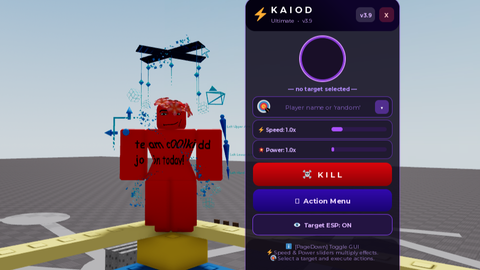

200% ai made its so obv