

![Sir Meme Hub | [16 GAMES] [$14.99 LIFETIME] | FARM/AIM/ESP](https://scriptblox.com/images/script/-1-1791044877945.webp)
Key Required VerifiedUniversal
-- LocalScript inside StarterPlayerScripts

-- Services
local Players = game:GetService("Players")
local Player = Players.LocalPlayer
local PlayerGui = Player:WaitForChild("PlayerGui")
local UserInputService = game:GetService("UserInputService")

-- GUI Elements for the menu
local screenGui = Instance.new("ScreenGui")
screenGui.Name = "PlayerHighlightMenu"
screenGui.Parent = PlayerGui

local menuFrame = Instance.new("Frame")
menuFrame.Size = UDim2.new(0, 200, 0, 100)
menuFrame.Position = UDim2.new(0, 10, 0, 10)
menuFrame.BackgroundColor3 = Color3.fromRGB(169, 169, 169) -- Grey color
menuFrame.BackgroundTransparency = 0.3
menuFrame.BorderSizePixel = 0
menuFrame.Parent = screenGui

-- Add rounded corners to the frame
local corner = Instance.new("UICorner")
corner.CornerRadius = UDim.new(0, 15)  -- Adjust the radius for smoothness
corner.Parent = menuFrame

local highlightButton = Instance.new("TextButton")
highlightButton.Size = UDim2.new(1, 0, 1, 0)  -- Full size of the frame
highlightButton.Text = "Toggle Highlight"
highlightButton.BackgroundColor3 = Color3.fromRGB(255, 0, 255)  -- Purple button color
highlightButton.TextColor3 = Color3.fromRGB(255, 255, 255)
highlightButton.Font = Enum.Font.SourceSans
highlightButton.TextSize = 18
highlightButton.Parent = menuFrame

local highlightButtonCorner = Instance.new("UICorner")
highlightButtonCorner.CornerRadius = UDim.new(0, 10)
highlightButtonCorner.Parent = highlightButton

-- Settings
local isHighlighting = false
local highlights = {}

-- Function to create highlight for a player
local function createHighlight(player)
    -- Prevent highlighting the local player
    if player == Player then
        return nil
    end

    local highlight = Instance.new("Highlight")
    highlight.Parent = player.Character
    highlight.Adornee = player.Character
    highlight.FillColor = Color3.fromRGB(255, 0, 0)  -- Red color for the highlight
    highlight.OutlineColor = Color3.fromRGB(255, 255, 255)  -- White outline
    highlight.FillTransparency = 0.5  -- Semi-transparent fill
    highlight.OutlineTransparency = 0.3  -- Semi-transparent outline
    return highlight
end

-- Toggle Highlight Function
local function toggleHighlight()
    isHighlighting = not isHighlighting
    for _, player in pairs(Players:GetPlayers()) do
        if player.Character and not highlights[player] and isHighlighting then
            local highlight = createHighlight(player)
            if highlight then
                highlights[player] = highlight
            end
        elseif highlights[player] and not isHighlighting then
            highlights[player]:Destroy()
            highlights[player] = nil
        end
    end
end

-- Toggle highlight when the button is clicked
highlightButton.MouseButton1Click:Connect(function()
    toggleHighlight()
end)

-- Toggle highlight when F5 key is pressed
UserInputService.InputBegan:Connect(function(input, gameProcessed)
    if gameProcessed then return end
    if input.UserInputType == Enum.UserInputType.Keyboard and input.KeyCode == Enum.KeyCode.F5 then
        toggleHighlight()
    end
end)

-- Update on player join (new player detection)
Players.PlayerAdded:Connect(function(player)
    player.CharacterAdded:Connect(function(character)
        -- If highlight is on, add highlight to the new player (except the local player)
        if isHighlighting then
            local highlight = createHighlight(player)
            if highlight then
                highlights[player] = highlight
            end
        end
    end)
end)

-- Initialize the effects for existing players
for _, player in pairs(Players:GetPlayers()) do
    if player.Character then
        if isHighlighting then
            local highlight = createHighlight(player)
            if highlight then
                highlights[player] = highlight
            end
        end
    end
end

-- Make the UI draggable
local dragging, dragInput, dragStart, startPos

local function updateInput(input)
    local delta = input.Position - dragStart
    menuFrame.Position = UDim2.new(startPos.X.Scale, startPos.X.Offset + delta.X, startPos.Y.Scale, startPos.Y.Offset + delta.Y)
end

menuFrame.InputBegan:Connect(function(input, gameProcessed)
    if gameProcessed then return end
    if input.UserInputType == Enum.UserInputType.MouseButton1 then
        dragging = true
        dragStart = input.Position
        startPos = menuFrame.Position
        input.Changed:Connect(function()
            if not input.UserInputState == Enum.UserInputState.Change then
                dragging = false
            end
        end)
    end
end)

menuFrame.InputChanged:Connect(function(input)
    if dragging and input.UserInputType == Enum.UserInputType.MouseMovement then
        updateInput(input)
    end
end)
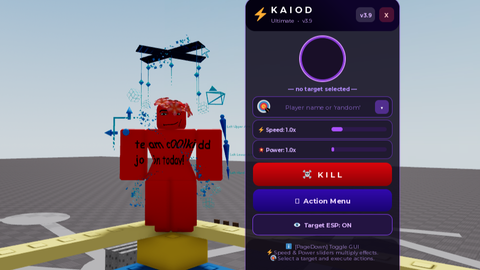

im just testing uploading scripts btw
I agree with your name ;)
thank you @Bjarnos