

Key Required VerifiedUniversal
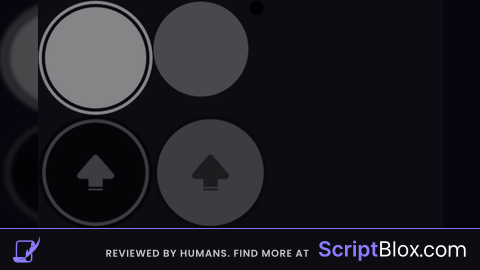
local Players = game:GetService("Players")
local RunService = game:GetService("RunService")
local GuiService = game:GetService("GuiService")
local StarterGui = game:GetService("StarterGui")

local Player = Players.LocalPlayer
local Character = Player.Character or Player.CharacterAdded:Wait()
local Humanoid = Character:WaitForChild("Humanoid")

Player.CharacterAdded:Connect(function(char)
	Character = char
	Humanoid = char:WaitForChild("Humanoid")
end)

pcall(function()
	StarterGui:SetCoreGuiEnabled(Enum.CoreGuiType.TouchControls, false)
end)

if Player:WaitForChild("PlayerGui"):FindFirstChild("FatChicken") then
	Player.PlayerGui.FatChicken:Destroy()
end

local ScreenGui = Instance.new("ScreenGui")
ScreenGui.Name = "FatChicken"
ScreenGui.ResetOnSpawn = false
ScreenGui.IgnoreGuiInset = true
ScreenGui.Parent = Player:WaitForChild("PlayerGui")

local Container = Instance.new("Frame")
Container.Size = UDim2.new(0,400,0,400)
Container.BackgroundTransparency = 1
Container.Parent = ScreenGui

local function updatePosition()
	if GuiService:IsTenFootInterface() then
		Container.Position = UDim2.new(0.04,0,0.35,0)
	else
		Container.Position = UDim2.new(0.02,0,0.38,0)
	end
end

updatePosition()
workspace.CurrentCamera:GetPropertyChangedSignal("ViewportSize"):Connect(updatePosition)

local ARROW_NORMAL = "rbxassetid://16810132542"
local ARROW_PRESSED = "rbxassetid://16810118497"

local function createButton(name, rotation, pos)
	local btn = Instance.new("ImageButton")
	btn.Name = name
	btn.Size = UDim2.new(0,160,0,160)
	btn.Position = pos
	btn.BackgroundTransparency = 1
	btn.AutoButtonColor = false
	btn.Parent = Container

	local arrow = Instance.new("ImageLabel")
	arrow.Size = UDim2.new(0.8,0,0.8,0)
	arrow.Position = UDim2.new(0.1,0,0.1,0)
	arrow.BackgroundTransparency = 1
	arrow.Image = ARROW_NORMAL
	arrow.Rotation = rotation
	arrow.Parent = btn

	btn.MouseButton1Down:Connect(function()
		arrow.Image = ARROW_PRESSED
	end)

	btn.MouseButton1Up:Connect(function()
		arrow.Image = ARROW_NORMAL
	end)

	btn.MouseLeave:Connect(function()
		arrow.Image = ARROW_NORMAL
	end)

	return btn
end

local Forward = createButton("Forward", 0, UDim2.new(0.5,-80,0,0))
local Backward = createButton("Backward", 180, UDim2.new(0.5,-80,1,-160))
local Left = createButton("Left", -90, UDim2.new(0,0,0.5,-80))
local Right = createButton("Right", 90, UDim2.new(1,-160,0.5,-80))

local moveX, moveZ = 0,0

local function bind(btn, axis, value)
	btn.MouseButton1Down:Connect(function()
		if axis == "X" then
			moveX = value
		else
			moveZ = value
		end
	end)

	btn.MouseButton1Up:Connect(function()
		if axis == "X" then
			moveX = 0
		else
			moveZ = 0
		end
	end)

	btn.MouseLeave:Connect(function()
		if axis == "X" then
			moveX = 0
		else
			moveZ = 0
		end
	end)
end

bind(Forward,"Z",-1)
bind(Backward,"Z",1)
bind(Left,"X",-1)
bind(Right,"X",1)

RunService.RenderStepped:Connect(function()
	if not Humanoid or not Humanoid.Parent then return end

	local seat = Humanoid.SeatPart

	if seat and seat:IsA("VehicleSeat") then
		seat.Throttle = -moveZ
		seat.Steer = moveX
	else
		Humanoid:Move(Vector3.new(moveX,0,moveZ), true)
	end
end)

this is so *ing peak
this is kinda shit ui is too big
@ItzPnsdg It doesn't have autoscale and it's open source you can modify it
Better for people who had Multi-touch failure issues