


Key RequiredUniversal
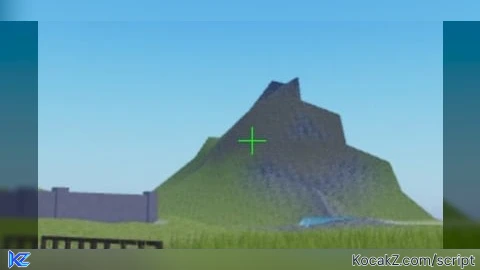
-- CS2-Inspired LocalScript for Mobile Crosshair (Style 4, Size 2, Gap -3, Green, Thin, No Outline/Dot)
local Players = game:GetService("Players")
local UserInputService = game:GetService("UserInputService")
local Player = Players.LocalPlayer
local PlayerGui = Player:WaitForChild("PlayerGui")

-- Create ScreenGui
local screenGui = Instance.new("ScreenGui")
screenGui.Name = "CS2CrosshairGui"
screenGui.Parent = PlayerGui
screenGui.ResetOnSpawn = false
screenGui.IgnoreGuiInset = true -- Full-screen center for mobile

-- Crosshair container (invisible, for centering)
local container = Instance.new("Frame")
container.Name = "CrosshairContainer"
container.Size = UDim2.new(0, 0, 0, 0)
container.AnchorPoint = Vector2.new(0.5, 0.5)
container.Position = UDim2.new(0.5, 0, 0.5, 0) -- Screen center
container.BackgroundTransparency = 1
container.Parent = screenGui

-- Horizontal arm (thin green line, full span for negative gap)
local horizontal = Instance.new("Frame")
horizontal.Name = "HorizontalArm"
horizontal.Size = UDim2.new(0, 20, 0, 1) -- 20px wide, 1px thick (small size 2 equivalent)
horizontal.Position = UDim2.new(-0.5, 0, -0.5, 0) -- Centered, crosses at middle
horizontal.BackgroundColor3 = Color3.fromRGB(0, 255, 0) -- Green (RGB 0,255,0)
horizontal.BorderSizePixel = 0
horizontal.AnchorPoint = Vector2.new(0.5, 0.5)
horizontal.Parent = container

-- Vertical arm (thin green line, full span for negative gap)
local vertical = Instance.new("Frame")
vertical.Name = "VerticalArm"
vertical.Size = UDim2.new(0, 1, 0, 20) -- 1px wide, 20px tall
vertical.Position = UDim2.new(-0.5, 0, -0.5, 0) -- Centered, crosses at middle
vertical.BackgroundColor3 = Color3.fromRGB(0, 255, 0) -- Green
vertical.BorderSizePixel = 0
vertical.AnchorPoint = Vector2.new(0.5, 0.5)
vertical.Parent = container

-- ZIndex for top priority
container.ZIndex = 15
horizontal.ZIndex = 15
vertical.ZIndex = 15

-- Optional: Toggle visibility on input (like CS2 aim mode)
--[[
UserInputService.InputBegan:Connect(function(input)
    if input.UserInputType == Enum.UserInputType.MouseButton1 or input.UserInputType == Enum.UserInputType.Touch then
        container.Visible = true
    end
end)
UserInputService.InputEnded:Connect(function(input)
    if input.UserInputType == Enum.UserInputType.MouseButton1 or input.UserInputType == Enum.UserInputType.Touch then
        container.Visible = false
    end
end)
container.Visible = false -- Hidden by default
--]]

print("CS2 green crosshair loaded! Tiny thin + in center—test on mobile.")No comments yet for this script.


