
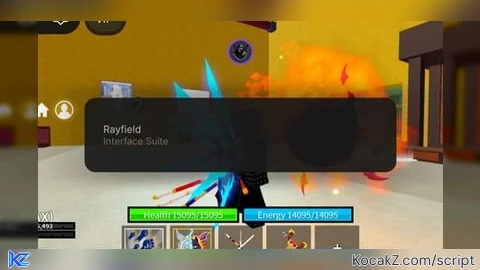

local ok, Ray = pcall(function() return loadstring(game:HttpGet('https://sirius.menu/rayfield'))() end)

if not ok or not Ray then
    local sg = Instance.new("ScreenGui")
    local f = Instance.new("Frame")
    local l = Instance.new("TextLabel")
    sg.Parent = game.CoreGui
    f.Parent = sg
    f.Size = UDim2.new(0, 220, 0, 60)
    f.Position = UDim2.new(0.5, -110, 0, 10)
    f.BackgroundColor3 = Color3.fromRGB(20, 20, 20)
    l.Parent = f
    l.Size = UDim2.new(1, 0, 1, 0)
    l.Text = "zero x"
    l.TextColor3 = Color3.fromRGB(0, 255, 255)
    l.TextScaled = true
    return
end

local W = Ray:CreateWindow({Name = "zero x"})
local T1 = W:CreateTab("Colors")
local T2 = W:CreateTab("Settings")

getgenv().PC = getgenv().PC or {c1=Color3.fromRGB(0,162,255), c2=Color3.fromRGB(255,0,255), dm=false, spd=2}
local s = getgenv().PC
local c1, c2, dm, spd = s.c1, s.c2, s.dm, s.spd

local pl = game.Players.LocalPlayer
local rs = game:GetService("RunService")
local ws = game:GetService("Workspace")
local vim = game:GetService("VirtualInputManager")
local mouse = pl:GetMouse()

local tracked = {}

local function gc()
    return dm and Color3.new((c1.R + c2.R)/2, (c1.G + c2.G)/2, (c1.B + c2.B)/2) or c1
end

local function refresh()
    for obj in pairs(tracked) do
        if obj and obj.Parent then
            pcall(function()
                local col = gc()
                if obj:IsA("ParticleEmitter") or obj:IsA("Trail") or obj:IsA("Beam") then
                    obj.Color = ColorSequence.new(col)
                elseif obj:IsA("BasePart") and (obj.Transparency > 0.2 or obj.Name:lower():find("portal") or obj.Name:lower():find("rift")) then
                    obj.Color = col
                    obj.Material = Enum.Material.Neon
                end
            end)
        else
            tracked[obj] = nil
        end
    end
end

local function track(obj)
    if obj:IsA("ParticleEmitter") or obj:IsA("Trail") or obj:IsA("Beam") or
       (obj:IsA("BasePart") and (obj.Transparency > 0.2 or obj.Name:lower():find("portal") or obj.Name:lower():find("rift"))) then
        tracked[obj] = true
    end
end

for _, v in pairs(ws:GetDescendants()) do track(v) end
ws.DescendantAdded:Connect(track)

-- FPS Tracker
local function startFPS()
    local sg = Instance.new("ScreenGui") sg.ResetOnSpawn = false sg.Parent = pl:WaitForChild("PlayerGui")
    local fl = Instance.new("TextLabel", sg)
    fl.Size = UDim2.new(0, 130, 0, 35)
    fl.Position = UDim2.new(0, 10, 0, 10)
    fl.BackgroundTransparency = 0.5
    fl.BackgroundColor3 = Color3.fromRGB(0,0,0)
    fl.TextColor3 = Color3.fromRGB(0,255,0)
    fl.TextScaled = true
    fl.Font = Enum.Font.Code
    fl.Text = "FPS: 60"

    local count, last = 0, tick()
    rs.RenderStepped:Connect(function()
        count += 1
        if tick() - last >= 1 then
            fl.Text = "FPS: " .. math.floor(count / (tick() - last))
            count = 0
            last = tick()
        end
    end)
end

-- Light Aimbot
local function toggleAimbot(state)
    if aimbotConn then aimbotConn:Disconnect() aimbotConn = nil end
    if not state then return end
    aimbotConn = rs.Heartbeat:Connect(function()
        local root = pl.Character and pl.Character:FindFirstChild("HumanoidRootPart")
        if not root then return end
        local closest, dist = nil, math.huge
        for _, p in ipairs(game.Players:GetPlayers()) do
            if p ~= pl and p.Character and p.Character:FindFirstChild("HumanoidRootPart") then
                local d = (root.Position - p.Character.HumanoidRootPart.Position).Magnitude
                if d < dist and d < 350 then
                    dist = d
                    closest = p.Character.HumanoidRootPart
                end
            end
        end
        if closest then
            mouse.Hit = CFrame.new(closest.Position + Vector3.new(0, 2.5, 0))
        end
    end)
end

-- Mobile Macro (Very Gentle - Should not block movement/jump)
local function toggleMacro(state)
    if macroConn then macroConn:Disconnect() macroConn = nil end
    if not state then return end

    macroConn = rs.Heartbeat:Connect(function()
        local keys = {Enum.KeyCode.Z, Enum.KeyCode.X, Enum.KeyCode.C, Enum.KeyCode.V, Enum.KeyCode.F}
        for _, key in keys do
            vim:SendKeyEvent(true, key, false, game)
            task.wait(0.12)
            vim:SendKeyEvent(false, key, false, game)
            task.wait(0.45)   -- Long delay so you can still move and jump
        end
        task.wait(1.2)
    end)
end

-- UI
T1:CreateColorPicker({Name="Color 1", Color=c1, Callback=function(v) c1 = v s.c1 = v end})
T1:CreateColorPicker({Name="Color 2", Color=c2, Callback=function(v) c2 = v s.c2 = v end})
T1:CreateToggle({Name="Dual Mode", CurrentValue=dm, Callback=function(v) dm = v s.dm = v end})

T2:CreateToggle({Name="Show FPS", CurrentValue=true, Callback=function(v) if v then startFPS() end end})
T2:CreateToggle({Name="Silent Aimbot", CurrentValue=false, Callback=toggleAimbot})
T2:CreateToggle({Name="Macro (Full Combo)", CurrentValue=false, Callback=toggleMacro})

T2:CreateButton({Name="Remove Textures", Callback=function()
    for _, v in pairs(ws:GetDescendants()) do
        if v:IsA("BasePart") or v:IsA("MeshPart") then
            pcall(function()
                if v:FindFirstChild("SurfaceAppearance") then v.SurfaceAppearance:Destroy() end
                v.TextureID = ""
                v.Material = Enum.Material.Neon
            end)
        end
    end
    Ray:Notify({Title="zero x", Content="Textures Removed!", Duration=3})
end})

T2:CreateButton({Name="Save Colors", Callback=function()
    getgenv().PC = {c1=c1, c2=c2, dm=dm, spd=spd}
    Ray:Notify({Title="zero x", Content="Colors Saved!", Duration=4})
end})

rs.Heartbeat:Connect(refresh)
task.wait(1)
startFPS()
refresh()

Ray:Notify({Title="zero x", Content="All Features Restored - Mobile Optimized", Duration=6})
How to Execute Universal Script – Zero x
Step 1: Copy Code: Click the Copy Code button in the viewer above to grab the clean Lua loadstring.
Step 2: Launch Executor: Open a compatible, unpatched executor. If you need one, check our Roblox Executors Directory.
Step 3: Join Experience: Launch Roblox and join Universal Script.
Step 4: Attach & Run: Attach/inject your executor into the Roblox process, paste the code into the script tab, and press Execute.
Features & Information
Script Changelog (1)
Community Comments (1)
Frequently Asked Questions
How do I execute Universal Script – Zero x in Roblox?
To run Universal Script – Zero x, copy the Lua loadstring from the code viewer above, launch Roblox and join Universal Script, attach a working executor (such as Potassium, Solara, or Delta from our Executors directory), paste the code into your executor console, and click Execute.
Is Universal Script – Zero x keyless or does it require an access key?
Universal Script – Zero x requires an access key. You can retrieve the official key directly using the Get Script Key link provided above.
Is Universal Script – Zero x currently safe and working?
This script is active and operational. Always test scripts using a secondary (alt) Roblox account to safeguard your main profile against anti-cheat bans.


![Ez Hub [Open Source] [150+ games] - Verified script for Universal Script](https://media.kocakz.me/b74a9ac15370ba766b2fa9531f17c9dad2c0befb2b951693ae723e4c7d2c3fb6.webp)



![[KEYLESS] Moondiety Script | 20+ supported Games - Verified script for Universal Script](https://media.kocakz.me/6834c33a36c9fbe66afae4c6754c2b80386ce636b2f972464a95866f4b6a42eb.webp)




Actually a nice little script, though it makes my game lag. Also, the "show fps" function stacks if you turn it on and off.