
KeylessUniversal
local Players = game:GetService("Players")
local UserInputService = game:GetService("UserInputService")
local TweenService = game:GetService("TweenService")
local RunService = game:GetService("RunService")

local player = Players.LocalPlayer
local mouse = player:GetMouse()
local camera = workspace.CurrentCamera

-- Create the ScreenGui if it doesn't exist
local function createUI()
    -- Check if the GUI already exists
    if player.PlayerGui:FindFirstChild("XYZCopierGui") then return end

    -- Create main UI
    local ScreenGui = Instance.new("ScreenGui")
    ScreenGui.Name = "XYZCopierGui"
    ScreenGui.Parent = player.PlayerGui

    local MainFrame = Instance.new("Frame")
    MainFrame.Name = "MainFrame"
    MainFrame.Size = UDim2.new(0, 250, 0, 180)
    MainFrame.Position = UDim2.new(0.5, -125, 0.5, -90)
    MainFrame.BackgroundColor3 = Color3.fromRGB(40, 40, 40)
    MainFrame.BorderSizePixel = 0
    MainFrame.Parent = ScreenGui

    -- Add UI corner
    local UICorner = Instance.new("UICorner")
    UICorner.CornerRadius = UDim.new(0, 10)
    UICorner.Parent = MainFrame

    -- Create gradient frame for gold animation
    local GradientFrame = Instance.new("Frame")
    GradientFrame.Name = "GradientFrame"
    GradientFrame.Size = UDim2.new(1, 0, 1, 0)
    GradientFrame.BackgroundTransparency = 0.7
    GradientFrame.BorderSizePixel = 0
    GradientFrame.Parent = MainFrame

    local UIGradient = Instance.new("UIGradient")
    UIGradient.Color = ColorSequence.new({
        ColorSequenceKeypoint.new(0, Color3.fromRGB(255, 215, 0)),
        ColorSequenceKeypoint.new(0.5, Color3.fromRGB(255, 235, 100)),
        ColorSequenceKeypoint.new(1, Color3.fromRGB(255, 215, 0))
    })
    UIGradient.Parent = GradientFrame

    -- Animate gradient
    local function animateGradient()
        local tweenInfo = TweenInfo.new(2, Enum.EasingStyle.Linear, Enum.EasingDirection.InOut, -1)
        local tween = TweenService:Create(UIGradient, tweenInfo, {Rotation = 360})
        tween:Play()
    end
    animateGradient()

    -- Create Title
    local Title = Instance.new("TextLabel")
    Title.Name = "Title"
    Title.Size = UDim2.new(1, 0, 0, 30)
    Title.BackgroundTransparency = 1
    Title.Text = "XYZ Copier & Teleporter"
    Title.TextColor3 = Color3.fromRGB(255, 215, 0)
    Title.TextSize = 18
    Title.Font = Enum.Font.GothamBold
    Title.Parent = MainFrame

    -- Create buttons and input box
    local function createButton(name, text, position)
        local button = Instance.new("TextButton")
        button.Name = name
        button.Size = UDim2.new(0, 100, 0, 30)
        button.Position = position
        button.BackgroundColor3 = Color3.fromRGB(60, 60, 60)
        button.Text = text
        button.TextColor3 = Color3.fromRGB(255, 215, 0)
        button.Font = Enum.Font.GothamSemibold
        button.TextSize = 14
        button.Parent = MainFrame

        local buttonCorner = Instance.new("UICorner")
        buttonCorner.CornerRadius = UDim.new(0, 6)
        buttonCorner.Parent = button

        return button
    end

    local SelectButton = createButton("SelectButton", "Select", UDim2.new(0.1, 0, 0.3, 0))
    local CopyButton = createButton("CopyButton", "Copy", UDim2.new(0.1, 0, 0.5, 0))
    local GotoButton = createButton("GotoButton", "Goto", UDim2.new(0.55, 0, 0.5, 0))

    local InputBox = Instance.new("TextBox")
    InputBox.Name = "InputBox"
    InputBox.Size = UDim2.new(0.8, 0, 0, 30)
    InputBox.Position = UDim2.new(0.1, 0, 0.7, 0)
    InputBox.BackgroundColor3 = Color3.fromRGB(60, 60, 60)
    InputBox.TextColor3 = Color3.fromRGB(255, 255, 255)
    InputBox.PlaceholderText = "Enter XYZ coordinates..."
    InputBox.PlaceholderColor3 = Color3.fromRGB(180, 180, 180)
    InputBox.Font = Enum.Font.Gotham
    InputBox.TextSize = 14
    InputBox.Parent = MainFrame

    local inputBoxCorner = Instance.new("UICorner")
    inputBoxCorner.CornerRadius = UDim.new(0, 6)
    inputBoxCorner.Parent = InputBox

    -- Make frame draggable
    local dragging
    local dragInput
    local dragStart
    local startPos

    local function update(input)
        local delta = input.Position - dragStart
        MainFrame.Position = UDim2.new(startPos.X.Scale, startPos.X.Offset + delta.X,
            startPos.Y.Scale, startPos.Y.Offset + delta.Y)
    end

    MainFrame.InputBegan:Connect(function(input)
        if input.UserInputType == Enum.UserInputType.MouseButton1 then
            dragging = true
            dragStart = input.Position
            startPos = MainFrame.Position

            input.Changed:Connect(function()
                if input.UserInputState == Enum.UserInputState.End then
                    dragging = false
                end
            end)
        end
    end)

    MainFrame.InputChanged:Connect(function(input)
        if input.UserInputType == Enum.UserInputType.MouseMovement then
            dragInput = input
        end
    end)

    UserInputService.InputChanged:Connect(function(input)
        if input == dragInput and dragging then
            update(input)
        end
    end)

    -- Toggle GUI with F key
    local function toggleGui()
        ScreenGui.Enabled = not ScreenGui.Enabled
    end

    UserInputService.InputBegan:Connect(function(input, processed)
        if not processed and input.KeyCode == Enum.KeyCode.F then
            toggleGui()
        end
    end)
end

-- Ensure the UI stays across respawns
createUI()

-- Handle character respawn and ensure the GUI stays enabled
player.CharacterAdded:Connect(function(character)
    -- Ensure the UI is enabled after respawn
    local ScreenGui = player.PlayerGui:FindFirstChild("XYZCopierGui")
    if ScreenGui then
        ScreenGui.Enabled = true
    end
end)

-- Handle character removal (when player dies)
player.CharacterRemoving:Connect(function(character)
    -- Keep the UI from being destroyed when the player dies
    local ScreenGui = player.PlayerGui:FindFirstChild("XYZCopierGui")
    if ScreenGui then
        ScreenGui.Enabled = false  -- Optionally disable UI on death if desired
    end
end)
local Players = game:GetService("Players")
local UserInputService = game:GetService("UserInputService")
local TweenService = game:GetService("TweenService")
local RunService = game:GetService("RunService")

local player = Players.LocalPlayer
local mouse = player:GetMouse()
local camera = workspace.CurrentCamera

-- Create main UI
local ScreenGui = Instance.new("ScreenGui")
ScreenGui.Name = "XYZCopierGui"
ScreenGui.Parent = player.PlayerGui
ScreenGui.ResetOnSpawn = false  -- This ensures the GUI persists after death

local MainFrame = Instance.new("Frame")
MainFrame.Name = "MainFrame"
MainFrame.Size = UDim2.new(0, 250, 0, 180)
MainFrame.Position = UDim2.new(0.5, -125, 0.5, -90)
MainFrame.BackgroundColor3 = Color3.fromRGB(40, 40, 40)
MainFrame.BorderSizePixel = 0
MainFrame.Parent = ScreenGui

-- Add UI corner
local UICorner = Instance.new("UICorner")
UICorner.CornerRadius = UDim.new(0, 10)
UICorner.Parent = MainFrame

-- Create gradient frame for gold animation
local GradientFrame = Instance.new("Frame")
GradientFrame.Name = "GradientFrame"
GradientFrame.Size = UDim2.new(1, 0, 1, 0)
GradientFrame.BackgroundTransparency = 0.7
GradientFrame.BorderSizePixel = 0
GradientFrame.Parent = MainFrame

local UIGradient = Instance.new("UIGradient")
UIGradient.Color = ColorSequence.new({
    ColorSequenceKeypoint.new(0, Color3.fromRGB(255, 215, 0)),
    ColorSequenceKeypoint.new(0.5, Color3.fromRGB(255, 235, 100)),
    ColorSequenceKeypoint.new(1, Color3.fromRGB(255, 215, 0))
})
UIGradient.Parent = GradientFrame

-- Animate gradient
local function animateGradient()
    local tweenInfo = TweenInfo.new(2, Enum.EasingStyle.Linear, Enum.EasingDirection.InOut, -1)
    local tween = TweenService:Create(UIGradient, tweenInfo, {Rotation = 360})
    tween:Play()
end
animateGradient()

-- Create Title
local Title = Instance.new("TextLabel")
Title.Name = "Title"
Title.Size = UDim2.new(1, 0, 0, 30)
Title.BackgroundTransparency = 1
Title.Text = "XYZ Copier & Teleporter"
Title.TextColor3 = Color3.fromRGB(255, 215, 0)
Title.TextSize = 18
Title.Font = Enum.Font.GothamBold
Title.Parent = MainFrame

-- Create Credits section
local Credits = Instance.new("TextLabel")
Credits.Name = "Credits"
Credits.Size = UDim2.new(0, 150, 0, 20)
Credits.Position = UDim2.new(-0.6, 0, 0, 0)  -- Positioned to the left of the main frame
Credits.BackgroundTransparency = 1
Credits.Text = "Made By Player T0mato"
Credits.TextColor3 = Color3.fromRGB(0, 255, 0)  -- Green color
Credits.TextSize = 14
Credits.Font = Enum.Font.GothamSemibold
Credits.Parent = MainFrame

-- Create buttons and input box
local function createButton(name, text, position)
    local button = Instance.new("TextButton")
    button.Name = name
    button.Size = UDim2.new(0, 100, 0, 30)
    button.Position = position
    button.BackgroundColor3 = Color3.fromRGB(60, 60, 60)
    button.Text = text
    button.TextColor3 = Color3.fromRGB(255, 215, 0)
    button.Font = Enum.Font.GothamSemibold
    button.TextSize = 14
    button.Parent = MainFrame

    local buttonCorner = Instance.new("UICorner")
    buttonCorner.CornerRadius = UDim.new(0, 6)
    buttonCorner.Parent = button

    return button
end

local SelectButton = createButton("SelectButton", "Select", UDim2.new(0.1, 0, 0.3, 0))
local CopyButton = createButton("CopyButton", "Copy", UDim2.new(0.1, 0, 0.5, 0))
local GotoButton = createButton("GotoButton", "Goto", UDim2.new(0.55, 0, 0.5, 0))

local InputBox = Instance.new("TextBox")
InputBox.Name = "InputBox"
InputBox.Size = UDim2.new(0.8, 0, 0, 30)
InputBox.Position = UDim2.new(0.1, 0, 0.7, 0)
InputBox.BackgroundColor3 = Color3.fromRGB(60, 60, 60)
InputBox.TextColor3 = Color3.fromRGB(255, 255, 255)
InputBox.PlaceholderText = "Enter XYZ coordinates..."
InputBox.PlaceholderColor3 = Color3.fromRGB(180, 180, 180)
InputBox.Font = Enum.Font.Gotham
InputBox.TextSize = 14
InputBox.Parent = MainFrame

local inputBoxCorner = Instance.new("UICorner")
inputBoxCorner.CornerRadius = UDim.new(0, 6)
inputBoxCorner.Parent = InputBox

-- Make frame draggable
local dragging
local dragInput
local dragStart
local startPos

local function update(input)
    local delta = input.Position - dragStart
    MainFrame.Position = UDim2.new(startPos.X.Scale, startPos.X.Offset + delta.X,
        startPos.Y.Scale, startPos.Y.Offset + delta.Y)
end

MainFrame.InputBegan:Connect(function(input)
    if input.UserInputType == Enum.UserInputType.MouseButton1 then
        dragging = true
        dragStart = input.Position
        startPos = MainFrame.Position

        input.Changed:Connect(function()
            if input.UserInputState == Enum.UserInputState.End then
                dragging = false
            end
        end)
    end
end)

MainFrame.InputChanged:Connect(function(input)
    if input.UserInputType == Enum.UserInputType.MouseMovement then
        dragInput = input
    end
end)

UserInputService.InputChanged:Connect(function(input)
    if input == dragInput and dragging then
        update(input)
    end
end)

-- Variables for selection and copying
local selectedPart = nil
local copiedPosition = nil
local highlight = nil
local noclipConnection = nil

-- Create highlight
local function createHighlight(part)
    if highlight then highlight:Destroy() end
    highlight = Instance.new("SelectionBox")
    highlight.Name = "SelectionHighlight"
    highlight.Color3 = Color3.fromRGB(255, 215, 0)
    highlight.LineThickness = 0.05
    highlight.Adornee = part
    highlight.Parent = part
end

-- Selection function
SelectButton.MouseButton1Click:Connect(function()
    SelectButton.Text = "Selecting..."

    local connection
    connection = mouse.Button1Down:Connect(function()
        local target = mouse.Target
        if target and target:IsA("BasePart") then
            selectedPart = target
            createHighlight(target)
            SelectButton.Text = "Selected!"
            connection:Disconnect()
            wait(1)
            SelectButton.Text = "Select"
        end
    end)
end)

-- Copy function
CopyButton.MouseButton1Click:Connect(function()
    if selectedPart then
        copiedPosition = selectedPart.Position
        InputBox.Text = string.format("%.2f, %.2f, %.2f",
            copiedPosition.X, copiedPosition.Y, copiedPosition.Z)
        CopyButton.Text = "Copied!"
        wait(6)
        CopyButton.Text = "Copy"
    end
end)

-- Noclip function
local function enableNoclip()
    if noclipConnection then return end
    noclipConnection = RunService.Stepped:Connect(function()
        if player.Character then
            for _, part in pairs(player.Character:GetDescendants()) do
                if part:IsA("BasePart") then
                    part.CanCollide = false
                end
            end
        end
    end)
end

local function disableNoclip()
    if noclipConnection then
        noclipConnection:Disconnect()
        noclipConnection = nil
        if player.Character then
            for _, part in pairs(player.Character:GetDescendants()) do
                if part:IsA("BasePart") then
                    part.CanCollide = true
                end
            end
        end
    end
end

-- [Previous code remains the same until the teleport function]

-- Teleport function
GotoButton.MouseButton1Click:Connect(function()
    local targetPos = string.split(InputBox.Text, ",")
    if #targetPos == 3 then
        local x = tonumber(targetPos[1])
        local y = tonumber(targetPos[2])
        local z = tonumber(targetPos[3])

        if x and y and z then
            local character = player.Character
            if character and character:FindFirstChild("HumanoidRootPart") then
                local humanoidRootPart = character.HumanoidRootPart

                -- Calculate offset position (5 studs above the target)
                local targetPosition = Vector3.new(x, y, z)
                local offset = Vector3.new(0, 2, 0)  -- 5 studs up
                local finalPosition = targetPosition + offset

                -- Calculate the direction to slightly back away from the target
                local characterPosition = humanoidRootPart.Position
                local direction = (characterPosition - targetPosition).Unit
                finalPosition = finalPosition + (direction * 3)  -- Move 3 studs away from target

                local targetCFrame = CFrame.new(finalPosition)

                enableNoclip()

                -- Faster, less smooth tween
                local tweenInfo = TweenInfo.new(
                    2,  -- Reduced from 2 to 1 second
                    Enum.EasingStyle.Linear,  -- Changed to Linear for less smoothing
                    Enum.EasingDirection.Out
                )

                local tween = TweenService:Create(humanoidRootPart, tweenInfo, {
                    CFrame = targetCFrame
                })

                tween:Play()
                tween.Completed:Wait()
                disableNoclip()
            end
        end
    end
end)

-- [Rest of the code remains the same]

-- Toggle GUI with F key
local function toggleGui()
    ScreenGui.Enabled = not ScreenGui.Enabled
end

UserInputService.InputBegan:Connect(function(input, processed)
    if not processed and input.KeyCode == Enum.KeyCode.F then
        toggleGui()
    end
end)

-- Handle character respawn with GUI persistence
player.CharacterAdded:Connect(function()
    if highlight then highlight:Destroy() end
    selectedPart = nil
    copiedPosition = nil
    disableNoclip()
    -- Note: We no longer disable the ScreenGui here
end)

-- Initial setup
ScreenGui.Enabled = false  -- Start with GUI hidden
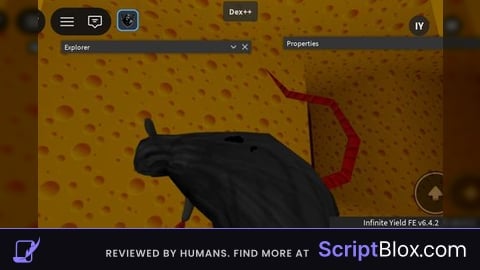
Goofy and Useless ahh script but i was feeling generous today so.....