


KeylessUniversal
local player = game.Players.LocalPlayer
local userInput = game:GetService("UserInputService")
local runService = game:GetService("RunService")

-- GUI setup
local playerGui = player:WaitForChild("PlayerGui")

local screenGui = Instance.new("ScreenGui")
screenGui.Name = "KnockbackGui"
screenGui.ResetOnSpawn = false
screenGui.Parent = playerGui

local directions = {
	W = Vector3.new(0, 0, -1),
	A = Vector3.new(-1, 0, 0),
	S = Vector3.new(0, 0, 1),
	D = Vector3.new(1, 0, 0)
}

local keyToDirection = {
	[Enum.KeyCode.Up] = directions.W,
	[Enum.KeyCode.Left] = directions.A,
	[Enum.KeyCode.Down] = directions.S,
	[Enum.KeyCode.Right] = directions.D
}

local function createButton(name, pos)
	local btn = Instance.new("TextButton")
	btn.Name = name
	btn.Text = name
	btn.Size = UDim2.new(0, 50, 0, 50)
	btn.Position = pos
	btn.BackgroundColor3 = Color3.fromRGB(255, 100, 100)
	btn.TextColor3 = Color3.fromRGB(255, 255, 255)
	btn.TextScaled = true
	btn.Font = Enum.Font.SourceSansBold
	btn.Parent = screenGui
	return btn
end

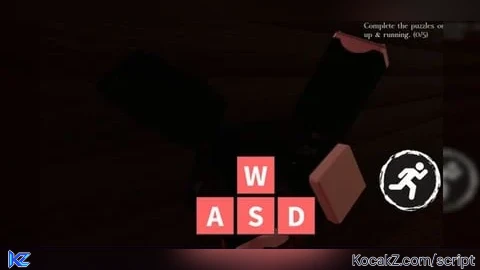
local buttons = {
	W = createButton("W", UDim2.new(0.5, -25, 0.8, -55)),
	A = createButton("A", UDim2.new(0.5, -80, 0.8, 0)),
	S = createButton("S", UDim2.new(0.5, -25, 0.8, 0)),
	D = createButton("D", UDim2.new(0.5, 30, 0.8, 0))
}

-- Ragdoll system (R6 + R15)
local function ragdoll(character, enable)
	local humanoid = character:FindFirstChildOfClass("Humanoid")
	if not humanoid then return end
	local isR6 = humanoid.RigType == Enum.HumanoidRigType.R6

	humanoid.PlatformStand = enable
	humanoid.AutoRotate = not enable
	humanoid.Sit = false

	local function disableJoint(motor)
		local a1 = Instance.new("Attachment", motor.Part0)
		local a2 = Instance.new("Attachment", motor.Part1)
		a1.CFrame = motor.C0
		a2.CFrame = motor.C1
		local socket = Instance.new("BallSocketConstraint")
		socket.Attachment0 = a1
		socket.Attachment1 = a2
		socket.Parent = motor.Parent
		motor.Enabled = false
		motor.Name = "DisabledMotor"
	end

	local function enableJoint(motor)
		motor.Enabled = true
		motor.Name = "Motor6D"
		for _, item in pairs(motor.Parent:GetChildren()) do
			if item:IsA("BallSocketConstraint") or item:IsA("Attachment") then
				item:Destroy()
			end
		end
	end

	for _, joint in character:GetDescendants() do
		if joint:IsA("Motor6D") and (isR6 and joint.Name ~= "Neck" or not isR6) then
			if enable and joint.Name ~= "DisabledMotor" then
				disableJoint(joint)
			elseif not enable and joint.Name == "DisabledMotor" then
				enableJoint(joint)
			end
		end
	end
end

-- Ground check
local function waitUntilLanded(hrp)
	repeat
		runService.Heartbeat:Wait()
		local ray = Ray.new(hrp.Position, Vector3.new(0, -3, 0))
		local hit = workspace:FindPartOnRay(ray, hrp.Parent)
	until hit
end

-- Fling knockback function (strong + upward + 2 sec stun)
local function flingKnockback(directionVec)
	local char = player.Character or player.CharacterAdded:Wait()
	local hrp = char:FindFirstChild("HumanoidRootPart")
	local humanoid = char:FindFirstChildOfClass("Humanoid")
	if not hrp or not humanoid then return end

	local force = hrp.CFrame:VectorToWorldSpace(directionVec.Unit * 300 + Vector3.new(0, 250, 0))

	ragdoll(char, true)

	hrp.AssemblyLinearVelocity = Vector3.zero
	hrp:ApplyImpulse(force * hrp.AssemblyMass)

	task.spawn(function()
		waitUntilLanded(hrp)
		task.wait(2) -- Stay ragdolled for 2 seconds after landing
		ragdoll(char, false)
	end)
end

-- GUI button events
for key, btn in pairs(buttons) do
	btn.MouseButton1Click:Connect(function()
		flingKnockback(directions[key])
	end)
end

-- Arrow key input
userInput.InputBegan:Connect(function(input, processed)
	if processed then return end
	local dir = keyToDirection[input.KeyCode]
	if dir then
		flingKnockback(dir)
	end
end)


can uadd so i can bind buttons to it?
Is this fe