


KeylessUniversal
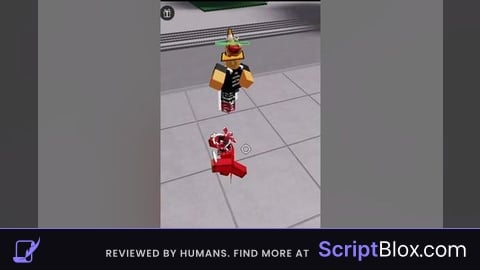
local enabled = false
local interval = 0.07 -- Interval set to 0.07 seconds (70 milliseconds)
local minInterval = 0.07 -- Minimum interval set to 0.07 seconds (70 milliseconds)
local maxInterval = 0.07 -- Maximum interval set to 0.07 seconds (70 milliseconds)
local anchoredDuration = 0.4 -- Duration for which player is anchored in seconds (0.40 seconds)

local guiMinimized = false
local guiPosition = UDim2.new(0.5, -100, 0.5, -65) -- Initial position
local minimizedPosition = UDim2.new(0.95, -200, 0.95, -35) -- Minimized position
local minimizedSize = UDim2.new(0, 200, 0, 30) -- Minimized size

-- Function to toggle anchoring with delay to simulate high ping
local function toggleAnchoring()
    local character = game.Players.LocalPlayer.Character
    if character then
        local humanoidRootPart = character:FindFirstChild("HumanoidRootPart")
        if humanoidRootPart then
            humanoidRootPart.Anchored = true -- Anchor the character
            wait(anchoredDuration) -- Wait for anchoredDuration seconds
            humanoidRootPart.Anchored = false -- Unanchor the character
        end
    end
end

-- Create GUI for enabling/disabling
local gui = Instance.new("ScreenGui")
gui.IgnoreGuiInset = true -- Ensures GUI works correctly on mobile

-- For compatibility with executors, parent the GUI to the game's "CoreGui" service
local coreGuiService = game:GetService("CoreGui")
local frame = Instance.new("Frame")
frame.Size = UDim2.new(0, 200, 0, 130)
frame.Position = guiPosition
frame.BackgroundColor3 = Color3.fromRGB(50, 50, 50)
frame.BorderSizePixel = 2
frame.BorderColor3 = Color3.fromRGB(100, 100, 100)
frame.Active = true -- Necessary for mobile drag support
frame.Parent = gui
gui.Parent = coreGuiService

local title = Instance.new("TextLabel")
title.Size = UDim2.new(1, -40, 0, 30)
title.Position = UDim2.new(0, 40, 0, 0)
title.BackgroundColor3 = Color3.fromRGB(70, 70, 70)
title.TextColor3 = Color3.new(1, 1, 1)
title.Font = Enum.Font.SourceSansBold
title.TextSize = 18
title.Text = "Fake Lag Gui"
title.Parent = frame

local minimizeButton = Instance.new("TextButton")
minimizeButton.Size = UDim2.new(0, 35, 0, 30)
minimizeButton.Position = UDim2.new(0, 5, 0, 0)
minimizeButton.BackgroundColor3 = Color3.fromRGB(70, 70, 70)
minimizeButton.TextColor3 = Color3.new(1, 1, 1)
minimizeButton.Text = "-"
minimizeButton.Parent = frame

local closeButton = Instance.new("TextButton")
closeButton.Size = UDim2.new(0, 35, 0, 30)
closeButton.Position = UDim2.new(1, -35, 0, 0)
closeButton.BackgroundColor3 = Color3.fromRGB(255, 70, 70)
closeButton.TextColor3 = Color3.new(1, 1, 1)
closeButton.Text = "X"
closeButton.Parent = frame

local enableButton = Instance.new("TextButton")
enableButton.Size = UDim2.new(0, 80, 0, 30)
enableButton.Position = UDim2.new(0.5, -90, 0.5, 20)
enableButton.BackgroundColor3 = Color3.fromRGB(70, 70, 255)
enableButton.TextColor3 = Color3.new(1, 1, 1)
enableButton.Text = "Enable"
enableButton.Parent = frame

local disableButton = Instance.new("TextButton")
disableButton.Size = UDim2.new(0, 80, 0, 30)
disableButton.Position = UDim2.new(0.5, 10, 0.5, 20)
disableButton.BackgroundColor3 = Color3.fromRGB(255, 70, 70)
disableButton.TextColor3 = Color3.new(1, 1, 1)
disableButton.Text = "Disable"
disableButton.Parent = frame

-- Function to generate random interval between minInterval and maxInterval
local function getRandomInterval()
    return math.random() * (maxInterval - minInterval) + minInterval
end

-- Mobile support for draggable frame
local inputService = game:GetService("UserInputService")
local dragging
local dragInput
local dragStart
local startPos

if inputService.TouchEnabled then
    frame.InputBegan:Connect(function(input)
        if input.UserInputType == Enum.UserInputType.Touch then
            dragging = true
            dragStart = input.Position
            startPos = frame.Position
            input.Changed:Connect(function()
                if input.UserInputState == Enum.UserInputState.End then
                    dragging = false
                end
            end)
        end
    end)

    frame.InputChanged:Connect(function(input)
        if input.UserInputType == Enum.UserInputType.Touch and dragging then
            dragInput = input
            local delta = dragInput.Position - dragStart
            frame.Position = UDim2.new(startPos.X.Scale, startPos.X.Offset + delta.X, startPos.Y.Scale, startPos.Y.Offset + delta.Y)
        end
    end)
end

-- Minimize button functionality
local function toggleMinimize()
    if guiMinimized then
        -- Restore frame to original size and position
        guiMinimized = false
        frame:TweenSizeAndPosition(UDim2.new(0, 200, 0, 130), guiPosition, Enum.EasingDirection.Out, Enum.EasingStyle.Quart, 0.5, true)
        minimizeButton.Text = "-"
        enableButton.Visible = true
        disableButton.Visible = true
    else
        -- Minimize frame
        guiMinimized = true
        frame:TweenSizeAndPosition(minimizedSize, minimizedPosition, Enum.EasingDirection.Out, Enum.EasingStyle.Quart, 0.5, true)
        minimizeButton.Text = "+"
        enableButton.Visible = false
        disableButton.Visible = false
    end
end

minimizeButton.MouseButton1Click:Connect(toggleMinimize)

-- Close button functionality
closeButton.MouseButton1Click:Connect(function()
    gui:Destroy() -- Destroy the GUI when close button is clicked
end)

enableButton.MouseButton1Click:Connect(function()
    enabled = true
end)

disableButton.MouseButton1Click:Connect(function()
    enabled = false
end)

-- Main loop to toggle anchoring with 0.07 second interval
while true do
    if enabled then
        toggleAnchoring()
    end
    wait(interval)
end
Not every script I make is AI bro 😭🥀