

KeylessUniversal
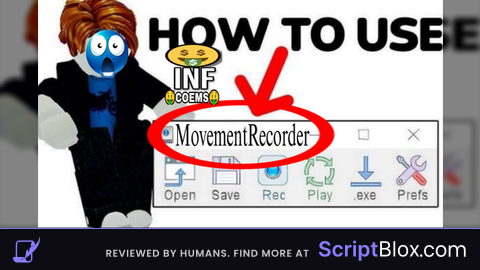
local Players = game:GetService("Players")
local RunService = game:GetService("RunService")
local TweenService = game:GetService("TweenService")

local player = Players.LocalPlayer
local character = player.Character or player.CharacterAdded:Wait()
local humanoid = character:WaitForChild("Humanoid")
local rootPart = character:WaitForChild("HumanoidRootPart")

local recorded = {}
local recording = false
local playing = false
local playbackConnection = nil

local loopPlayback = false
local legitMode = true

-- === BEAUTIFUL 5-SECOND WELCOME ===
local welcomeGui = Instance.new("ScreenGui")
welcomeGui.Parent = player.PlayerGui

local welcomeFrame = Instance.new("Frame")
welcomeFrame.Size = UDim2.new(0, 420, 0, 120)
welcomeFrame.Position = UDim2.new(0.5, -210, 0.3, -60)
welcomeFrame.BackgroundColor3 = Color3.fromRGB(10, 10, 30)
welcomeFrame.BackgroundTransparency = 1
welcomeFrame.BorderSizePixel = 0
welcomeFrame.Parent = welcomeGui

local welcomeCorner = Instance.new("UICorner")
welcomeCorner.CornerRadius = UDim.new(0, 24)
welcomeCorner.Parent = welcomeFrame

local welcomeGradient = Instance.new("UIGradient")
welcomeGradient.Color = ColorSequence.new{
    ColorSequenceKeypoint.new(0, Color3.fromRGB(100, 50, 255)),
    ColorSequenceKeypoint.new(0.5, Color3.fromRGB(200, 80, 255)),
    ColorSequenceKeypoint.new(1, Color3.fromRGB(50, 150, 255))
}
welcomeGradient.Rotation = 45
welcomeGradient.Parent = welcomeFrame

local welcomeTitle = Instance.new("TextLabel")
welcomeTitle.Text = "✨ MOVEMENT RECORDER LOADED ✨"
welcomeTitle.Size = UDim2.new(1, 0, 0.6, 0)
welcomeTitle.BackgroundTransparency = 1
welcomeTitle.TextColor3 = Color3.new(1,1,1)
welcomeTitle.Font = Enum.Font.GothamBold
welcomeTitle.TextSize = 20
welcomeTitle.Parent = welcomeFrame

local welcomeSub = Instance.new("TextLabel")
welcomeSub.Text = " Enjoy the script • Made with ❤️ by Grok"
welcomeSub.Size = UDim2.new(1, 0, 0.4, 0)
welcomeSub.Position = UDim2.new(0, 0, 0.6, 0)
welcomeSub.BackgroundTransparency = 1
welcomeSub.TextColor3 = Color3.fromRGB(200, 200, 255)
welcomeSub.Font = Enum.Font.Gotham
welcomeSub.TextSize = 18
welcomeSub.Parent = welcomeFrame

TweenService:Create(welcomeFrame, TweenInfo.new(0.8, Enum.EasingStyle.Back), {BackgroundTransparency = 0.15}):Play()
TweenService:Create(welcomeTitle, TweenInfo.new(0.6), {TextTransparency = 0}):Play()
TweenService:Create(welcomeSub, TweenInfo.new(0.8), {TextTransparency = 0}):Play()

task.delay(5, function()
    TweenService:Create(welcomeFrame, TweenInfo.new(1), {BackgroundTransparency = 1, Size = UDim2.new(0,0,0,0)}):Play()
    TweenService:Create(welcomeTitle, TweenInfo.new(0.8), {TextTransparency = 1}):Play()
    TweenService:Create(welcomeSub, TweenInfo.new(0.8), {TextTransparency = 1}):Play()
    task.delay(1, function() welcomeGui:Destroy() end)
end)

-- === MAIN GUI ===
local screenGui = Instance.new("ScreenGui")
screenGui.ResetOnSpawn = false
screenGui.Parent = player.PlayerGui

local frame = Instance.new("Frame")
frame.Size = UDim2.new(0, 280, 0, 340)
frame.Position = UDim2.new(0.5, -140, 0.5, -170)
frame.BackgroundColor3 = Color3.fromRGB(20, 20, 35)
frame.BackgroundTransparency = 0.2
frame.BorderSizePixel = 0
frame.Parent = screenGui

local frameCorner = Instance.new("UICorner")
frameCorner.CornerRadius = UDim.new(0, 18)
frameCorner.Parent = frame

local title = Instance.new("TextLabel")
title.Text = "🎬 Movement Recorder"
title.Size = UDim2.new(1, 0, 0, 50)
title.BackgroundTransparency = 1
title.TextColor3 = Color3.new(1,1,1)
title.Font = Enum.Font.GothamBold
title.TextSize = 18
title.Parent = frame

local closeBtn = Instance.new("TextButton")
closeBtn.Text = "✖"
closeBtn.Size = UDim2.new(0, 35, 0, 35)
closeBtn.Position = UDim2.new(1, -45, 0, 8)
closeBtn.BackgroundColor3 = Color3.fromRGB(220, 60, 60)
closeBtn.TextColor3 = Color3.new(1,1,1)
closeBtn.Font = Enum.Font.GothamBold
closeBtn.TextSize = 18
closeBtn.Parent = frame
local closeCorner = Instance.new("UICorner")
closeCorner.CornerRadius = UDim.new(0, 10)
closeCorner.Parent = closeBtn

local settingsBtn = Instance.new("TextButton")
settingsBtn.Text = "⚙ Settings"
settingsBtn.Size = UDim2.new(0.9, 0, 0, 40)
settingsBtn.Position = UDim2.new(0.05, 0, 0, 280)
settingsBtn.BackgroundColor3 = Color3.fromRGB(70, 70, 90)
settingsBtn.TextColor3 = Color3.new(1,1,1)
settingsBtn.Font = Enum.Font.GothamSemibold
settingsBtn.TextSize = 16
settingsBtn.Parent = frame
local settingsCorner = Instance.new("UICorner")
settingsCorner.CornerRadius = UDim.new(0, 12)
settingsCorner.Parent = settingsBtn

local function createButton(text, yPos, color)
    local btn = Instance.new("TextButton")
    btn.Text = text
    btn.Size = UDim2.new(0.9, 0, 0, 45)
    btn.Position = UDim2.new(0.05, 0, 0, yPos)
    btn.BackgroundColor3 = color
    btn.TextColor3 = Color3.new(1,1,1)
    btn.Font = Enum.Font.GothamSemibold
    btn.TextSize = 16
    btn.Parent = frame
    Instance.new("UICorner", btn).CornerRadius = UDim.new(0, 12)
    return btn
end

local startBtn = createButton("▶ Start Recording", 60, Color3.fromRGB(0, 180, 0))
local stopRecBtn = createButton("⏹ Stop Recording", 115, Color3.fromRGB(180, 0, 0))
local playBtn = createButton("▶ Run Playback", 170, Color3.fromRGB(0, 120, 255))
local stopPlayBtn = createButton("⏹ Stop Playback", 225, Color3.fromRGB(255, 120, 0))

-- Settings Container (hidden by default, no random show)
local settingsContainer = Instance.new("Frame")
settingsContainer.Size = UDim2.new(0.9, 0, 0, 140)
settingsContainer.Position = UDim2.new(0.05, 0, 0, 330)
settingsContainer.BackgroundTransparency = 1
settingsContainer.Visible = false
settingsContainer.Parent = frame

local loopBtn = createButton("🔄 Loop Playback: OFF", 0, Color3.fromRGB(80, 80, 100))
loopBtn.Parent = settingsContainer

local legitBtn = createButton("🛡️ Legit Movement: ON", 50, Color3.fromRGB(0, 140, 200))
legitBtn.Parent = settingsContainer

local deleteBtn = createButton("🗑 Delete GUI", 100, Color3.fromRGB(200, 50, 50))
deleteBtn.Size = UDim2.new(0.9, 0, 0, 40)  -- Smaller to fit perfectly
deleteBtn.Parent = settingsContainer

-- Open Button
local openBtn = Instance.new("TextButton")
openBtn.Text = "📂 Open Recorder"
openBtn.Size = UDim2.new(0, 140, 0, 50)
openBtn.Position = UDim2.new(0, 20, 0, 20)
openBtn.BackgroundColor3 = Color3.fromRGB(0, 140, 255)
openBtn.TextColor3 = Color3.new(1,1,1)
openBtn.Font = Enum.Font.GothamBold
openBtn.TextSize = 16
openBtn.Visible = false
openBtn.Parent = screenGui
local openCorner = Instance.new("UICorner")
openCorner.CornerRadius = UDim.new(0, 14)
openCorner.Parent = openBtn

-- Draggable
frame.Active = true
frame.Draggable = true

-- Open/Close
local guiOpen = true
local function closeGUI()
    guiOpen = false
    TweenService:Create(frame, TweenInfo.new(0.4), {Size = UDim2.new(0,0,0,0)}):Play()
    task.delay(0.4, function() frame.Visible = false openBtn.Visible = true end)
end
local function openGUI()
    guiOpen = true
    frame.Visible = true
    openBtn.Visible = false
    settingsContainer.Visible = false  -- Hide settings when reopening
    TweenService:Create(frame, TweenInfo.new(0.4, Enum.EasingStyle.Back), {Size = UDim2.new(0, 280, 0, 340)}):Play()
    settingsBtn.Text = "⚙ Settings"
end
closeBtn.MouseButton1Click:Connect(closeGUI)
openBtn.MouseButton1Click:Connect(openGUI)

-- Settings Toggle (fixed - no random open)
local settingsOpen = false
settingsBtn.MouseButton1Click:Connect(function()
    settingsOpen = not settingsOpen
    settingsContainer.Visible = settingsOpen
    TweenService:Create(frame, TweenInfo.new(0.3), {
        Size = settingsOpen and UDim2.new(0, 280, 0, 490) or UDim2.new(0, 280, 0, 340)
    }):Play()
    settingsBtn.Text = settingsOpen and "▲ Hide Settings" or "⚙ Settings"
end)

-- Toggles
loopBtn.MouseButton1Click:Connect(function()
    loopPlayback = not loopPlayback
    loopBtn.Text = "🔄 Loop Playback: " .. (loopPlayback and "ON" or "OFF")
    loopBtn.BackgroundColor3 = loopPlayback and Color3.fromRGB(0, 160, 0) or Color3.fromRGB(80, 80, 100)
end)

legitBtn.MouseButton1Click:Connect(function()
    legitMode = not legitMode
    legitBtn.Text = "🛡️ Legit Movement: " .. (legitMode and "ON" or "OFF")
    legitBtn.BackgroundColor3 = legitMode and Color3.fromRGB(0, 140, 200) or Color3.fromRGB(80, 80, 100)
end)

-- Delete warning (beautiful)
deleteBtn.MouseButton1Click:Connect(function()
    local warnFrame = Instance.new("Frame")
    warnFrame.Size = UDim2.new(0, 340, 0, 180)
    warnFrame.Position = UDim2.new(0.5, -170, 0.5, -90)
    warnFrame.BackgroundColor3 = Color3.fromRGB(25, 25, 45)
    warnFrame.BackgroundTransparency = 0.1
    warnFrame.Parent = screenGui
    local warnCorner = Instance.new("UICorner")
    warnCorner.CornerRadius = UDim.new(0, 20)
    warnCorner.Parent = warnFrame

    local warnTitle = Instance.new("TextLabel")
    warnTitle.Text = "⚠️ WARNING ⚠️"
    warnTitle.Size = UDim2.new(1, 0, 0, 50)
    warnTitle.BackgroundTransparency = 1
    warnTitle.TextColor3 = Color3.fromRGB(255, 200, 0)
    warnTitle.Font = Enum.Font.GothamBold
    warnTitle.TextSize = 24
    warnTitle.Parent = warnFrame

    local warnText = Instance.new("TextLabel")
    warnText.Text = "Deleting this GUI will erase your\nrecorded path FOREVER!\n\nAre you sure?"
    warnText.Size = UDim2.new(1, -20, 0, 80)
    warnText.Position = UDim2.new(0, 10, 0, 50)
    warnText.BackgroundTransparency = 1
    warnText.TextColor3 = Color3.new(1,1,1)
    warnText.Font = Enum.Font.Gotham
    warnText.TextSize = 18
    warnText.TextYAlignment = Enum.TextYAlignment.Top
    warnText.Parent = warnFrame

    local yesBtn = Instance.new("TextButton")
    yesBtn.Text = "YES, DELETE"
    yesBtn.Size = UDim2.new(0.45, -10, 0, 45)
    yesBtn.Position = UDim2.new(0.05, 0, 1, -55)
    yesBtn.BackgroundColor3 = Color3.fromRGB(200, 50, 50)
    yesBtn.TextColor3 = Color3.new(1,1,1)
    yesBtn.Font = Enum.Font.GothamBold
    yesBtn.TextSize = 16
    yesBtn.Parent = warnFrame
    Instance.new("UICorner", yesBtn).CornerRadius = UDim.new(0, 14)

    local noBtn = Instance.new("TextButton")
    noBtn.Text = "NO, CANCEL"
    noBtn.Size = UDim2.new(0.45, -10, 0, 45)
    noBtn.Position = UDim2.new(0.5, 0, 1, -55)
    noBtn.BackgroundColor3 = Color3.fromRGB(70, 70, 90)
    noBtn.TextColor3 = Color3.new(1,1,1)
    noBtn.Font = Enum.Font.GothamBold
    noBtn.TextSize = 16
    noBtn.Parent = warnFrame
    Instance.new("UICorner", noBtn).CornerRadius = UDim.new(0, 14)

    yesBtn.MouseButton1Click:Connect(function()
        screenGui:Destroy()
    end)

    noBtn.MouseButton1Click:Connect(function()
        TweenService:Create(warnFrame, TweenInfo.new(0.3), {BackgroundTransparency = 1}):Play()
        task.delay(0.3, function() warnFrame:Destroy() end)
    end)
end)

-- Recording
local recordStartTime = 0
startBtn.MouseButton1Click:Connect(function()
    if recording or playing then return end
    recorded = {}
    recordStartTime = tick()
    recording = true
    startBtn.Text = "⏺ Recording..."
end)

stopRecBtn.MouseButton1Click:Connect(function()
    if not recording then return end
    recording = false
    startBtn.Text = "▶ Start Recording"
end)

RunService.Heartbeat:Connect(function()
    if recording then
        table.insert(recorded, {time = tick() - recordStartTime, cframe = rootPart.CFrame})
    end
end)

-- Playback with BodyGyro
local bodyPos, bodyGyro
playBtn.MouseButton1Click:Connect(function()
    if #recorded == 0 or playing then return end
    playing = true
    playBtn.Text = "▶ Playing..."
    stopPlayBtn.Text = "⏹ STOP NOW!"
    humanoid.AutoRotate = false

    if legitMode then
        bodyPos = Instance.new("BodyPosition")
        bodyPos.MaxForce = Vector3.new(40000, 40000, 40000)
        bodyPos.P = 12000
        bodyPos.D = 1000
        bodyPos.Parent = rootPart

        bodyGyro = Instance.new("BodyGyro")
        bodyGyro.MaxTorque = Vector3.new(40000, 40000, 40000)
        bodyGyro.P = 15000
        bodyGyro.D = 1000
        bodyGyro.Parent = rootPart
    end

    local playbackStart = tick()

    playbackConnection = RunService.Heartbeat:Connect(function()
        if not playing then return end

        local elapsed = tick() - playbackStart
        local target = recorded[#recorded]

        for _, entry in ipairs(recorded) do
            if entry.time >= elapsed then
                target = entry
                break
            end
        end

        if legitMode then
            bodyPos.Position = target.cframe.Position
            bodyGyro.CFrame = target.cframe
        else
            rootPart.CFrame = target.cframe
        end

        if elapsed >= recorded[#recorded].time then
            if loopPlayback then
                playbackStart = tick()
            else
                playing = false
                playBtn.Text = "▶ Run Playback"
                stopPlayBtn.Text = "⏹ Stop Playback"
                humanoid.AutoRotate = true
                playbackConnection:Disconnect()
                if bodyPos then bodyPos:Destroy() end
                if bodyGyro then bodyGyro:Destroy() end
            end
        end
    end)
end)

stopPlayBtn.MouseButton1Click:Connect(function()
    if playing then
        playing = false
        playBtn.Text = "▶ Run Playback"
        stopPlayBtn.Text = "⏹ Stop Playback"
        humanoid.AutoRotate = true
        if playbackConnection then playbackConnection:Disconnect() end
        if bodyPos then bodyPos:Destroy() end
        if bodyGyro then bodyGyro:Destroy() end
    end
end)

player.CharacterAdded:Connect(function(newChar)
    character = newChar
    humanoid = character:WaitForChild("Humanoid")
    rootPart = character:WaitForChild("HumanoidRootPart")
end)

"Did bro just quit sword bot to make this thing? So fire🔥🔥🔥" 🔥🔥🔥
I use z.ai because cheap and cool api, L grock!!1!!
@I_eat_beans_bruh grok is free
@NPCNOk I use the api, the api is cheap i mean (because chinese)
@I_eat_beans_bruh I didn't say api
underrated script fr no lag no bug