

KeylessUniversal
local Players = game:GetService("Players")
local player = Players.LocalPlayer
local camera = workspace.CurrentCamera

-- GUI
local gui = Instance.new("ScreenGui", player:WaitForChild("PlayerGui"))
gui.ResetOnSpawn = false

-- OPEN BUTTON
local openBtn = Instance.new("TextButton", gui)
openBtn.Size = UDim2.new(0,180,0,50)
openBtn.Position = UDim2.new(0.5,-90,0.85,0)
openBtn.Text = "Open TikTok"
openBtn.TextScaled = true
openBtn.BackgroundColor3 = Color3.fromRGB(255,0,80)
openBtn.TextColor3 = Color3.new(1,1,1)
Instance.new("UICorner", openBtn)

-- MAIN FRAME
local main = Instance.new("Frame", gui)
main.Size = UDim2.new(1,0,1,0)
main.BackgroundColor3 = Color3.fromRGB(10,10,10)
main.Visible = false

-- CLOSE BUTTON
local closeBtn = Instance.new("TextButton", main)
closeBtn.Size = UDim2.new(0,45,0,45)
closeBtn.Position = UDim2.new(1,-55,0,10)
closeBtn.Text = "X"
closeBtn.TextScaled = true
closeBtn.BackgroundColor3 = Color3.fromRGB(255,0,80)
closeBtn.TextColor3 = Color3.new(1,1,1)
Instance.new("UICorner", closeBtn)

-- POST BUTTON
local postBtn = Instance.new("TextButton", main)
postBtn.Size = UDim2.new(0,45,0,45)
postBtn.Position = UDim2.new(1,-55,0,65)
postBtn.Text = "+"
postBtn.TextScaled = true
postBtn.BackgroundColor3 = Color3.fromRGB(0,170,255)
postBtn.TextColor3 = Color3.new(1,1,1)
Instance.new("UICorner", postBtn)

-- FEED
local feed = Instance.new("ScrollingFrame", main)
feed.Size = UDim2.new(1,0,1,0)
feed.CanvasSize = UDim2.new(0,0,0,0)
feed.ScrollBarThickness = 0
feed.BackgroundTransparency = 1

local layout = Instance.new("UIListLayout", feed)
layout.Padding = UDim.new(0,0)

-- POST MENU
local postFrame = Instance.new("Frame", main)
postFrame.Size = UDim2.new(0.8,0,0.3,0)
postFrame.Position = UDim2.new(0.1,0,0.35,0)
postFrame.BackgroundColor3 = Color3.fromRGB(20,20,20)
postFrame.Visible = false
Instance.new("UICorner", postFrame)

local input = Instance.new("TextBox", postFrame)
input.Size = UDim2.new(0.9,0,0.3,0)
input.Position = UDim2.new(0.05,0,0.2,0)
input.PlaceholderText = "Cole o IMAGE ID (rbxassetid)"
input.TextScaled = true
input.BackgroundColor3 = Color3.fromRGB(35,35,35)
input.TextColor3 = Color3.new(1,1,1)
Instance.new("UICorner", input)

local send = Instance.new("TextButton", postFrame)
send.Size = UDim2.new(0.5,0,0.25,0)
send.Position = UDim2.new(0.25,0,0.6,0)
send.Text = "POSTAR"
send.TextScaled = true
send.BackgroundColor3 = Color3.fromRGB(255,0,80)
send.TextColor3 = Color3.new(1,1,1)
Instance.new("UICorner", send)

-- CREATE "VIDEO" (IMAGE)
local function criarVideo(imageId)
    local frame = Instance.new("Frame", feed)
    frame.Size = UDim2.new(1,0,0,camera.ViewportSize.Y)
    frame.BackgroundColor3 = Color3.new(0,0,0)
    Instance.new("UICorner", frame)

    local img = Instance.new("ImageLabel", frame)
    img.Size = UDim2.new(1,0,1,0)
    img.Image = "rbxassetid://"..imageId
    img.ScaleType = Enum.ScaleType.Crop
    img.BackgroundTransparency = 1

    local like = Instance.new("TextButton", frame)
    like.Size = UDim2.new(0,80,0,80)
    like.Position = UDim2.new(1,-100,0.5,-40)
    like.Text = "❤️"
    like.TextScaled = true
    like.BackgroundTransparency = 1

    like.MouseButton1Click:Connect(function()
        like.Text = "💖"
    end)

    task.wait()
    feed.CanvasSize = UDim2.new(0,0,0,layout.AbsoluteContentSize.Y)
end

-- DEFAULT POSTS (GARANTIA VISUAL)
criarVideo("7072718265")
criarVideo("7072720182")
criarVideo("7072721518")

-- BUTTON LOGIC
openBtn.MouseButton1Click:Connect(function()
    main.Visible = true
    openBtn.Visible = false
end)

closeBtn.MouseButton1Click:Connect(function()
    main.Visible = false
    openBtn.Visible = true
end)

postBtn.MouseButton1Click:Connect(function()
    postFrame.Visible = not postFrame.Visible
end)

send.MouseButton1Click:Connect(function()
    if input.Text ~= "" then
        criarVideo(input.Text)
        input.Text = ""
        postFrame.Visible = false
    end
end)
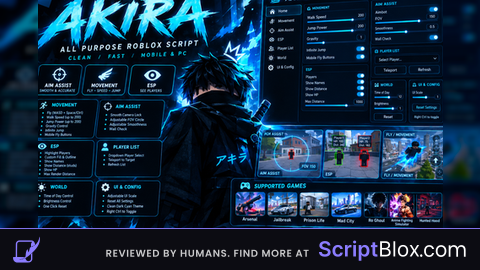
im confused whats this for?
bro rlly asked chatgpt to make tiktok as a roblox exploit script
@sinsly 😫😭😭😭🤣🤣🤣
@sinsly What is ChatGPT?
@HaHyperAdminOFC AI Chatbot
My script is better
My script actually run videos unlike yours too