

Keyless VerifiedUniversal
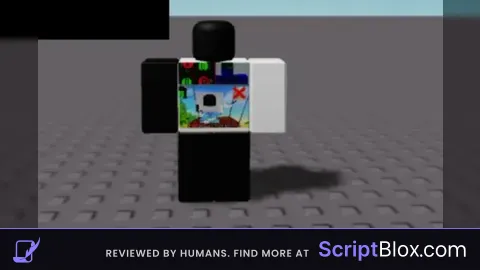
local player = game.Players.LocalPlayer
local godModeEnabled = false
local playerVisible = true
local espEnabled = false
local xRayEnabled = false -- New variable to track X-ray state

local function toggleGodMode()
    godModeEnabled = not godModeEnabled
    if godModeEnabled then
        print("God Mode enabled")
    else
        print("God Mode disabled")
    end
end

local function toggleVisibility()
    playerVisible = not playerVisible
    if player.Character then
        for _, part in ipairs(player.Character:GetDescendants()) do
            if part:IsA("BasePart") then
                part.Transparency = playerVisible and 0 or 1
            end
        end
    end
end

local function toggleESP()
    espEnabled = not espEnabled
    if espEnabled then
        print("ESP enabled")
    else
        print("ESP disabled")
    end
end

local function toggleXRay()
    xRayEnabled = not xRayEnabled
    if xRayEnabled then
        -- Implement X-ray logic: Make objects transparent to see through walls
        for _, part in ipairs(game.Workspace:GetDescendants()) do
            if part:IsA("BasePart") then
                part.Transparency = 0.5
            end
        end
        print("X-ray enabled")
    else
        -- Disable X-ray logic: Restore normal visibility
        for _, part in ipairs(game.Workspace:GetDescendants()) do
            if part:IsA("BasePart") then
                part.Transparency = 0
            end
        end
        print("X-ray disabled")
    end
end

local function createNewScreen()
    local newScreenGui = player.PlayerGui:FindFirstChild("NewScreen")
    if not newScreenGui then
        newScreenGui = Instance.new("ScreenGui")
        newScreenGui.Name = "NewScreen"
        newScreenGui.Parent = player.PlayerGui

        local closeButton = Instance.new("TextButton")
        closeButton.Size = UDim2.new(0, 180, 0, 30)
        closeButton.Position = UDim2.new(0, 10, 0, 10)
        closeButton.Text = "NEW Close Team HD GUI"
        closeButton.Parent = newScreenGui

        closeButton.MouseButton1Click:Connect(function()
            newScreenGui.Enabled = not newScreenGui.Enabled
        end)

        local godModeButton = Instance.new("TextButton")
        godModeButton.Size = UDim2.new(0, 180, 0, 30)
        godModeButton.Position = UDim2.new(0, 10, 0, 50)
        godModeButton.Text = "God Mode: Off"
        godModeButton.Parent = newScreenGui

        godModeButton.MouseButton1Click:Connect(toggleGodMode)

        local invisibleButton = Instance.new("TextButton")
        invisibleButton.Size = UDim2.new(0, 180, 0, 30)
        invisibleButton.Position = UDim2.new(0, 10, 0, 90)
        invisibleButton.Text = "Invisible: Off"
        invisibleButton.Parent = newScreenGui

        invisibleButton.MouseButton1Click:Connect(function()
            toggleVisibility()
            invisibleButton.Text = playerVisible and "Invisible: Off" or "Invisible: On"
        end)

        local espButton = Instance.new("TextButton")
        espButton.Size = UDim2.new(0, 180, 0, 30)
        espButton.Position = UDim2.new(0, 10, 0, 130)
        espButton.Text = "ESP: off"
        espButton.Parent = newScreenGui

        espButton.MouseButton1Click:Connect(function()
            toggleESP()
            espButton.Text = espEnabled and "ESP: On" or "ESP: Off"
        end)

        -- Add X-ray button
        local xRayButton = Instance.new("TextButton")
        xRayButton.Size = UDim2.new(0, 180, 0, 30)
        xRayButton.Position = UDim2.new(0, 10, 0, 170)
        xRayButton.Text = "X-ray: Off"
        xRayButton.Parent = newScreenGui

        xRayButton.MouseButton1Click:Connect(function()
            toggleXRay()
            xRayButton.Text = xRayEnabled and "X-ray: On" or "X-ray: Off"
        end)

        local frame = Instance.new("Frame")
        frame.Size = UDim2.new(0, 200, 0, 200)
        frame.Position = UDim2.new(0.5, -100, 0.5, -100)
        frame.BackgroundColor3 = Color3.fromRGB(255, 255, 255)
        frame.Parent = newScreenGui

        for i = 1, 5 do
            local button = Instance.new("TextButton")
            button.Size = UDim2.new(0, 100, 0, 30)
            button.Position = UDim2.new(0, 10, 0, (i - 1) * 40)
            button.Text = "TEAM HD FR" .. i
            button.Parent = frame
        end

        local bigButton = Instance.new("TextButton")
        bigButton.Size = UDim2.new(0, 180, 0, 60)
        bigButton.Position = UDim2.new(1, -190, 0, 10)
        bigButton.Text = "New GUI By Team hd"
        bigButton.Parent = frame
    else
        newScreenGui.Enabled = not newScreenGui.Enabled
    end
end

local gui = Instance.new("ScreenGui")
gui.Name = "GUI"
gui.Parent = player.PlayerGui

local button = Instance.new("TextButton")
button.Size = UDim2.new(0, 100, 0, 50)
button.Position = UDim2.new(0.5, -50, 0.5, -25)
button.Text = "Open TEAM HD GUI"
button.Parent = gui

button.MouseButton1Click:Connect(createNewScreen)
![Sir Meme Hub | [16 GAMES] [$14.99 LIFETIME] | FARM/AIM/ESP](https://scriptblox.com/images/sb/-1-1791044877945.webp)

Lol gpt
Can u Shut the **** up? Who cares