


KeylessUniversal
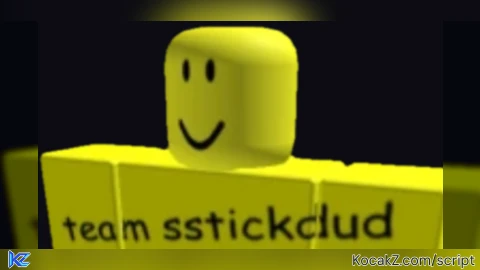
-- https://scriptblox.com/script/Universal-Script-sstickdud-2025-by-popularkidd-48074

-- LocalScript in StarterGui
-- Draggable executor GUI with R-Type error popup and Clear button

local player = game.Players.LocalPlayer
local gui = Instance.new("ScreenGui")
gui.Name = "sstickdud2025"
gui.ResetOnSpawn = false
gui.Parent = player:WaitForChild("PlayerGui")

-- Main Frame
local frame = Instance.new("Frame")
frame.Size = UDim2.new(0, 460, 0, 280) -- wider (420 → 460) and smaller height (320 → 280)
frame.Position = UDim2.new(0.3, 0, 0.35, 0)
frame.BackgroundColor3 = Color3.fromRGB(0, 0, 0)
frame.BackgroundTransparency = 0.25
frame.BorderSizePixel = 3
frame.BorderColor3 = Color3.fromRGB(255, 255, 0)
frame.Active = true
frame.Draggable = true
frame.Parent = gui

-- Title
local title = Instance.new("TextLabel")
title.Text = "sstickdud 2025"
title.Size = UDim2.new(0, 200, 0, 25)
title.Position = UDim2.new(1, -200, 0, 0)
title.BackgroundTransparency = 1
title.TextColor3 = Color3.fromRGB(255, 255, 255) -- white
title.Font = Enum.Font.GothamBold -- improved font
title.TextScaled = true
title.Parent = frame

-- Floating Decal
local decal = Instance.new("ImageLabel")
decal.Size = UDim2.new(0, 230, 0, 200) -- adjusted to fit smaller height
decal.Position = UDim2.new(0.14, 19, 0, -80)
decal.BackgroundTransparency = 1
decal.Image = "rbxassetid://129126689583787"
decal.Parent = frame

-- Script Input Box
local input = Instance.new("TextBox")
input.Size = UDim2.new(1, -10, 0.6, -10)
input.Position = UDim2.new(0, 5, 0.1, 0)
input.BackgroundColor3 = Color3.fromRGB(0, 0, 0)
input.BackgroundTransparency = 0
input.BorderSizePixel = 2
input.BorderColor3 = Color3.fromRGB(255, 255, 0)
input.TextColor3 = Color3.fromRGB(255, 255, 255)
input.ClearTextOnFocus = false
input.MultiLine = true
input.TextWrapped = true
input.Font = Enum.Font.Code
input.TextSize = 14
input.Parent = frame

-- Execute Button
local execBtn = Instance.new("TextButton")
execBtn.Text = "Execute"
execBtn.Size = UDim2.new(0, 100, 0, 40)
execBtn.Position = UDim2.new(0, 5, 1, -45)
execBtn.BackgroundColor3 = Color3.fromRGB(0, 0, 0)
execBtn.BackgroundTransparency = 98
execBtn.BorderColor3 = Color3.fromRGB(255, 255, 0)
execBtn.TextColor3 = Color3.fromRGB(255, 255, 0)
execBtn.Font = Enum.Font.SourceSansBold
execBtn.TextScaled = true
execBtn.Parent = frame

-- Clear Button
local clearBtn = Instance.new("TextButton")
clearBtn.Text = "Clear"
clearBtn.Size = UDim2.new(0, 80, 0, 40)
clearBtn.Position = UDim2.new(0, 110, 1, -45)
clearBtn.BackgroundColor3 = Color3.fromRGB(0, 0, 0)
clearBtn.BackgroundTransparency = 90
clearBtn.BorderColor3 = Color3.fromRGB(255, 255, 0)
clearBtn.TextColor3 = Color3.fromRGB(255, 255, 0)
clearBtn.Font = Enum.Font.SourceSansBold
clearBtn.TextScaled = true
clearBtn.Parent = frame

-- Reset Character Button
local resetBtn = Instance.new("TextButton")
resetBtn.Text = "Reset Character"
resetBtn.Size = UDim2.new(0, 150, 0, 40)
resetBtn.Position = UDim2.new(1, -155, 1, -45)
resetBtn.BackgroundColor3 = Color3.fromRGB(0, 0, 0)
resetBtn.BackgroundTransparency = 90
resetBtn.BorderColor3 = Color3.fromRGB(255, 255, 0)
resetBtn.TextColor3 = Color3.fromRGB(255, 255, 0)
resetBtn.Font = Enum.Font.SourceSansBold
resetBtn.TextScaled = true
resetBtn.Parent = frame

-- Change Body Type Button
local rtypeBtn = Instance.new("TextButton")
rtypeBtn.Text = "Change R-Type"
rtypeBtn.Size = UDim2.new(0, 150, 0, 40)
rtypeBtn.Position = UDim2.new(1, -155, 1, -90)
rtypeBtn.BackgroundColor3 = Color3.fromRGB(0, 0, 0)
rtypeBtn.BackgroundTransparency = 90
rtypeBtn.BorderColor3 = Color3.fromRGB(255, 255, 0)
rtypeBtn.TextColor3 = Color3.fromRGB(255, 255, 0)
rtypeBtn.Font = Enum.Font.SourceSansBold
rtypeBtn.TextScaled = true
rtypeBtn.Parent = frame

-- Error Popup
local popup = Instance.new("Frame")
popup.Size = UDim2.new(0, 300, 0, 120)
popup.Position = UDim2.new(0.5, -150, 0.5, -60)
popup.BackgroundColor3 = Color3.fromRGB(0, 0, 0)
popup.BackgroundTransparency = 90
popup.BorderSizePixel = 3
popup.BorderColor3 = Color3.fromRGB(255, 0, 0)
popup.Visible = false
popup.Parent = gui

-- Popup Text
local popupText = Instance.new("TextLabel")
popupText.Size = UDim2.new(1, -10, 1, -10)
popupText.Position = UDim2.new(0, 5, 0, 5)
popupText.BackgroundTransparency = 90
popupText.TextColor3 = Color3.fromRGB(255, 255, 255)
popupText.Font = Enum.Font.SourceSansBold
popupText.TextScaled = true
popupText.TextWrapped = true
popupText.Text = "Error: cannot change body type, Please change it manually..."
popupText.Parent = popup

-- Close Button
local closeBtn = Instance.new("TextButton")
closeBtn.Size = UDim2.new(0, 25, 0, 25)
closeBtn.Position = UDim2.new(1, -30, 0, 5)
closeBtn.BackgroundColor3 = Color3.fromRGB(255, 0, 0)
closeBtn.TextColor3 = Color3.fromRGB(255, 255, 255)
closeBtn.Font = Enum.Font.SourceSansBold
closeBtn.TextScaled = true
closeBtn.Text = "X"
closeBtn.Parent = popup

-- Functions
closeBtn.MouseButton1Click:Connect(function()
	popup.Visible = false
end)

execBtn.MouseButton1Click:Connect(function()
	local code = input.Text
	local func, err = loadstring(code)
	if func then
		func()
	else
		warn("Error: " .. err)
	end
end)

clearBtn.MouseButton1Click:Connect(function()
	input.Text = ""
end)

resetBtn.MouseButton1Click:Connect(function()
	local char = player.Character
	if char then
		char:BreakJoints()
	end
end)

rtypeBtn.MouseButton1Click:Connect(function()
	popup.Visible = true
end)![[KEYLESS] Moondiety Script | 17+ supported Games](https://scriptblox.com/images/sb/0-1753093706828.png)


probably some client sided stuff as all the other scripts...
client sided + made with chatgpt what a skid
@iamsuchafunnylad yeah some of scripts are helped with chatgpt