


KeylessUniversal
for i, vippart in workspace.VIP:GetChildren() do
	vippart:Destroy()
end
local Player = game.Players.LocalPlayer
local Character = Player.Character or Player.CharacterAdded:Wait()
local Humanoid = Character:FindFirstChildOfClass("Humanoid")
local OldAmount = game:GetService("Players").LocalPlayer.PlayerGui.GUI.HUD.Labels.Speed.Amount
local deathtime = game.Players.RespawnTime
OldAmount:Destroy()
wait(0.001)
local Amount = Instance.new("TextBox")
Amount.Name = "Amount"
Amount.TextWrapped = true
Amount.Active = false
Amount.BorderSizePixel = 0
Amount.RichText = true
Amount.TextScaled = true
Amount.BackgroundColor3 = Color3.new(1.00, 1.00, 1.00)
Amount.FontFace = Font.new("rbxasset://fonts/families/GothamSSm.json", Enum.FontWeight.ExtraBold, Enum.FontStyle.Normal)
Amount.AnchorPoint = Vector2.new(0.50, 0.50)
Amount.TextSize = 14
Amount.Size = UDim2.new(0.51, 0.00, 0.79, 0.00)
Amount.TextColor3 = Color3.new(1.00, 1.00, 1.00)
Amount.BorderColor3 = Color3.new(0.00, 0.00, 0.00)
Amount.Text = ""
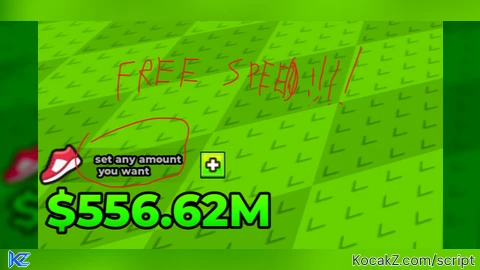
Amount.PlaceholderText = "set any amount you want"
Amount.Selectable = false
Amount.TextXAlignment = Enum.TextXAlignment.Left
Amount.BackgroundTransparency = 1
Amount.Position = UDim2.new(0.54, 0.00, 0.50, 0.00)
Amount.Parent = Player:WaitForChild("PlayerGui"):WaitForChild("GUI"):WaitForChild("HUD"):WaitForChild("Labels"):WaitForChild("Speed")
local GlobalNum
local UIStroke = Instance.new("UIStroke")
UIStroke.Thickness = 3
UIStroke.Parent = Amount

Amount:GetPropertyChangedSignal("Text"):Connect(function()
    local num = tonumber(Amount.Text)
    Amount.Text = tostring(num)
    if num then
    GlobalNum = num
        Humanoid.WalkSpeed = num
    end
end)

for i, vippart in workspace.VIP:GetChildren() do
	vippart:Destroy()
end
local Player = game.Players.LocalPlayer
local Character = Player.Character or Player.CharacterAdded:Wait()
local Humanoid = Character:FindFirstChildOfClass("Humanoid")
local OldAmount = game:GetService("Players").LocalPlayer.PlayerGui.GUI.HUD.Labels.Speed.Amount
local deathtime = game.Players.RespawnTime
OldAmount:Destroy()
wait(0.001)
local Amount = Instance.new("TextBox")
Amount.Name = "Amount"
Amount.TextWrapped = true
Amount.Active = false
Amount.BorderSizePixel = 0
Amount.RichText = true
Amount.TextScaled = true
Amount.BackgroundColor3 = Color3.new(1.00, 1.00, 1.00)
Amount.FontFace = Font.new("rbxasset://fonts/families/GothamSSm.json", Enum.FontWeight.ExtraBold, Enum.FontStyle.Normal)
Amount.AnchorPoint = Vector2.new(0.50, 0.50)
Amount.TextSize = 14
Amount.Size = UDim2.new(0.51, 0.00, 0.79, 0.00)
Amount.TextColor3 = Color3.new(1.00, 1.00, 1.00)
Amount.BorderColor3 = Color3.new(0.00, 0.00, 0.00)
Amount.Text = ""
Amount.PlaceholderText = "set any amount you want"
Amount.Selectable = false
Amount.TextXAlignment = Enum.TextXAlignment.Left
Amount.BackgroundTransparency = 1
Amount.Position = UDim2.new(0.54, 0.00, 0.50, 0.00)
Amount.Parent = Player:WaitForChild("PlayerGui"):WaitForChild("GUI"):WaitForChild("HUD"):WaitForChild("Labels"):WaitForChild("Speed")
local GlobalNum
local UIStroke = Instance.new("UIStroke")
UIStroke.Thickness = 3
UIStroke.Parent = Amount

local function applySpeed(char)
	local hum = char:FindFirstChildOfClass("Humanoid") or char:WaitForChild("Humanoid")
	Humanoid = hum
	if GlobalNum then
		Humanoid.WalkSpeed = GlobalNum
	end

	Humanoid.Died:Connect(function()
		if GlobalNum then
			task.wait(deathtime + 0.1)
			local newChar = Player.Character or Player.CharacterAdded:Wait()
			applySpeed(newChar)
		end
	end)
end

Amount:GetPropertyChangedSignal("Text"):Connect(function()
	local num = tonumber(Amount.Text)
	if num then
		Amount.Text = tostring(num)
		GlobalNum = num
		Humanoid.WalkSpeed = num
	end
end)

Player.CharacterAdded:Connect(applySpeed)
applySpeed(Character)


tis real?
what game
@kiyamuraaori check description
Is it good
@jacksoncgordon1 yea but it can sometimes suck * on other games
the game: +1 Escape Tsunami for Poppy Playtime
@Irfannnnn thank you for claryfying. the gameid is actually in the desc
@blockyDEV i know, i can't find the game myself, so i used AI to find it for me
@Irfannnnn are you just dumb?
https://www.roblox.com/games/{GameId} will bring you to the game page. are you just lazy or you are just this dumb?
@blockyDEV i tried this already, nope it show error page
@blockyDEV the id you gave in the description is Universe ID & not a gameId