


KeylessUniversal
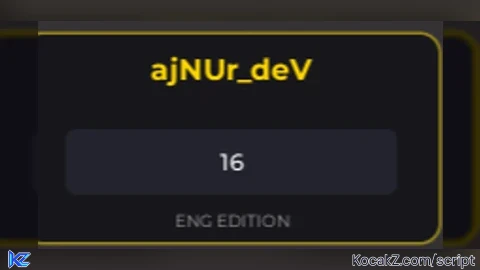
-- [[ ajNUr_deV SPEED MODULE ]] --
local Players = game:GetService("Players")
local RunService = game:GetService("RunService")
local UserInputService = game:GetService("UserInputService")
local TweenService = game:GetService("TweenService")
local LocalPlayer = Players.LocalPlayer

local screenGui = Instance.new("ScreenGui", LocalPlayer:WaitForChild("PlayerGui"))
screenGui.Name = "ajNUr_dev_Speed"
screenGui.ResetOnSpawn = false

-- Glavni Frame (Pozicija gore lijevo)
local mainFrame = Instance.new("Frame", screenGui)
mainFrame.Size = UDim2.new(0, 220, 0, 110)
mainFrame.Position = UDim2.new(0, 20, 0, -150) -- Počinje van ekrana za animaciju
mainFrame.BackgroundColor3 = Color3.fromRGB(20, 20, 25)
mainFrame.BorderSizePixel = 0
mainFrame.BackgroundTransparency = 0.1

local corner = Instance.new("UICorner", mainFrame)
corner.CornerRadius = UDim.new(0, 10)

-- Sjaj (Glow) efekat na ivici
local stroke = Instance.new("UIStroke", mainFrame)
stroke.Color = Color3.fromRGB(255, 215, 0)
stroke.Thickness = 1.5
stroke.Transparency = 0.5

-- Naslov: ajNUr_deV
local title = Instance.new("TextLabel", mainFrame)
title.Size = UDim2.new(1, 0, 0, 35)
title.Text = "ajNUr_deV"
title.TextColor3 = Color3.fromRGB(255, 215, 0)
title.Font = Enum.Font.GothamBold
title.TextSize = 18
title.BackgroundTransparency = 1

-- TextBox za brzinu
local speedInput = Instance.new("TextBox", mainFrame)
speedInput.Size = UDim2.new(0.8, 0, 0, 35)
speedInput.Position = UDim2.new(0.1, 0, 0.45, 0)
speedInput.BackgroundColor3 = Color3.fromRGB(35, 35, 45)
speedInput.Text = "16"
speedInput.TextColor3 = Color3.new(1, 1, 1)
speedInput.Font = Enum.Font.GothamMedium
speedInput.TextSize = 14
speedInput.PlaceholderText = "Speed (16-1000)"
speedInput.ClipsDescendants = true

local inputCorner = Instance.new("UICorner", speedInput)
inputCorner.CornerRadius = UDim.new(0, 6)

-- Podnaslov ENG
local engLabel = Instance.new("TextLabel", mainFrame)
engLabel.Size = UDim2.new(1, 0, 0, 20)
engLabel.Position = UDim2.new(0, 0, 0.8, 0)
engLabel.Text = "ENG EDITION"
engLabel.TextColor3 = Color3.fromRGB(150, 150, 150)
engLabel.Font = Enum.Font.Gotham
engLabel.TextSize = 10
engLabel.BackgroundTransparency = 1

-- ANIMACIJA ULASKA
mainFrame:TweenPosition(UDim2.new(0, 20, 0, 20), "Out", "Back", 0.8, true)

-- LOGIKA ZA BRZINU
local currentSpeed = 16
speedInput.FocusLost:Connect(function()
    local val = tonumber(speedInput.Text)
    if val then
        currentSpeed = math.clamp(val, 16, 1000)
        speedInput.Text = tostring(currentSpeed)

        -- Mala animacija kad promijeniš brzinu
        local tween = TweenService:Create(stroke, TweenInfo.new(0.3), {Color = Color3.new(1, 1, 1)})
        tween:Play()
        tween.Completed:Connect(function()
            TweenService:Create(stroke, TweenInfo.new(0.3), {Color = Color3.fromRGB(255, 215, 0)}):Play()
        end)
    else
        speedInput.Text = tostring(currentSpeed)
    end
end)

RunService.RenderStepped:Connect(function()
    if LocalPlayer.Character and LocalPlayer.Character:FindFirstChild("Humanoid") then
        LocalPlayer.Character.Humanoid.WalkSpeed = currentSpeed
    end
end)

-- Sakrivanje na Insert
UserInputService.InputBegan:Connect(function(input)
    if input.KeyCode == Enum.KeyCode.Insert then
        mainFrame.Visible = not mainFrame.Visible
    end
end)

print("✅ ajNUr_deV Speed Module Loaded!")


put in coments if its somthing wrong
And rate 1-10
copier
@goatfinder its not
ai*
@HeroX its only gui from AI
@ajNUr_deV its all ai i have eyes btw
Not bad