


KeylessUniversal
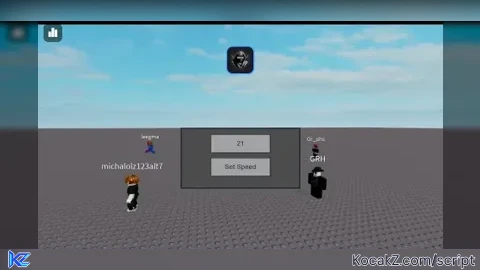
-- Create a ScreenGui to hold the GUI elements
local gui = Instance.new("ScreenGui")
gui.Parent = game.Players.LocalPlayer.PlayerGui

-- Create a Frame for the draggable GUI
local frame = Instance.new("Frame")
frame.Size = UDim2.new(0, 200, 0, 100)
frame.Position = UDim2.new(0.5, -100, 0.5, -50)
frame.BackgroundColor3 = Color3.new(0.3, 0.3, 0.3)
frame.BorderSizePixel = 2
frame.Parent = gui

-- Function to make the frame draggable
local dragging
frame.InputBegan:Connect(function(input)
    if input.UserInputType == Enum.UserInputType.MouseButton1 then
        dragging = true
        local initialPosition = frame.Position
        local offset = input.Position - UDim2.new(frame.Position.X.Scale, frame.Position.X.Offset, frame.Position.Y.Scale, frame.Position.Y.Offset)
        input.Changed:Connect(function()
            if input.UserInputState == Enum.UserInputState.End then
                dragging = false
            end
        end)
        game:GetService("UserInputService").InputChanged:Connect(function(input)
            if dragging and input.UserInputType == Enum.UserInputType.MouseMovement then
                frame.Position = UDim2.new(0, input.Position.X - offset.X, 0, input.Position.Y - offset.Y)
            end
        end)
    end
end)

-- Create a TextBox for changing speed
local textBox = Instance.new("TextBox")
textBox.Size = UDim2.new(0, 100, 0, 30)
textBox.Position = UDim2.new(0, 50, 0, 10)
textBox.Text = "WalkSpeed"
textBox.Parent = frame

-- Create a Button to change speed
local button = Instance.new("TextButton")
button.Size = UDim2.new(0, 100, 0, 30)
button.Position = UDim2.new(0, 50, 0, 50)
button.Text = "Set Speed"
button.Parent = frame
button.MouseButton1Click:Connect(function()
    local newSpeed = tonumber(textBox.Text)
    if newSpeed then
        game.Players.LocalPlayer.Character.Humanoid.WalkSpeed = newSpeed
    else
        print("Please enter a valid number for speed.")
    end
end)


looks like made by chatgpt
skid discovering that he can change the walkspeed of localplayer 🤯🤯
@2dsa it is made by chat gpt lmao
The Way of Comment Line, Print, And Naming Variable it's gpt
Alright everyone can't y'all read the description dam bro