


KeylessUniversal
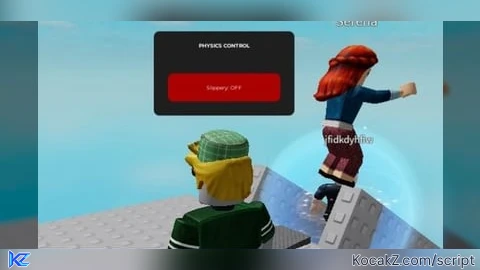
local UIS = game:GetService("UserInputService")
local lp = game.Players.LocalPlayer

local slip = PhysicalProperties.new(0, 0, 0, 100, 100)
local normal = PhysicalProperties.new(0.7, 0.3, 0.5, 1, 1)

local gui = Instance.new("ScreenGui", lp.PlayerGui)
gui.Name = "SlipTool"
gui.ResetOnSpawn = false

local frame = Instance.new("Frame", gui)
frame.Size = UDim2.new(0, 130, 0, 45)
frame.Position = UDim2.new(0.5, -65, 0.8, 0)
frame.BackgroundColor3 = Color3.fromRGB(25, 25, 25)
frame.BorderSizePixel = 2
frame.BorderColor3 = Color3.new(1, 1, 1)

local btn = Instance.new("TextButton", frame)
btn.Size = UDim2.new(1, 0, 1, 0)
btn.BackgroundTransparency = 1
btn.Text = "SLIP: OFF"
btn.TextColor3 = Color3.new(1, 1, 1)
btn.Font = "Code"
btn.TextSize = 15

local drag = false
local startPos, dragStart

btn.InputBegan:Connect(function(input)
	if input.UserInputType == Enum.UserInputType.MouseButton1 or input.UserInputType == Enum.UserInputType.Touch then
		drag = true
		dragStart = input.Position
		startPos = frame.Position
	end
end)

UIS.InputChanged:Connect(function(input)
	if drag and (input.UserInputType == Enum.UserInputType.MouseMovement or input.UserInputType == Enum.UserInputType.Touch) then
		local delta = input.Position - dragStart
		frame.Position = UDim2.new(startPos.X.Scale, startPos.X.Offset + delta.X, startPos.Y.Scale, startPos.Y.Offset + delta.Y)
	end
end)

UIS.InputEnded:Connect(function(input)
	if input.UserInputType == Enum.UserInputType.MouseButton1 or input.UserInputType == Enum.UserInputType.Touch then
		drag = false
	end
end)

local active = false

local function apply()
	local c = lp.Character
	if c then
		for _, v in pairs(c:GetDescendants()) do
			if v:IsA("BasePart") then
				v.CustomPhysicalProperties = active and slip or normal
				v.RootPriority = active and 127 or 0
			end
		end
	end
end

btn.MouseButton1Click:Connect(function()
	active = not active
	btn.Text = active and "SLIP: ON" or "SLIP: OFF"
	frame.BorderColor3 = active and Color3.new(0, 1, 0.5) or Color3.new(1, 1, 1)
	apply()
end)

lp.CharacterAdded:Connect(function()
	task.wait(0.5)
	if active then
		apply()
	end
end)


@Shadow69 any prove? doesnt look like ai at all
@I6996I i made it my self
@srisoegiharto ik, im not doubting its yours
@Shadow69 ai compilates script less accurate or other way around making it look shiny, visually u can notice whether its ai or not
@Shadow69 no, AI barely can do something normal (gemini couldnt make me a script of 100 strings 😔) along luau isnt hard to learn, so using AI to make these is just pure laziness/no knowledge