

KeylessUniversal
-- Grip Position Changer with UI - XYZ Input
local Players = game:GetService("Players")
local UserInputService = game:GetService("UserInputService")
local CoreGui = game:GetService("CoreGui")
local player = Players.LocalPlayer

-- Create UI
local screenGui = Instance.new("ScreenGui")
screenGui.Name = "GripChanger"
screenGui.Parent = CoreGui

local frame = Instance.new("Frame")
frame.Size = UDim2.new(0, 250, 0, 130)
frame.Position = UDim2.new(0, 20, 0, 20)
frame.BackgroundColor3 = Color3.fromRGB(25,25,25)
frame.Parent = screenGui
Instance.new("UICorner", frame).CornerRadius = UDim.new(0, 8)

local title = Instance.new("TextLabel")
title.Size = UDim2.new(1, 0, 0, 25)
title.BackgroundTransparency = 1
title.Text = "Grip Position Changer"
title.TextColor3 = Color3.fromRGB(255,255,255)
title.Font = Enum.Font.SourceSansBold
title.Parent = frame

-- X Input
local xBox = Instance.new("TextBox")
xBox.Size = UDim2.new(0, 60, 0, 30)
xBox.Position = UDim2.new(0, 10, 0, 35)
xBox.BackgroundColor3 = Color3.fromRGB(40,40,40)
xBox.TextColor3 = Color3.fromRGB(255,255,255)
xBox.Text = "0"
xBox.PlaceholderText = "X"
xBox.Parent = frame
Instance.new("UICorner", xBox).CornerRadius = UDim.new(0, 4)

-- Y Input
local yBox = Instance.new("TextBox")
yBox.Size = UDim2.new(0, 60, 0, 30)
yBox.Position = UDim2.new(0, 80, 0, 35)
yBox.BackgroundColor3 = Color3.fromRGB(40,40,40)
yBox.TextColor3 = Color3.fromRGB(255,255,255)
yBox.Text = "0"
yBox.PlaceholderText = "Y"
yBox.Parent = frame
Instance.new("UICorner", yBox).CornerRadius = UDim.new(0, 4)

-- Z Input
local zBox = Instance.new("TextBox")
zBox.Size = UDim2.new(0, 60, 0, 30)
zBox.Position = UDim2.new(0, 150, 0, 35)
zBox.BackgroundColor3 = Color3.fromRGB(40,40,40)
zBox.TextColor3 = Color3.fromRGB(255,255,255)
zBox.Text = "0"
zBox.PlaceholderText = "Z"
zBox.Parent = frame
Instance.new("UICorner", zBox).CornerRadius = UDim.new(0, 4)

local applyButton = Instance.new("TextButton")
applyButton.Size = UDim2.new(0, 100, 0, 35)
applyButton.Position = UDim2.new(0.5, -50, 0, 80)
applyButton.BackgroundColor3 = Color3.fromRGB(60,100,200)
applyButton.Text = "APPLY"
applyButton.TextColor3 = Color3.fromRGB(255,255,255)
applyButton.Font = Enum.Font.SourceSansBold
applyButton.TextSize = 14
applyButton.Parent = frame
Instance.new("UICorner", applyButton).CornerRadius = UDim.new(0, 6)

-- Function to change grip position
local function changeGripPos(x, y, z)
    local character = player.Character
    if not character then return end

    for _, v in pairs(character:GetDescendants()) do
        if v:IsA("Tool") then
            local backpack = player:FindFirstChildOfClass("Backpack")
            if backpack then
                v.Parent = backpack
                v.GripPos = Vector3.new(x, y, z)
                v.Parent = character
            end
        end
    end
end

-- Apply button click
applyButton.MouseButton1Click:Connect(function()
    local x = tonumber(xBox.Text) or 0
    local y = tonumber(yBox.Text) or 0
    local z = tonumber(zBox.Text) or 0
    changeGripPos(x, y, z)
end)

-- Draggable
local dragging = false
local dragStart, frameStart

frame.InputBegan:Connect(function(input)
    if input.UserInputType == Enum.UserInputType.MouseButton1 or input.UserInputType == Enum.UserInputType.Touch then
        dragging = true
        dragStart = input.Position
        frameStart = frame.Position
    end
end)

frame.InputEnded:Connect(function(input)
    if input.UserInputType == Enum.UserInputType.MouseButton1 or input.UserInputType == Enum.UserInputType.Touch then
        dragging = false
    end
end)

UserInputService.InputChanged:Connect(function(input)
    if dragging and (input.UserInputType == Enum.UserInputType.MouseMovement or input.UserInputType == Enum.UserInputType.Touch) then
        local delta = input.Position - dragStart
        frame.Position = UDim2.new(frameStart.X.Scale, frameStart.X.Offset + delta.X, frameStart.Y.Scale, frameStart.Y.Offset + delta.Y)
    end
end)


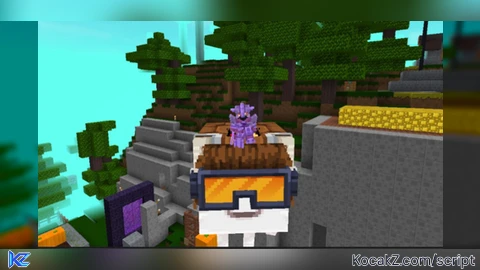
what game is that in the thumbnail
@reddragonz MINECrAFTTT