

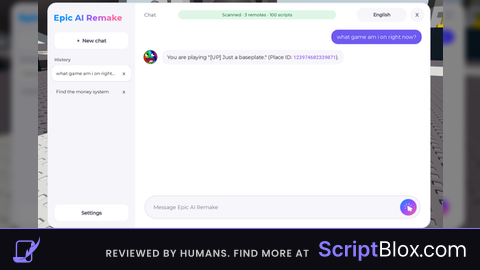
KeylessUniversal

-- CRASH-PROOF Speed Boost GUI (Fixed Version)
local Players = game:GetService("Players")
local UserInputService = game:GetService("UserInputService")
local RunService = game:GetService("RunService")
local TweenService = game:GetService("TweenService")

local player = Players.LocalPlayer
local playerGui = player:WaitForChild("PlayerGui")
local speedBoosted = false
local originalWalkSpeed = 16
local boostSpeed = 100
local lastUpdate = 0
local updateCooldown = 0.1 -- Only update speed display every 0.1s

-- Create GUI (SAFER)
local screenGui = Instance.new("ScreenGui")
screenGui.Name = "SpeedBoostGUI"
screenGui.ResetOnSpawn = false
screenGui.IgnoreGuiInset = true
screenGui.Parent = playerGui

-- Main Frame
local mainFrame = Instance.new("Frame")
mainFrame.Size = UDim2.new(0, 250, 0, 120)
mainFrame.Position = UDim2.new(0, 20, 0, 20)
mainFrame.BackgroundColor3 = Color3.fromRGB(35, 35, 45)
mainFrame.BorderSizePixel = 0
mainFrame.Parent = screenGui

local corner = Instance.new("UICorner")
corner.CornerRadius = UDim.new(0, 12)
corner.Parent = mainFrame

-- Title
local title = Instance.new("TextLabel")
title.Size = UDim2.new(1, 0, 0, 40)
title.BackgroundTransparency = 1
title.Text = "🚀 SPEED BOOST"
title.TextColor3 = Color3.fromRGB(255, 255, 255)
title.TextScaled = true
title.Font = Enum.Font.GothamBold
title.Parent = mainFrame

-- Speed Display
local speedLabel = Instance.new("TextLabel")
speedLabel.Size = UDim2.new(1, -20, 0, 30)
speedLabel.Position = UDim2.new(0, 10, 0, 45)
speedLabel.BackgroundColor3 = Color3.fromRGB(50, 50, 60)
speedLabel.Text = "Speed: 16"
speedLabel.TextColor3 = Color3.fromRGB(255, 255, 255)
speedLabel.TextScaled = true
speedLabel.Font = Enum.Font.Gotham
local speedCorner = Instance.new("UICorner")
speedCorner.CornerRadius = UDim.new(0, 8)
speedCorner.Parent = speedLabel

-- Toggle Button
local toggleButton = Instance.new("TextButton")
toggleButton.Size = UDim2.new(1, -20, 0, 35)
toggleButton.Position = UDim2.new(0, 10, 0, 80)
toggleButton.BackgroundColor3 = Color3.fromRGB(255, 50, 50)
toggleButton.Text = "OFF - Click to BOOST!"
toggleButton.TextColor3 = Color3.fromRGB(255, 255, 255)
toggleButton.TextScaled = true
toggleButton.Font = Enum.Font.GothamBold
toggleButton.Parent = mainFrame
local buttonCorner = Instance.new("UICorner")
buttonCorner.CornerRadius = UDim.new(0, 8)
buttonCorner.Parent = toggleButton

-- SAFER hover effects
local tweenInfo = TweenInfo.new(0.2, Enum.EasingStyle.Quad)
toggleButton.MouseEnter:Connect(function()
    if toggleButton and toggleButton.Parent then
        TweenService:Create(toggleButton, tweenInfo, {Size = UDim2.new(1, -18, 0, 36)}):Play()
    end
end)
toggleButton.MouseLeave:Connect(function()
    if toggleButton and toggleButton.Parent then
        TweenService:Create(toggleButton, tweenInfo, {Size = UDim2.new(1, -20, 0, 35)}):Play()
    end
end)

-- SAFE speed update (with cooldown)
local function updateSpeedDisplay()
    local now = tick()
    if now - lastUpdate < updateCooldown then return end
    lastUpdate = now

    local character = player.Character
    if character and character.Parent then
        local humanoid = character:FindFirstChild("Humanoid")
        if humanoid and humanoid.Parent then
            speedLabel.Text = "Speed: " .. math.floor(humanoid.WalkSpeed + 0.5)
        end
    end
end

-- SAFE character handling
local function onCharacterAdded(character)
    local humanoid = character:WaitForChild("Humanoid", 5)
    if not humanoid then return end

    originalWalkSpeed = humanoid.WalkSpeed

    -- ONE-TIME connection only
    local speedConnection
    speedConnection = humanoid:GetPropertyChangedSignal("WalkSpeed"):Connect(function()
        if not speedBoosted or humanoid.WalkSpeed == boostSpeed then
            speedConnection:Disconnect()
            return
        end
        updateSpeedDisplay()
    end)

    if speedBoosted then
        humanoid.WalkSpeed = boostSpeed
    end
end

-- SAFE toggle
local function toggleSpeed()
    speedBoosted = not speedBoosted

    local character = player.Character
    if not character or not character.Parent then return end

    local humanoid = character:FindFirstChild("Humanoid")
    if not humanoid or not humanoid.Parent then return end

    if speedBoosted then
        humanoid.WalkSpeed = boostSpeed
        toggleButton.BackgroundColor3 = Color3.fromRGB(50, 255, 50)
        toggleButton.Text = "ON - Click to NORMAL"
        print("🚀 Speed Boost ON!")
    else
        humanoid.WalkSpeed = originalWalkSpeed
        toggleButton.BackgroundColor3 = Color3.fromRGB(255, 50, 50)
        toggleButton.Text = "OFF - Click to BOOST!"
        print("✅ Speed Boost OFF!")
    end
end

-- Connect events SAFELY
toggleButton.MouseButton1Click:Connect(toggleSpeed)

UserInputService.InputBegan:Connect(function(input, gameProcessed)
    if gameProcessed then return end
    if input.KeyCode == Enum.KeyCode.X then
        toggleSpeed()
    end
end)

player.CharacterAdded:Connect(function(char)
    task.wait(0.1) -- Small delay
    onCharacterAdded(char)
end)

-- SAFE display update (less frequent)
spawn(function()
    while screenGui.Parent do
        updateSpeedDisplay()
        task.wait(0.2)
    end
end)

-- Initial setup
if player.Character then
    task.spawn(function()
        onCharacterAdded(player.Character)
    end)
end

print("✅ CRASH-PROOF Speed Boost loaded! Press X or click button!")![Universal | NOVAX Invisible [FE] Mobile + PC UI | No Key](https://scriptblox.com/images/sb/0-1791279609513.jpg)
okay so this crashes your game