

KeylessUniversal
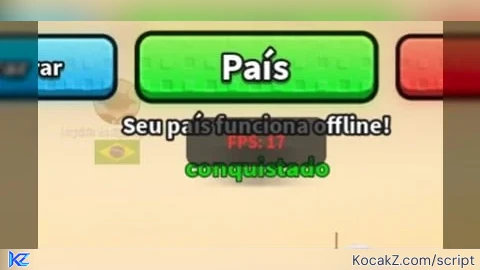
-- Evita criar telas duplicadas se você executar o script mais de uma vez
local antigoGui = game:GetService("CoreGui"):FindFirstChild("MobileFPS_Gui")
if antigoGui then antigoGui:Destroy() end

-- Criação da Interface Visual (GUI) protegida no CoreGui
local MobileFPS_Gui = Instance.new("ScreenGui")
MobileFPS_Gui.Name = "MobileFPS_Gui"
MobileFPS_Gui.Parent = game:GetService("CoreGui")
MobileFPS_Gui.ResetOnSpawn = false

-- Criação do retângulo de fundo
local FrameFundo = Instance.new("Frame")
FrameFundo.Size = UDim2.new(0, 100, 0, 35)
FrameFundo.Position = UDim2.new(0.5, -50, 0, 10) -- Centro superior da tela
FrameFundo.BackgroundColor3 = Color3.fromRGB(20, 20, 20)
FrameFundo.BackgroundTransparency = 0.3
FrameFundo.BorderSizePixel = 0
FrameFundo.Parent = MobileFPS_Gui

-- Arredondar os cantos do fundo
local UICorner = Instance.new("UICorner")
UICorner.CornerRadius = UDim.new(0, 8)
UICorner.Parent = FrameFundo

-- Criação do texto do FPS
local TextoFPS = Instance.new("TextLabel")
TextoFPS.Size = UDim2.new(1, 0, 1, 0)
TextoFPS.BackgroundTransparency = 1
TextoFPS.TextColor3 = Color3.fromRGB(0, 255, 128) -- Cor Verde Claro
TextoFPS.TextSize = 16
TextoFPS.Font = Enum.Font.SourceSansBold
TextoFPS.Text = "FPS: --"
TextoFPS.Parent = FrameFundo

-- Permitir arrastar o contador para qualquer lugar da tela do celular
local dragging, dragInput, dragStart, startPos
FrameFundo.InputBegan:Connect(function(input)
    if input.UserInputType == Enum.UserInputType.Touch or input.UserInputType == Enum.UserInputType.MouseButton1 then
        dragging = true
        dragStart = input.Position
        startPos = FrameFundo.Position
        input.Changed:Connect(function()
            if input.UserInputState == Enum.UserInputState.End then dragging = false end
        end)
    end
end)
FrameFundo.InputChanged:Connect(function(input)
    if input.UserInputType == Enum.UserInputType.Touch or input.UserInputType == Enum.UserInputType.MouseMovement then
        dragInput = input
    end
end)
game:GetService("UserInputService").InputChanged:Connect(function(input)
    if input == dragInput and dragging then
        local delta = input.Position - dragStart
        FrameFundo.Position = UDim2.new(startPos.X.Scale, startPos.X.Offset + delta.X, startPos.Y.Scale, startPos.Y.Offset + delta.Y)
    end
end)

-- Lógica de cálculo do FPS adaptada para Mobile
local RunService = game:GetService("RunService")
local acumularTempo = 0
local totalFrames = 0

RunService.RenderStepped:Connect(function(deltaTime)
    totalFrames = totalFrames + 1
    acumularTempo = acumularTempo + deltaTime

    if acumularTempo >= 0.5 then -- Atualiza a cada meio segundo para ser mais preciso no mobile
        local fps = math.floor(totalFrames / acumularTempo)
        TextoFPS.Text = "FPS: " .. tostring(fps)

        -- Muda a cor baseado no desempenho do celular
        if fps >= 50 then
            TextoFPS.TextColor3 = Color3.fromRGB(0, 255, 128) -- Verde (Ótimo)
        elseif fps >= 30 then
            TextoFPS.TextColor3 = Color3.fromRGB(255, 200, 0) -- Amarelo (Médio)
        else
            TextoFPS.TextColor3 = Color3.fromRGB(255, 50, 50) -- Vermelho (Lag)
        end

        totalFrames = 0
        acumularTempo = 0
    end
end)No comments yet for this script.


