


KeylessUniversal
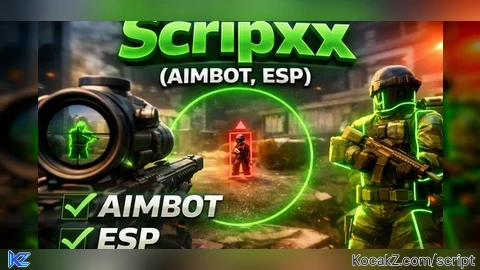
-- SERVICES
local Players = game:GetService("Players")
local RunService = game:GetService("RunService")
local UIS = game:GetService("UserInputService")
local LocalPlayer = Players.LocalPlayer
local PlayerGui = LocalPlayer:WaitForChild("PlayerGui")
local Camera = workspace.CurrentCamera

-- SETTINGS
local AimbotEnabled = false
local ESPEnabled = false
local AIMBOT_SMOOTHNESS = 0.15
local FOV_RADIUS = 150
local HoldingRMB = false
local UIVisible = true

-- GUI
local gui = Instance.new("ScreenGui")
gui.Name = "Scripxx_GUI"
gui.ResetOnSpawn = false
gui.Parent = PlayerGui

local main = Instance.new("Frame")
main.Size = UDim2.new(0,260,0,280)
main.Position = UDim2.new(0,20,0,20)
main.BackgroundColor3 = Color3.fromRGB(25,25,25)
main.Active = true
main.Parent = gui

-- Title
local title = Instance.new("TextLabel")
title.Size = UDim2.new(1,0,0,30)
title.Text = "Made by Scripxx"
title.TextColor3 = Color3.fromRGB(0,255,0)
title.BackgroundTransparency = 1
title.TextScaled = true
title.Parent = main

-- BUTTON HELPER
local function makeButton(text,y)
	local b = Instance.new("TextButton")
	b.Size = UDim2.new(1,-20,0,30)
	b.Position = UDim2.new(0,10,0,y)
	b.Text = text
	b.BackgroundColor3 = Color3.fromRGB(40,40,40)
	b.TextColor3 = Color3.new(1,1,1)
	b.TextScaled = true
	b.Parent = main
	return b
end

-- BUTTONS
local aimbotBtn = makeButton("Aimbot: OFF",40)
local espBtn = makeButton("ESP: OFF",80)
local smoothPlus = makeButton("Smooth +",120)
local smoothMinus = makeButton("Smooth -",150)
local fovPlus = makeButton("FOV +",180)
local fovMinus = makeButton("FOV -",210)

-- BUTTON LOGIC
aimbotBtn.MouseButton1Click:Connect(function()
	AimbotEnabled = not AimbotEnabled
	aimbotBtn.Text = "Aimbot: "..(AimbotEnabled and "ON" or "OFF")
end)

espBtn.MouseButton1Click:Connect(function()
	ESPEnabled = not ESPEnabled
	espBtn.Text = "ESP: "..(ESPEnabled and "ON" or "OFF")
end)

smoothPlus.MouseButton1Click:Connect(function()
	AIMBOT_SMOOTHNESS = math.clamp(AIMBOT_SMOOTHNESS + 0.02, 0.01, 1)
end)

smoothMinus.MouseButton1Click:Connect(function()
	AIMBOT_SMOOTHNESS = math.clamp(AIMBOT_SMOOTHNESS - 0.02, 0.01, 1)
end)

fovPlus.MouseButton1Click:Connect(function()
	FOV_RADIUS = math.clamp(FOV_RADIUS + 10, 50, 500)
end)

fovMinus.MouseButton1Click:Connect(function()
	FOV_RADIUS = math.clamp(FOV_RADIUS - 10, 50, 500)
end)

-- RIGHT CTRL TOGGLE GUI
UIS.InputBegan:Connect(function(i,gp)
	if gp then return end
	if i.KeyCode == Enum.KeyCode.RightControl then
		UIVisible = not UIVisible
		main.Visible = UIVisible
	end
end)

-- RMB HANDLING
UIS.InputBegan:Connect(function(i)
	if i.UserInputType == Enum.UserInputType.MouseButton2 then
		HoldingRMB = true
	end
end)

UIS.InputEnded:Connect(function(i)
	if i.UserInputType == Enum.UserInputType.MouseButton2 then
		HoldingRMB = false
	end
end)

-- ESP LOGIC
local function isValidCharacter(model)
	return model and model:IsA("Model") and model:FindFirstChildOfClass("Humanoid") and model:FindFirstChild("HumanoidRootPart")
end

local function applyESP(model)
	if not ESPEnabled then return end
	if model:FindFirstChild("ESP_HL") then return end

	local hl = Instance.new("Highlight")
	hl.Name = "ESP_HL"
	hl.Adornee = model
	hl.FillColor = Color3.fromRGB(0,255,0)
	hl.OutlineColor = Color3.fromRGB(0,0,0)
	hl.FillTransparency = 0.3
	hl.OutlineTransparency = 0
	hl.DepthMode = Enum.HighlightDepthMode.AlwaysOnTop
	hl.Parent = model
end

local function removeESP(model)
	local hl = model:FindFirstChild("ESP_HL")
	if hl then hl:Destroy() end
end

-- Monitor any character (player or NPC)
local function monitorCharacter(model)
	if not isValidCharacter(model) then return end

	task.spawn(function()
		while model.Parent do
			if ESPEnabled then
				if not model:FindFirstChild("ESP_HL") then
					applyESP(model)
				end
			else
				removeESP(model)
			end
			task.wait(0.5)
		end
	end)
end

-- Apply ESP to all existing characters
for _,p in ipairs(Players:GetPlayers()) do
	if p.Character then monitorCharacter(p.Character) end
end

-- Player added
Players.PlayerAdded:Connect(function(p)
	p.CharacterAdded:Connect(monitorCharacter)
end)

-- NPC / workspace characters
for _,obj in ipairs(workspace:GetDescendants()) do
	if isValidCharacter(obj) then monitorCharacter(obj) end
end

workspace.DescendantAdded:Connect(function(obj)
	if isValidCharacter(obj) then monitorCharacter(obj) end
end)

-- FOV CIRCLE
local fovCircle = Instance.new("Frame")
fovCircle.AnchorPoint = Vector2.new(0.5,0.5)
fovCircle.BackgroundTransparency = 1
fovCircle.BorderSizePixel = 2
fovCircle.BorderColor3 = Color3.fromRGB(0,255,0)
fovCircle.Parent = gui
local corner = Instance.new("UICorner")
corner.CornerRadius = UDim.new(1,0)
corner.Parent = fovCircle

-- GET TARGET CLOSEST TO CROSSHAIR
local function getClosestTarget()
	local mousePos = UIS:GetMouseLocation()
	local closest, closestDist = nil, FOV_RADIUS

	for _,p in ipairs(Players:GetPlayers()) do
		if p ~= LocalPlayer and p.Character then
			local hrp = p.Character:FindFirstChild("HumanoidRootPart")
			local hum = p.Character:FindFirstChild("Humanoid")
			if hrp and hum and hum.Health > 0 then
				local screenPos, onScreen = Camera:WorldToViewportPoint(hrp.Position)
				if onScreen then
					local d = (Vector2.new(screenPos.X,screenPos.Y) - mousePos).Magnitude
					if d < closestDist then
						closestDist = d
						closest = hrp
					end
				end
			end
		end
	end
	return closest
end

-- AIMBOT FUNCTION
local function aimAt(targetPart)
	local camPos = Camera.CFrame.Position
	local desiredCFrame = CFrame.new(camPos, targetPart.Position)
	Camera.CFrame = Camera.CFrame:Lerp(desiredCFrame, AIMBOT_SMOOTHNESS)
end

-- MAIN LOOP
RunService.RenderStepped:Connect(function()
	local mouse = UIS:GetMouseLocation()
	fovCircle.Position = UDim2.new(0, mouse.X,0, mouse.Y)
	fovCircle.Size = UDim2.new(0, FOV_RADIUS*2,0,FOV_RADIUS*2)

	if AimbotEnabled and HoldingRMB then
		local target = getClosestTarget()
		if target then
			aimAt(target)
		end
	end
end)

-- DRAG GUI
local dragging, dragStart, startPos
title.InputBegan:Connect(function(input)
	if input.UserInputType == Enum.UserInputType.MouseButton1 then
		dragging = true
		dragStart = input.Position
		startPos = main.Position
		input.Changed:Connect(function()
			if input.UserInputState == Enum.UserInputState.End then
				dragging = false
			end
		end)
	end
end)

UIS.InputChanged:Connect(function(input)
	if dragging and input.UserInputType == Enum.UserInputType.MouseMovement then
		local delta = input.Position - dragStart
		main.Position = UDim2.new(
			startPos.X.Scale,startPos.X.Offset + delta.X,
			startPos.Y.Scale,startPos.Y.Offset + delta.Y
		)
	end
end)

print("✅ Scripxx ALL-IN-ONE system loaded with fixed ESP")


If you encounter issues where the ESP or Aimbot isn’t working: First, try toggling the feature OFF and then ON in the menu. If the problem persists, please provide: A screenshot of the issue showing the feature not working. A screenshot of the developer console (open by pressing F9 or typing /console). IF bug needs reported please let me know on here and we can talk via DMS.