
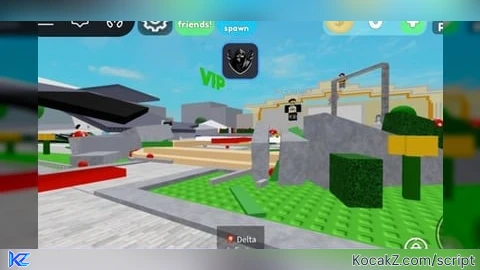

-- Delta Shotgun Fling Tool Script (Permanent Deletion + Infinite Debris Tracking)
local Players = game:GetService("Players")
local LocalPlayer = Players.LocalPlayer
local Mouse = LocalPlayer:GetMouse()
local Debris = game:GetService("Debris")

-- 1. Create the Shotgun Tool Container
local Shotgun = Instance.new("Tool")
Shotgun.Name = "💥 Delta Infinite Destroyer"
Shotgun.RequiresHandle = true

-- 2. Create the Visual Handle for the Gun
local Handle = Instance.new("Part")
Handle.Name = "Handle"
Handle.Size = Vector3.new(0.5, 0.8, 3.5)
Handle.BrickColor = BrickColor.new("Really black")
Handle.Material = Enum.Material.Metal
Handle.Parent = Shotgun

local Sound = Instance.new("Sound")
Sound.SoundId = "rbxassetid://131070686"
Sound.Volume = 1
Sound.Parent = Handle

-- Laser Pointer Trail
local LaserAttachment = Instance.new("Attachment", Handle)
LaserAttachment.Position = Vector3.new(0, 0, -1.75)

local Beam = Instance.new("Beam")
Beam.Width0 = 0.05
Beam.Width1 = 0.05
Beam.Color = ColorSequence.new(Color3.fromRGB(255, 0, 0))
Beam.FaceCamera = true
Beam.Enabled = false
Beam.Parent = Handle

local MouseTargetAttachment = Instance.new("Attachment")
MouseTargetAttachment.Parent = workspace:WaitForChild("Terrain")

Shotgun.Equipped:Connect(function()
    Beam.Enabled = true
    task.spawn(function()
        while Beam.Enabled do
            MouseTargetAttachment.Position = Mouse.Hit.p
            Beam.Attachment0 = LaserAttachment
            Beam.Attachment1 = MouseTargetAttachment
            task.wait()
        end
    end)
end)

Shotgun.Unequipped:Connect(function()
    Beam.Enabled = false
end)

-- 3. Destruction & Fling Mechanics
Shotgun.Activated:Connect(function()
    local Target = Mouse.Target
    if not Target or Target == workspace.Terrain then return end

    Sound:Play()
    local MyRoot = LocalPlayer.Character and LocalPlayer.Character:FindFirstChild("HumanoidRootPart")
    if not MyRoot then return end

    local LookDirection = (Mouse.Hit.p - MyRoot.Position).Unit
    local ImpactPosition = Mouse.Hit.p

    -- --- EXPLOSION EFFECT ---
    local Exp = Instance.new("Explosion")
    Exp.BlastRadius = 0
    Exp.BlastPressure = 0
    Exp.Position = ImpactPosition
    Exp.Parent = workspace

    -- --- CHECK IF TARGET IS A PLAYER ---
    local Character = Target:FindFirstAncestorOfClass("Model")
    local Humanoid = Character and Character:FindFirstChildOfClass("Humanoid")

    if Humanoid and Character ~= LocalPlayer.Character then
        local RootPart = Character:FindFirstChild("HumanoidRootPart") or Character:FindFirstChild("Torso")
        if RootPart then
            RootPart.Anchored = true
            for _, part in pairs(Character:GetChildren()) do
                if part:IsA("BasePart") then part.BrickColor = BrickColor.new("Bright red") end
            end

            task.wait(0.15)
            RootPart.Anchored = false

            local Velocity = Instance.new("BodyVelocity")
            Velocity.MaxForce = Vector3.new(1e7, 1e7, 1e7)
            Velocity.Velocity = (LookDirection * 500) + Vector3.new(0, 350, 0)
            Velocity.Parent = RootPart
            Debris:AddItem(Velocity, 0.15)
        end

    -- --- IF TARGET IS A MAP PROP (NEVER DISAPPEAR) ---
    elseif not Target:IsDescendantOf(LocalPlayer.Character) and Target.Name ~= "Baseplate" then
        local TargetProp = Target
        if Target.Parent and Target.Parent ~= workspace and not Target.Parent:IsA("Folder") then
            TargetProp = Target.Parent
        end

        -- Clone the prop to turn it into physical, flying debris
        local PropClone = TargetProp:Clone()
        if PropClone then
            if PropClone:IsA("BasePart") then
                PropClone.Anchored = false
                PropClone.CanCollide = true
            else
                for _, part in pairs(PropClone:GetDescendants()) do
                    if part:IsA("BasePart") then
                        part.Anchored = false
                        part.CanCollide = true
                    end
                end
            end

            local PropRoot = PropClone:IsA("BasePart") and PropClone or PropClone:FindFirstChildWhichIsA("BasePart")
            if PropRoot then
                PropClone.Parent = workspace

                -- Instantly wipe the original map position forever
                TargetProp:Destroy()

                -- Yeet the debris clone into the world
                local PropVelocity = Instance.new("BodyVelocity")
                PropVelocity.MaxForce = Vector3.new(1e8, 1e8, 1e8)
                PropVelocity.Velocity = (LookDirection * 600) + Vector3.new(0, 300, 0)
                PropVelocity.Parent = PropRoot

                -- Clean up the velocity object itself quickly so the object rolls naturally
                Debris:AddItem(PropVelocity, 0.2)

                -- NOTE: The PropClone itself is NEVER removed. It will clutter the ground forever.
            end
        end
    end
end)

Shotgun.Parent = LocalPlayer:WaitForChild("Backpack")
How to Execute Universal Script – STRONG SHOTGUN YOU BLASTED HEAD!
Step 1: Copy Code: Click the Copy Code button in the viewer above to grab the clean Lua loadstring.
Step 2: Launch Executor: Open a compatible, unpatched executor. If you need one, check our Roblox Executors Directory.
Step 3: Join Experience: Launch Roblox and join Universal Script.
Step 4: Attach & Run: Attach/inject your executor into the Roblox process, paste the code into the script tab, and press Execute.
Features & Information
Script Changelog (1)
Community Comments (0)
No comments yet for this script.
Frequently Asked Questions
How do I execute Universal Script – STRONG SHOTGUN YOU BLASTED HEAD! in Roblox?
To run Universal Script – STRONG SHOTGUN YOU BLASTED HEAD!, copy the Lua loadstring from the code viewer above, launch Roblox and join Universal Script, attach a working executor (such as Potassium, Solara, or Delta from our Executors directory), paste the code into your executor console, and click Execute.
Is Universal Script – STRONG SHOTGUN YOU BLASTED HEAD! keyless or does it require an access key?
Universal Script – STRONG SHOTGUN YOU BLASTED HEAD! requires an access key. You can retrieve the official key directly using the Get Script Key link provided above.
Is Universal Script – STRONG SHOTGUN YOU BLASTED HEAD! currently safe and working?
This script is active and operational. Always test scripts using a secondary (alt) Roblox account to safeguard your main profile against anti-cheat bans.


![Ez Hub [Open Source] [150+ games] - Verified script for Universal Script](https://media.kocakz.me/b74a9ac15370ba766b2fa9531f17c9dad2c0befb2b951693ae723e4c7d2c3fb6.webp)


![[KEYLESS] Moondiety Script | 20+ supported Games - Verified script for Universal Script](https://media.kocakz.me/6834c33a36c9fbe66afae4c6754c2b80386ce636b2f972464a95866f4b6a42eb.webp)



