

Key RequiredUniversal
local Players = game:GetService("Players")
local LocalPlayer = Players.LocalPlayer
local ReplicatedStorage = game:GetService("ReplicatedStorage")
local RunService = game:GetService("RunService")

local isTeleportEnabled = true
local lastPosition = nil

local toggleButton = nil

local function updateButtonDisplay()
    if not toggleButton then return end

    if isTeleportEnabled then
        toggleButton.Text = "RETURN BY DEATH: ON"
        toggleButton.BackgroundColor3 = Color3.fromRGB(0, 170, 0)
        toggleButton.TextColor3 = Color3.fromRGB(255, 255, 255)
    else
        toggleButton.Text = "RETURN BY DEATH: OFF"
        toggleButton.BackgroundColor3 = Color3.fromRGB(170, 0, 0)
        toggleButton.TextColor3 = Color3.fromRGB(255, 255, 255)
    end
end

local function toggleTeleport()
    isTeleportEnabled = not isTeleportEnabled
    updateButtonDisplay()
    print("Teleport Toggled. Enabled: " .. tostring(isTeleportEnabled))
end

local function setupGUI()
    local gui = Instance.new("ScreenGui")
    gui.Name = "RespawnToggleGui"

    gui.ResetOnSpawn = false

    gui.Parent = LocalPlayer:WaitForChild("PlayerGui")

    toggleButton = Instance.new("TextButton")
    toggleButton.Name = "ToggleTeleport"
    toggleButton.Size = UDim2.new(0, 250, 0, 40)
    toggleButton.Position = UDim2.new(0.5, -125, 0.05, 0)
    toggleButton.Font = Enum.Font.SourceSansBold
    toggleButton.TextSize = 18
    toggleButton.BorderColor3 = Color3.fromRGB(27, 42, 53)
    toggleButton.BorderSizePixel = 2


    toggleButton.MouseButton1Click:Connect(toggleTeleport)
    toggleButton.Parent = gui


    updateButtonDisplay()
end


local function onCharacterDied()
    if isTeleportEnabled then
        local character = LocalPlayer.Character
        if character and character.PrimaryPart then

            local currentCFrame = character.PrimaryPart.CFrame
            lastPosition = currentCFrame + Vector3.new(0, 0.5, 0)
            print("Player died. Saving position: " .. tostring(lastPosition))


            LocalPlayer:LoadCharacter()
        end
    end
end


local function onCharacterAdded(newCharacter)

    local rootPart = newCharacter:WaitForChild("HumanoidRootPart", 5)

    if rootPart and lastPosition and isTeleportEnabled then

        rootPart.CFrame = lastPosition
        print("Character respawned and teleported back to the last position.")

        lastPosition = nil
    elseif not isTeleportEnabled then
         print("Teleport is disabled. Standard respawn behavior followed.")
    end


    local humanoid = newCharacter:WaitForChild("Humanoid", 10)
    if humanoid then
        humanoid.Died:Connect(onCharacterDied)
    end
end


LocalPlayer.CharacterAdded:Connect(onCharacterAdded)


if LocalPlayer.Character then
    onCharacterAdded(LocalPlayer.Character)
end


setupGUI()

print("Instant Respawn Script with GUI toggle loaded.")


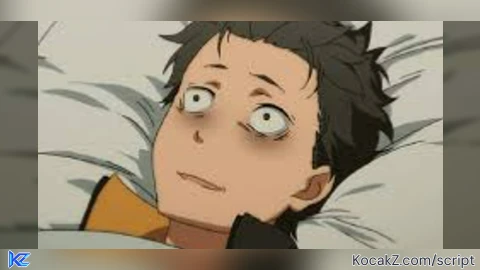
Your inspiration is Subaru, right?
@i_love_script yes
@i_love_script yes
is working ?
@atrix yea on lots of games
Love the return by death script, It works on alot of games.
can you make it play THAT sound once u die?
Does it work in rivals Roblox