

Key RequiredUniversal
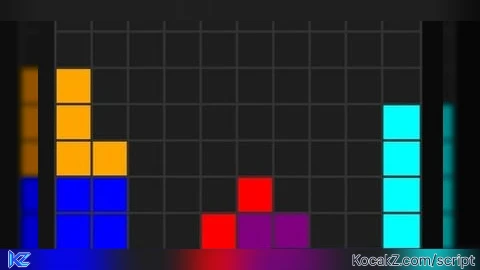
-- ゲーム状態管理
local isOpen = false
local gameRunning = false
local gamePaused = false
local score = 0
local level = 1
local linesCleared = 0

-- ゲーム盤面
local boardWidth = 10
local boardHeight = 20
local board = {}
local nextPiece = nil

-- テトリミノの形状
local tetriminos = {
    -- I
    {
        {{0,0,0,0}, {1,1,1,1}, {0,0,0,0}, {0,0,0,0}},
        color = Color3.fromRGB(0, 255, 255) -- シアン
    },
    -- J
    {
        {{1,0,0}, {1,1,1}, {0,0,0}},
        color = Color3.fromRGB(0, 0, 255) -- 青
    },
    -- L
    {
        {{0,0,1}, {1,1,1}, {0,0,0}},
        color = Color3.fromRGB(255, 165, 0) -- オレンジ
    },
    -- O
    {
        {{1,1}, {1,1}},
        color = Color3.fromRGB(255, 255, 0) -- 黄色
    },
    -- S
    {
        {{0,1,1}, {1,1,0}, {0,0,0}},
        color = Color3.fromRGB(0, 255, 0) -- 緑
    },
    -- T
    {
        {{0,1,0}, {1,1,1}, {0,0,0}},
        color = Color3.fromRGB(128, 0, 128) -- 紫
    },
    -- Z
    {
        {{1,1,0}, {0,1,1}, {0,0,0}},
        color = Color3.fromRGB(255, 0, 0) -- 赤
    }
}

-- 現在のピース
local currentPiece = {
    shape = {},
    x = 3,
    y = 0,
    color = Color3.new(1, 1, 1),
    rotation = 1
}

-- サウンド管理
local SoundService = game:GetService("SoundService")
local BGM = Instance.new("Sound")
local GUICloseSound = Instance.new("Sound")
local LineClearSound = Instance.new("Sound")

-- BGMの設定
BGM.SoundId = "rbxassetid://9048375035"
BGM.Name = "BGM"
BGM.Looped = true
BGM.Volume = 0.5
BGM.Parent = SoundService

-- GUI閉じる音の設定
GUICloseSound.SoundId = "rbxassetid://76934976406737"
GUICloseSound.Name = "GUICloseSound"
GUICloseSound.Volume = 0.7
GUICloseSound.Parent = SoundService

-- ライン消去音の設定
LineClearSound.SoundId = "rbxassetid://83135491877335"
LineClearSound.Name = "LineClearSound"
LineClearSound.Volume = 0.8
LineClearSound.Parent = SoundService

-- GUIウィンドウの作成
local ScreenGui = Instance.new("ScreenGui")
ScreenGui.Name = "RTetris"
ScreenGui.Parent = game.Players.LocalPlayer:WaitForChild("PlayerGui")

-- メインフレーム(コンパクトサイズ)
local MainFrame = Instance.new("Frame")
MainFrame.Name = "MainFrame"
MainFrame.Size = UDim2.new(0, 400, 0, 420)
MainFrame.Position = UDim2.new(0.5, -200, 0.5, -210)
MainFrame.BackgroundColor3 = Color3.fromRGB(45, 45, 45)
MainFrame.BorderSizePixel = 0
MainFrame.Visible = false
MainFrame.Parent = ScreenGui

-- タイトルバー
local TitleBar = Instance.new("Frame")
TitleBar.Name = "TitleBar"
TitleBar.Size = UDim2.new(1, 0, 0, 25)
TitleBar.BackgroundColor3 = Color3.fromRGB(30, 30, 30)
TitleBar.Parent = MainFrame

local TitleLabel = Instance.new("TextLabel")
TitleLabel.Name = "TitleLabel"
TitleLabel.Size = UDim2.new(1, -60, 1, 0)
TitleLabel.Position = UDim2.new(0, 10, 0, 0)
TitleLabel.BackgroundTransparency = 1
TitleLabel.Text = "RTetris"
TitleLabel.TextColor3 = Color3.new(1, 1, 1)
TitleLabel.TextSize = 14
TitleLabel.Font = Enum.Font.GothamBold
TitleLabel.TextXAlignment = Enum.TextXAlignment.Left
TitleLabel.Parent = TitleBar

local CloseButton = Instance.new("TextButton")
CloseButton.Name = "CloseButton"
CloseButton.Size = UDim2.new(0, 25, 0, 25)
CloseButton.Position = UDim2.new(1, -25, 0, 0)
CloseButton.BackgroundColor3 = Color3.fromRGB(255, 50, 50)
CloseButton.Text = "X"
CloseButton.TextColor3 = Color3.new(1, 1, 1)
CloseButton.TextSize = 12
CloseButton.Font = Enum.Font.GothamBold
CloseButton.Parent = TitleBar

-- ゲーム画面(左側)
local GameFrame = Instance.new("Frame")
GameFrame.Name = "GameFrame"
GameFrame.Size = UDim2.new(0, 240, 0, 360)
GameFrame.Position = UDim2.new(0, 10, 0, 35)
GameFrame.BackgroundColor3 = Color3.fromRGB(20, 20, 20)
GameFrame.BorderSizePixel = 1
GameFrame.BorderColor3 = Color3.fromRGB(60, 60, 60)
GameFrame.Parent = MainFrame

-- 右側パネル(ボタンとスコア用)
local RightPanel = Instance.new("Frame")
RightPanel.Name = "RightPanel"
RightPanel.Size = UDim2.new(0, 140, 0, 360)
RightPanel.Position = UDim2.new(0, 260, 0, 35)
RightPanel.BackgroundColor3 = Color3.fromRGB(35, 35, 35)
RightPanel.BorderSizePixel = 0
RightPanel.Parent = MainFrame

-- スコア表示(右上)
local ScorePanel = Instance.new("Frame")
ScorePanel.Name = "ScorePanel"
ScorePanel.Size = UDim2.new(1, -10, 0, 120)
ScorePanel.Position = UDim2.new(0, 5, 0, 5)
ScorePanel.BackgroundColor3 = Color3.fromRGB(50, 50, 50)
ScorePanel.BorderSizePixel = 1
ScorePanel.BorderColor3 = Color3.fromRGB(70, 70, 70)
ScorePanel.Parent = RightPanel

local ScoreTitle = Instance.new("TextLabel")
ScoreTitle.Name = "ScoreTitle"
ScoreTitle.Size = UDim2.new(1, 0, 0, 25)
ScoreTitle.Position = UDim2.new(0, 0, 0, 0)
ScoreTitle.BackgroundColor3 = Color3.fromRGB(40, 40, 40)
ScoreTitle.Text = "ゲーム情報"
ScoreTitle.TextColor3 = Color3.new(1, 1, 1)
ScoreTitle.TextSize = 12
ScoreTitle.Font = Enum.Font.GothamBold
ScoreTitle.Parent = ScorePanel

local ScoreLabel = Instance.new("TextLabel")
ScoreLabel.Name = "ScoreLabel"
ScoreLabel.Size = UDim2.new(1, -10, 0, 25)
ScoreLabel.Position = UDim2.new(0, 5, 0, 30)
ScoreLabel.BackgroundTransparency = 1
ScoreLabel.Text = "スコア: 0"
ScoreLabel.TextColor3 = Color3.new(1, 1, 1)
ScoreLabel.TextSize = 12
ScoreLabel.Font = Enum.Font.Gotham
ScoreLabel.TextXAlignment = Enum.TextXAlignment.Left
ScoreLabel.Parent = ScorePanel

local LevelLabel = Instance.new("TextLabel")
LevelLabel.Name = "LevelLabel"
LevelLabel.Size = UDim2.new(1, -10, 0, 25)
LevelLabel.Position = UDim2.new(0, 5, 0, 60)
LevelLabel.BackgroundTransparency = 1
LevelLabel.Text = "レベル: 1"
LevelLabel.TextColor3 = Color3.new(1, 1, 1)
LevelLabel.TextSize = 12
LevelLabel.Font = Enum.Font.Gotham
LevelLabel.TextXAlignment = Enum.TextXAlignment.Left
LevelLabel.Parent = ScorePanel

local LinesLabel = Instance.new("TextLabel")
LinesLabel.Name = "LinesLabel"
LinesLabel.Size = UDim2.new(1, -10, 0, 25)
LinesLabel.Position = UDim2.new(0, 5, 0, 90)
LinesLabel.BackgroundTransparency = 1
LinesLabel.Text = "ライン: 0"
LinesLabel.TextColor3 = Color3.new(1, 1, 1)
LinesLabel.TextSize = 12
LinesLabel.Font = Enum.Font.Gotham
LinesLabel.TextXAlignment = Enum.TextXAlignment.Left
LinesLabel.Parent = ScorePanel

-- コントロールボタンパネル(右下)
local ControlsPanel = Instance.new("Frame")
ControlsPanel.Name = "ControlsPanel"
ControlsPanel.Size = UDim2.new(1, -10, 0, 230) -- 高さを少し増やしてボタンの配置スペースを確保
ControlsPanel.Position = UDim2.new(0, 5, 1, -235) -- 位置を調整
ControlsPanel.BackgroundColor3 = Color3.fromRGB(50, 50, 50)
ControlsPanel.BorderSizePixel = 1
ControlsPanel.BorderColor3 = Color3.fromRGB(70, 70, 70)
ControlsPanel.Parent = RightPanel

local ControlsTitle = Instance.new("TextLabel")
ControlsTitle.Name = "ControlsTitle"
ControlsTitle.Size = UDim2.new(1, 0, 0, 25)
ControlsTitle.Position = UDim2.new(0, 0, 0, 0)
ControlsTitle.BackgroundColor3 = Color3.fromRGB(40, 40, 40)
ControlsTitle.Text = "コントロール"
ControlsTitle.TextColor3 = Color3.new(1, 1, 1)
ControlsTitle.TextSize = 12
ControlsTitle.Font = Enum.Font.GothamBold
ControlsTitle.Parent = ControlsPanel

-- 方向ボタングリッド
local ButtonGrid = Instance.new("Frame")
ButtonGrid.Name = "ButtonGrid"
ButtonGrid.Size = UDim2.new(1, -10, 0, 100) -- 高さを調整
ButtonGrid.Position = UDim2.new(0, 5, 0, 30)
ButtonGrid.BackgroundTransparency = 1
ButtonGrid.Parent = ControlsPanel

-- 左ボタン
local LeftButton = Instance.new("TextButton")
LeftButton.Name = "LeftButton"
LeftButton.Size = UDim2.new(0, 40, 0, 40)
LeftButton.Position = UDim2.new(0.1, 0, 0.5, -20)
LeftButton.BackgroundColor3 = Color3.fromRGB(60, 60, 60)
LeftButton.Text = "←"
LeftButton.TextColor3 = Color3.new(1, 1, 1)
LeftButton.TextSize = 18
LeftButton.Font = Enum.Font.GothamBold
LeftButton.Parent = ButtonGrid

-- 下ボタン
local DownButton = Instance.new("TextButton")
DownButton.Name = "DownButton"
DownButton.Size = UDim2.new(0, 40, 0, 40)
DownButton.Position = UDim2.new(0.5, -20, 0.5, -20)
DownButton.BackgroundColor3 = Color3.fromRGB(60, 60, 60)
DownButton.Text = "↓"
DownButton.TextColor3 = Color3.new(1, 1, 1)
DownButton.TextSize = 18
DownButton.Font = Enum.Font.GothamBold
DownButton.Parent = ButtonGrid

-- 右ボタン
local RightButton = Instance.new("TextButton")
RightButton.Name = "RightButton"
RightButton.Size = UDim2.new(0, 40, 0, 40)
RightButton.Position = UDim2.new(0.9, -40, 0.5, -20)
RightButton.BackgroundColor3 = Color3.fromRGB(60, 60, 60)
RightButton.Text = "→"
RightButton.TextColor3 = Color3.new(1, 1, 1)
RightButton.TextSize = 18
RightButton.Font = Enum.Font.GothamBold
RightButton.Parent = ButtonGrid

-- 回転ボタン(位置を調整)
local RotateButton = Instance.new("TextButton")
RotateButton.Name = "RotateButton"
RotateButton.Size = UDim2.new(1, -10, 0, 30)
RotateButton.Position = UDim2.new(0, 5, 0.6, 0) -- 位置を上に移動
RotateButton.BackgroundColor3 = Color3.fromRGB(80, 80, 80)
RotateButton.Text = "回転 (Rキー)"
RotateButton.TextColor3 = Color3.new(1, 1, 1)
RotateButton.TextSize = 12
RotateButton.Font = Enum.Font.Gotham
RotateButton.Parent = ControlsPanel

-- サウンドコントロールボタン(位置を調整)
local SoundToggleButton = Instance.new("TextButton")
SoundToggleButton.Name = "SoundToggleButton"
SoundToggleButton.Size = UDim2.new(1, -10, 0, 25)
SoundToggleButton.Position = UDim2.new(0, 5, 0.8, 0) -- 位置を下に移動(回転ボタンの下)
SoundToggleButton.BackgroundColor3 = Color3.fromRGB(80, 80, 80)
SoundToggleButton.Text = "🔊 BGM: ON"
SoundToggleButton.TextColor3 = Color3.new(1, 1, 1)
SoundToggleButton.TextSize = 10
SoundToggleButton.Font = Enum.Font.Gotham
SoundToggleButton.Parent = ControlsPanel

-- ゲーム開始/一時停止ボタン(右パネル最下部)
local StartPauseButton = Instance.new("TextButton")
StartPauseButton.Name = "StartPauseButton"
StartPauseButton.Size = UDim2.new(1, -10, 0, 30)
StartPauseButton.Position = UDim2.new(0, 5, 1, -35)
StartPauseButton.BackgroundColor3 = Color3.fromRGB(0, 120, 0)
StartPauseButton.Text = "ゲーム開始"
StartPauseButton.TextColor3 = Color3.new(1, 1, 1)
StartPauseButton.TextSize = 12
StartPauseButton.Font = Enum.Font.GothamBold
StartPauseButton.Parent = ControlsPanel

-- BGM状態
local bgmEnabled = true

-- サウンドトグル関数
local function toggleBGM()
    bgmEnabled = not bgmEnabled
    if bgmEnabled then
        SoundToggleButton.Text = "🔊 BGM: ON"
        SoundToggleButton.BackgroundColor3 = Color3.fromRGB(80, 80, 80)
        if gameRunning and not gamePaused then
            BGM:Play()
        end
    else
        SoundToggleButton.Text = "🔇 BGM: OFF"
        SoundToggleButton.BackgroundColor3 = Color3.fromRGB(60, 60, 60)
        BGM:Stop()
    end
end

-- ボード描画用のフレーム
local BoardFrame = Instance.new("Frame")
BoardFrame.Name = "BoardFrame"
BoardFrame.Size = UDim2.new(1, -20, 1, -20)
BoardFrame.Position = UDim2.new(0, 10, 0, 10)
BoardFrame.BackgroundColor3 = Color3.fromRGB(10, 10, 10)
BoardFrame.BorderSizePixel = 0
BoardFrame.Parent = GameFrame

-- ボードのセルを描画するためのグリッド
local boardCells = {}
local cellSize = 14

-- ボードの初期化
function initBoard()
    board = {}
    for y = 1, boardHeight do
        board[y] = {}
        for x = 1, boardWidth do
            board[y][x] = 0
        end
    end

    -- セルの作成
    for y = 1, boardHeight do
        boardCells[y] = {}
        for x = 1, boardWidth do
            local cell = Instance.new("Frame")
            cell.Name = "Cell_" .. x .. "_" .. y
            cell.Size = UDim2.new(0, cellSize, 0, cellSize)
            cell.Position = UDim2.new(0, (x-1)*cellSize, 0, (y-1)*cellSize)
            cell.BackgroundColor3 = Color3.fromRGB(30, 30, 30)
            cell.BorderSizePixel = 1
            cell.BorderColor3 = Color3.fromRGB(50, 50, 50)
            cell.Parent = BoardFrame
            boardCells[y][x] = cell
        end
    end
end

-- 新しいピースの生成
function newPiece()
    -- ランダムなテトリミノを選択
    local pieceIndex = math.random(1, #tetriminos)
    local pieceData = tetriminos[pieceIndex]

    currentPiece.shape = pieceData[1]
    currentPiece.color = pieceData.color
    currentPiece.x = math.floor(boardWidth/2) - math.floor(#currentPiece.shape[1]/2)
    currentPiece.y = 1
    currentPiece.rotation = 1

    -- 衝突チェック(ゲームオーバー)
    if checkCollision(currentPiece.x, currentPiece.y, currentPiece.shape) then
        gameOver()
        return false
    end

    return true
end

-- 衝突チェック
function checkCollision(x, y, shape)
    for row = 1, #shape do
        for col = 1, #shape[row] do
            if shape[row][col] ~= 0 then
                local boardX = x + col - 1
                local boardY = y + row - 1

                if boardX < 1 or boardX > boardWidth or boardY > boardHeight then
                    return true
                end

                if boardY > 0 and board[boardY] and board[boardY][boardX] ~= 0 then
                    return true
                end
            end
        end
    end
    return false
end

-- ピースをボードに固定
function lockPiece()
    for row = 1, #currentPiece.shape do
        for col = 1, #currentPiece.shape[row] do
            if currentPiece.shape[row][col] ~= 0 then
                local boardX = currentPiece.x + col - 1
                local boardY = currentPiece.y + row - 1

                if boardY > 0 then
                    board[boardY][boardX] = 1
                    boardCells[boardY][boardX].BackgroundColor3 = currentPiece.color
                end
            end
        end
    end

    -- ラインの消去チェック
    checkLines()

    -- 新しいピースを生成
    newPiece()
end

-- ラインの消去チェック(効果音追加)
function checkLines()
    local linesToClear = {}

    for y = 1, boardHeight do
        local lineFull = true
        for x = 1, boardWidth do
            if board[y][x] == 0 then
                lineFull = false
                break
            end
        end

        if lineFull then
            table.insert(linesToClear, y)
        end
    end

    if #linesToClear > 0 then
        -- ラインを消去
        for i, y in ipairs(linesToClear) do
            for x = 1, boardWidth do
                board[y][x] = 0
            end

            -- 上のラインを下にずらす
            for yy = y, 2, -1 do
                for x = 1, boardWidth do
                    board[yy][x] = board[yy-1][x]
                end
            end

            -- 最上段を空にする
            for x = 1, boardWidth do
                board[1][x] = 0
            end
        end

        -- スコア計算
        local baseScore = 0
        if #linesToClear == 1 then
            baseScore = 40
        elseif #linesToClear == 2 then
            baseScore = 100
        elseif #linesToClear == 3 then
            baseScore = 300
        elseif #linesToClear == 4 then
            baseScore = 1200
        end

        score = score + baseScore * level
        linesCleared = linesCleared + #linesToClear
        level = math.floor(linesCleared / 10) + 1

        -- 表示を更新
        ScoreLabel.Text = "スコア: " .. tostring(score)
        LevelLabel.Text = "レベル: " .. tostring(level)
        LinesLabel.Text = "ライン: " .. tostring(linesCleared)

        -- ライン消去効果音を再生
        if gameRunning and not gamePaused then
            LineClearSound:Play()
        end
    end
end

-- ボードの描画
function drawBoard()
    -- ボードのセルをクリア
    for y = 1, boardHeight do
        for x = 1, boardWidth do
            if board[y][x] == 0 then
                boardCells[y][x].BackgroundColor3 = Color3.fromRGB(30, 30, 30)
            else
                -- 固定されたピースの色は保持
            end
        end
    end

    -- 現在のピースを描画
    if gameRunning and not gamePaused then
        for row = 1, #currentPiece.shape do
            for col = 1, #currentPiece.shape[row] do
                if currentPiece.shape[row][col] ~= 0 then
                    local boardX = currentPiece.x + col - 1
                    local boardY = currentPiece.y + row - 1

                    if boardY > 0 and boardY <= boardHeight and boardX > 0 and boardX <= boardWidth then
                        if boardCells[boardY] and boardCells[boardY][boardX] then
                            boardCells[boardY][boardX].BackgroundColor3 = currentPiece.color
                        end
                    end
                end
            end
        end
    end
end

-- ピースの移動
function movePiece(dx, dy)
    if not gameRunning or gamePaused then return end

    if not checkCollision(currentPiece.x + dx, currentPiece.y + dy, currentPiece.shape) then
        currentPiece.x = currentPiece.x + dx
        currentPiece.y = currentPiece.y + dy
        drawBoard()
        return true
    end

    -- 下に移動できなかった場合はピースを固定
    if dy > 0 then
        lockPiece()
        drawBoard()
    end

    return false
end

-- ピースの回転
function rotatePiece()
    if not gameRunning or gamePaused then return end

    -- 現在の形状を取得
    local currentShape = currentPiece.shape
    local newShape = {}

    -- 形状を回転(転置して行を反転)
    for i = 1, #currentShape[1] do
        newShape[i] = {}
        for j = 1, #currentShape do
            newShape[i][j] = currentShape[#currentShape - j + 1][i]
        end
    end

    -- 衝突チェック
    if not checkCollision(currentPiece.x, currentPiece.y, newShape) then
        currentPiece.shape = newShape
        drawBoard()
    end
end

-- ゲームオーバー処理(自動リセット付き)
function gameOver()
    gameRunning = false
    StartPauseButton.Text = "ゲーム開始"
    StartPauseButton.BackgroundColor3 = Color3.fromRGB(0, 120, 0)

    -- BGMを停止
    BGM:Stop()

    -- ゲームオーバーメッセージ
    local message = Instance.new("TextLabel")
    message.Name = "GameOverMessage"
    message.Size = UDim2.new(1, 0, 0, 50)
    message.Position = UDim2.new(0, 0, 0.5, -25)
    message.BackgroundColor3 = Color3.fromRGB(0, 0, 0)
    message.BackgroundTransparency = 0.7
    message.Text = "ゲームオーバー!\nスコア: " .. tostring(score) .. "\n3秒後に再開します..."
    message.TextColor3 = Color3.new(1, 1, 1)
    message.TextSize = 14
    message.Font = Enum.Font.GothamBold
    message.ZIndex = 10
    message.Parent = BoardFrame

    -- 3秒後に自動的にリセット
    wait(3)

    -- メッセージを削除
    if BoardFrame:FindFirstChild("GameOverMessage") then
        BoardFrame.GameOverMessage:Destroy()
    end

    -- ゲームをリセットして再開
    resetGame()
    gameRunning = true
    StartPauseButton.Text = "一時停止"
    StartPauseButton.BackgroundColor3 = Color3.fromRGB(200, 100, 0)

    -- BGMを再開
    if bgmEnabled then
        BGM:Play()
    end
end

-- ゲームのリセット
function resetGame()
    score = 0
    level = 1
    linesCleared = 0

    ScoreLabel.Text = "スコア: 0"
    LevelLabel.Text = "レベル: 1"
    LinesLabel.Text = "ライン: 0"

    -- ゲームオーバーメッセージを削除
    if BoardFrame:FindFirstChild("GameOverMessage") then
        BoardFrame.GameOverMessage:Destroy()
    end

    initBoard()
    newPiece()
    drawBoard()
end

-- ゲームループ
local lastUpdate = tick()
local fallTime = 1.0 -- 落下間隔(秒)

function gameLoop()
    if not gameRunning or gamePaused then return end

    local currentTime = tick()
    if currentTime - lastUpdate > fallTime / level then
        movePiece(0, 1)
        lastUpdate = currentTime
    end
end

-- ボタンイベントの設定
CloseButton.MouseButton1Click:Connect(function()
    -- GUI閉じる音を再生
    GUICloseSound:Play()

    -- BGMを停止
    BGM:Stop()

    MainFrame.Visible = false
    isOpen = false
    OpenButton.Visible = true
end)

StartPauseButton.MouseButton1Click:Connect(function()
    if not gameRunning then
        -- ゲーム開始
        gameRunning = true
        gamePaused = false
        StartPauseButton.Text = "一時停止"
        StartPauseButton.BackgroundColor3 = Color3.fromRGB(200, 100, 0)

        -- BGMを開始(有効な場合)
        if bgmEnabled then
            BGM:Play()
        end

        if score == 0 then
            resetGame()
        end
    elseif not gamePaused then
        -- 一時停止
        gamePaused = true
        StartPauseButton.Text = "再開"
        StartPauseButton.BackgroundColor3 = Color3.fromRGB(0, 120, 0)

        -- BGMを一時停止
        BGM:Pause()
    else
        -- 再開
        gamePaused = false
        StartPauseButton.Text = "一時停止"
        StartPauseButton.BackgroundColor3 = Color3.fromRGB(200, 100, 0)

        -- BGMを再開(有効な場合)
        if bgmEnabled then
            BGM:Play()
        end
    end
end)

LeftButton.MouseButton1Click:Connect(function()
    movePiece(-1, 0)
end)

RightButton.MouseButton1Click:Connect(function()
    movePiece(1, 0)
end)

DownButton.MouseButton1Click:Connect(function()
    movePiece(0, 1)
end)

RotateButton.MouseButton1Click:Connect(function()
    rotatePiece()
end)

-- サウンドトグルボタン
SoundToggleButton.MouseButton1Click:Connect(function()
    toggleBGM()
end)

-- キーボード入力
local UserInputService = game:GetService("UserInputService")

UserInputService.InputBegan:Connect(function(input)
    if not gameRunning or gamePaused then return end

    if input.KeyCode == Enum.KeyCode.Left then
        movePiece(-1, 0)
    elseif input.KeyCode == Enum.KeyCode.Right then
        movePiece(1, 0)
    elseif input.KeyCode == Enum.KeyCode.Down then
        movePiece(0, 1)
    elseif input.KeyCode == Enum.KeyCode.R then
        rotatePiece()
    elseif input.KeyCode == Enum.KeyCode.M then
        -- MキーでBGMトグル
        toggleBGM()
    end
end)

-- ゲームループの実行
game:GetService("RunService").RenderStepped:Connect(gameLoop)

-- DeltaExecutorのOPENボタンを作成(移動可能)
local OpenButton = Instance.new("TextButton")
OpenButton.Name = "DeltaExecutorOpenButton"
OpenButton.Size = UDim2.new(0, 60, 0, 60)
OpenButton.Position = UDim2.new(0.5, -30, 0.5, -30)
OpenButton.BackgroundColor3 = Color3.fromRGB(40, 40, 40)
OpenButton.BackgroundTransparency = 0.2
OpenButton.Text = "🎮"
OpenButton.TextColor3 = Color3.new(1, 1, 1)
OpenButton.TextSize = 28
OpenButton.Font = Enum.Font.GothamBold
OpenButton.Parent = ScreenGui

-- OPENボタンの装飾
local OpenButtonGlow = Instance.new("UIStroke")
OpenButtonGlow.Name = "OpenButtonGlow"
OpenButtonGlow.Color = Color3.fromRGB(0, 200, 255)
OpenButtonGlow.Thickness = 2
OpenButtonGlow.Parent = OpenButton

local OpenButtonCorner = Instance.new("UICorner")
OpenButtonCorner.Name = "OpenButtonCorner"
OpenButtonCorner.CornerRadius = UDim.new(0.2, 0)
OpenButtonCorner.Parent = OpenButton

-- OPENボタンの下にテキストを追加
local OpenButtonText = Instance.new("TextLabel")
OpenButtonText.Name = "OpenButtonText"
OpenButtonText.Size = UDim2.new(2, 0, 0, 18)
OpenButtonText.Position = UDim2.new(-0.5, 0, 1, 3)
OpenButtonText.BackgroundTransparency = 1
OpenButtonText.Text = "RTetris (BGM付き)"
OpenButtonText.TextColor3 = Color3.new(1, 1, 1)
OpenButtonText.TextSize = 12
OpenButtonText.Font = Enum.Font.Gotham
OpenButtonText.Parent = OpenButton

-- ドラッグ機能用の変数
local dragging = false
local dragInput
local dragStart
local startPos

-- OPENボタンのタッチ/ドラッグ機能
local function updateInput(input)
    local delta = input.Position - dragStart
    OpenButton.Position = UDim2.new(
        startPos.X.Scale,
        startPos.X.Offset + delta.X,
        startPos.Y.Scale,
        startPos.Y.Offset + delta.Y
    )
end

OpenButton.InputBegan:Connect(function(input)
    if input.UserInputType == Enum.UserInputType.MouseButton1 or input.UserInputType == Enum.UserInputType.Touch then
        dragging = true
        dragStart = input.Position
        startPos = OpenButton.Position

        -- 視覚的なフィードバック
        OpenButton.BackgroundTransparency = 0
        OpenButtonGlow.Color = Color3.fromRGB(0, 255, 255)
        OpenButton.TextColor3 = Color3.fromRGB(0, 255, 255)
        OpenButtonText.TextColor3 = Color3.fromRGB(0, 255, 255)

        input.Changed:Connect(function()
            if input.UserInputState == Enum.UserInputState.End then
                dragging = false

                -- 元の色に戻す
                OpenButton.BackgroundTransparency = 0.2
                OpenButtonGlow.Color = Color3.fromRGB(0, 200, 255)
                OpenButton.TextColor3 = Color3.new(1, 1, 1)
                OpenButtonText.TextColor3 = Color3.new(1, 1, 1)
            end
        end)
    end
end)

OpenButton.InputChanged:Connect(function(input)
    if input.UserInputType == Enum.UserInputType.MouseMovement or input.UserInputType == Enum.UserInputType.Touch then
        dragInput = input
    end
end)

UserInputService.InputChanged:Connect(function(input)
    if input == dragInput and dragging then
        updateInput(input)
    end
end)

-- OPENボタンのクリックイベント
OpenButton.MouseButton1Click:Connect(function()
    -- ドラッグ中はクリックイベントを無視
    if dragging then return end

    isOpen = not isOpen
    MainFrame.Visible = isOpen
    OpenButton.Visible = not isOpen

    -- ゲームがまだ初期化されていない場合は初期化
    if isOpen and #board == 0 then
        initBoard()
        newPiece()
        drawBoard()
    end
end)

-- 閉じるボタンを押したときにOPENボタンを再表示
CloseButton.MouseButton1Click:Connect(function()
    -- GUI閉じる音を再生
    GUICloseSound:Play()

    MainFrame.Visible = false
    isOpen = false
    OpenButton.Visible = true
end)

-- OPENボタンにホバー効果を追加(ドラッグ中は無効)
OpenButton.MouseEnter:Connect(function()
    if not dragging then
        OpenButton.BackgroundTransparency = 0
        OpenButtonGlow.Color = Color3.fromRGB(0, 255, 255)
        OpenButton.TextColor3 = Color3.fromRGB(0, 255, 255)
        OpenButtonText.TextColor3 = Color3.fromRGB(0, 255, 255)
    end
end)

OpenButton.MouseLeave:Connect(function()
    if not dragging then
        OpenButton.BackgroundTransparency = 0.2
        OpenButtonGlow.Color = Color3.fromRGB(0, 200, 255)
        OpenButton.TextColor3 = Color3.new(1, 1, 1)
        OpenButtonText.TextColor3 = Color3.new(1, 1, 1)
    end
end)

-- 初期化メッセージ
print("===========================================")
print("RTetris.Script loaded! (ボタン配置修正版)")
print("画面中央の🎮ボタンをクリックしてゲームを開きます")
print("🎮ボタンはドラッグで移動可能です")
print("BGM: ON/OFF切り替え可能")
print("MキーでもBGMのON/OFFを切り替えられます")
print("===========================================")

-- スクリプト終了時のクリーンアップ
game:GetService("Players").LocalPlayer.CharacterAdded:Connect(function()
    -- プレイヤーリスポーン時にサウンドを停止
    BGM:Stop()
    GUICloseSound:Stop()
    LineClearSound:Stop()
end)


Game?
@crivesasak UniversalScript Thank you for your comment. This is a special Tetris game designed to run the world-famous game Tetris on the Executor! It utilizes GUI functionality! If you're interested, try searching for "Tetris" online.
ゲームのなかでゲームって楽しいですね!!