

KeylessUniversal
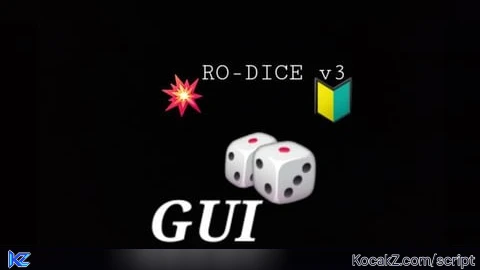
--[[
PARTE 1: Estructura base de la GUI "ro-dice v3"
Pegar en LocalScript dentro de StarterPlayerScripts.
--]]

local Players = game:GetService("Players")
local TweenService = game:GetService("TweenService")
local RunService = game:GetService("RunService")

local player = Players.LocalPlayer
local playerGui = player:WaitForChild("PlayerGui")

-- SCREEN GUI
local screenGui = Instance.new("ScreenGui")
screenGui.Name = "RodiceGUI"
screenGui.ResetOnSpawn = false
screenGui.Parent = playerGui

-- BOTÓN ABRIR (🎲) - aparece cuando la GUI está cerrada
local openButton = Instance.new("TextButton")
openButton.Name = "OpenButton_Rodice"
openButton.Parent = screenGui
openButton.Size = UDim2.new(0, 74, 0, 74)
openButton.Position = UDim2.new(0, 16, 1, -92)
openButton.AnchorPoint = Vector2.new(0, 0)
openButton.Text = "🎲"
openButton.TextSize = 44
openButton.Font = Enum.Font.GothamBold
openButton.BackgroundColor3 = Color3.fromRGB(30,30,30)
openButton.BorderSizePixel = 0
openButton.Visible = false
local openCorner = Instance.new("UICorner", openButton)
openCorner.CornerRadius = UDim.new(0, 12)

-- MARCO PRINCIPAL (ULTRA-PRO)
local mainFrame = Instance.new("Frame")
mainFrame.Name = "MainFrame_Rodice"
mainFrame.Parent = screenGui
mainFrame.Size = UDim2.new(0, 560, 0, 780)           -- GRANDE y cómodo
mainFrame.Position = UDim2.new(0.04, 0, 0.06, 0)
mainFrame.BackgroundColor3 = Color3.fromRGB(24,24,24)
mainFrame.BorderSizePixel = 0
mainFrame.Active = true
mainFrame.Draggable = true
mainFrame.Visible = true

-- Esquinas redondeadas y sombra ligera
local mainCorner = Instance.new("UICorner", mainFrame)
mainCorner.CornerRadius = UDim.new(0, 14)

-- Fondo más moderno: UIGradient sutil
local bgGradient = Instance.new("UIGradient", mainFrame)
bgGradient.Color = ColorSequence.new{
    ColorSequenceKeypoint.new(0, Color3.fromRGB(28,28,28)),
    ColorSequenceKeypoint.new(1, Color3.fromRGB(20,20,20))
}
bgGradient.Rotation = 90

-- Borde RGB animado (UIStroke)
local stroke = Instance.new("UIStroke", mainFrame)
stroke.Thickness = 3
stroke.ApplyStrokeMode = Enum.ApplyStrokeMode.Border

-- título moderno (alineado a la izquierda)
local titleBar = Instance.new("Frame", mainFrame)
titleBar.Name = "TitleBar"
titleBar.Size = UDim2.new(1, 0, 0, 58)
titleBar.Position = UDim2.new(0, 0, 0, 6)
titleBar.BackgroundTransparency = 1

local titleLabel = Instance.new("TextLabel", titleBar)
titleLabel.Name = "TitleLabel"
titleLabel.Size = UDim2.new(1, -24, 1, 0)
titleLabel.Position = UDim2.new(0, 12, 0, 0)
titleLabel.BackgroundTransparency = 1
titleLabel.Text = "ro-dice v3 gg by Bobi_top"
titleLabel.TextColor3 = Color3.fromRGB(245,245,245)
titleLabel.Font = Enum.Font.GothamSemibold
titleLabel.TextSize = 20
titleLabel.TextXAlignment = Enum.TextXAlignment.Left
titleLabel.TextYAlignment = Enum.TextYAlignment.Center

-- Botón cerrar (X) estilizado
local closeBtn = Instance.new("TextButton", titleBar)
closeBtn.Name = "CloseButton"
closeBtn.Size = UDim2.new(0,36,0,36)
closeBtn.Position = UDim2.new(1, -52, 0, 11)
closeBtn.AnchorPoint = Vector2.new(0, 0)
closeBtn.BackgroundColor3 = Color3.fromRGB(175,28,28)
closeBtn.BorderSizePixel = 0
closeBtn.Text = "X"
closeBtn.Font = Enum.Font.GothamBold
closeBtn.TextSize = 18
closeBtn.TextColor3 = Color3.fromRGB(255,255,255)
local closeCorner = Instance.new("UICorner", closeBtn)
closeCorner.CornerRadius = UDim.new(0,8)

-- AREA: contenedor lateral izquierdo (aquí añadiremos los botones en Parte 2)
local sideMenu = Instance.new("ScrollingFrame")
sideMenu.Name = "SideMenu"
sideMenu.Parent = mainFrame
sideMenu.Size = UDim2.new(0, 220, 1, -110)
sideMenu.Position = UDim2.new(0, 16, 0, 76)
sideMenu.CanvasSize = UDim2.new(0, 0, 1, 0)
sideMenu.BackgroundTransparency = 1
sideMenu.BorderSizePixel = 0
sideMenu.ScrollBarThickness = 6

-- Layout para los botones (vertical)
local listLayout = Instance.new("UIListLayout", sideMenu)
listLayout.SortOrder = Enum.SortOrder.LayoutOrder
listLayout.Padding = UDim.new(0, 10)

-- Contenedor derecho (espacio de contenido/pro visual)
local contentArea = Instance.new("Frame")
contentArea.Name = "ContentArea"
contentArea.Parent = mainFrame
contentArea.Size = UDim2.new(1, -260, 1, -110)
contentArea.Position = UDim2.new(0, 244, 0, 76)
contentArea.BackgroundColor3 = Color3.fromRGB(18,18,18)
contentArea.BorderSizePixel = 0
local contentCorner = Instance.new("UICorner", contentArea)
contentCorner.CornerRadius = UDim.new(0,12)

-- INFO: placeholder para icono animado e infoBox (los definimos aquí para usarlos en Partes 2/3)
local animatedIcon -- será creado/animado en Parte 3
local infoBox -- cuadro blanco que aparece al lado del icono final

-- Funciones: mostrar/ocultar GUI
local function closeGUI()
    mainFrame.Visible = false
    openButton.Visible = true
    if animatedIcon then animatedIcon.Visible = false end
    if infoBox then infoBox.Visible = true end -- infoBox seguirá visible junto al 🎲
end

local function openGUIFunc()
    mainFrame.Visible = true
    openButton.Visible = false
    if animatedIcon then animatedIcon.Visible = true end
    if infoBox then infoBox.Visible = true end
end

closeBtn.MouseButton1Click:Connect(closeGUI)
openButton.MouseButton1Click:Connect(openGUIFunc)

-- Animación del borde rainbow (en bucle)
spawn(function()
    while true do
        for i = 0, 1, 0.01 do
            stroke.Color = Color3.fromHSV(i, 0.9, 1)
            task.wait(0.01)
        end
    end
end)

-- Nota: Parte 2 añadirá todos los botones y Parte 3 hará aparecer/animar el 🔰 y el infoBox.
-- Fin de la PARTE 1.-- 📌 Función para crear botones en el menú lateral
local function createButton(name, callback)
    local btn = Instance.new("TextButton")
    btn.Parent = sideMenu
    btn.Size = UDim2.new(1, -10, 0, 40)
    btn.BackgroundColor3 = Color3.fromRGB(40, 40, 40)
    btn.TextColor3 = Color3.fromRGB(255, 255, 255)
    btn.Font = Enum.Font.GothamBold
    btn.TextSize = 14
    btn.Text = name
    btn.BorderSizePixel = 0

    local corner = Instance.new("UICorner", btn)
    corner.CornerRadius = UDim.new(0, 6)

    btn.MouseButton1Click:Connect(callback)
end

-- ✅ Botones con scripts:
createButton("Tiger X", function()
    loadstring(game:HttpGet("https://raw.githubusercontent.com/balintTheDevX/Tiger-X-V3/main/Tiger%20X%20V3.5%20Fixed"))()
end)

createButton("Bomb Kaboom", function()
    loadstring(game:HttpGet("https://rawscripts.net/raw/Universal-Script-Bomb-Vest-56565"))()
end)

createButton("Executor", function()
    loadstring(game:HttpGet("https://rawscripts.net/raw/Universal-Script-Dex-Notepad-61749"))()
end)

createButton("Kinda GUI", function()
    loadstring(game:HttpGet("https://rawscripts.net/raw/Universal-Script-UItimate-Trolling-Gui-62199"))()
end)

createButton("Gun Suicide", function()
    loadstring(game:HttpGet("https://rawscripts.net/raw/Universal-Script-Suicide-GUN-Script-Xymatekidd-37872"))()
end)

createButton("Octopuz V2", function()
    loadstring(game:HttpGet("https://rawscripts.net/raw/Universal-Script-Octopuz-YX-v2-proyect-62754"))()
end)

createButton("Invisible", function()
    loadstring(game:HttpGet("https://rawscripts.net/raw/Universal-Script-FE-Invisible-62974"))()
end)

createButton("Skybox", function()
    loadstring(game:HttpGet("https://rawscripts.net/raw/Universal-Script-Mario-exe-skybox-28298"))()
end)

createButton("C00lifiky", function()
    loadstring(game:HttpGet("https://rawscripts.net/raw/Universal-Script-C00lkidd-28102"))()
end)

createButton("Project Ligma", function()
    loadstring(game:HttpGet("https://rawscripts.net/raw/Universal-Script-Project-Ligma-28816"))()
end)

createButton("Noot Noot", function()
    loadstring(game:HttpGet("https://rawscripts.net/raw/Universal-Script-Noot-noot-fixed-audio-49735"))()
end)

createButton("Toad Rain", function()
    loadstring(game:HttpGet("https://rawscripts.net/raw/Universal-Script-Toad-roast-script-rework-but-sounds-same-and-works-42986"))()
end)

createButton("Fly GUI", function()
    loadstring(game:HttpGet("https://rawscripts.net/raw/Universal-Script-Wacx-fly-gui-63824"))()
end)

createButton("Saturn X FE", function()
    loadstring(game:HttpGet("https://rawscripts.net/raw/Universal-Script-Saturn-X-FE-63532"))()
end)

createButton("Sonic FE R15", function()
    loadstring(game:HttpGet("https://rawscripts.net/raw/Universal-Script-FE-R15-Sonic-exe-63788"))()
end)

-- 🎵 Music toggle (It’s Raining Tacos)
createButton("Music", function()
    local sound = Instance.new("Sound")
    sound.Parent = workspace
    sound.SoundId = "rbxassetid://6403436089"
    sound.Volume = 5
    sound.Looped = false
    sound:Play()
end)-- 🔰 ICONO ANIMADO SOLO 1 VEZ
animatedIcon = Instance.new("TextLabel")
animatedIcon.Parent = screenGui
animatedIcon.Size = UDim2.new(0, 50, 0, 50)
animatedIcon.BackgroundTransparency = 1
animatedIcon.Text = "🔰"
animatedIcon.TextSize = 40
animatedIcon.Font = Enum.Font.GothamBold
animatedIcon.TextColor3 = Color3.fromRGB(255,255,255)
animatedIcon.Visible = true

-- 📦 CUADRO DE INFORMACIÓN AL LADO DEL ICONO
infoBox = Instance.new("TextLabel")
infoBox.Parent = screenGui
infoBox.Size = UDim2.new(0, 240, 0, 40)
infoBox.Position = UDim2.new(0, 80, 1, -100) -- ajustado luego
infoBox.BackgroundColor3 = Color3.fromRGB(255,255,255)
infoBox.TextColor3 = Color3.fromRGB(30,30,30)
infoBox.Text = "ro-dice, created for fun, by bobi_top"
infoBox.Font = Enum.Font.GothamBold
infoBox.TextSize = 14
infoBox.TextXAlignment = Enum.TextXAlignment.Left
infoBox.Visible = false
local infoCorner = Instance.new("UICorner", infoBox)
infoCorner.CornerRadius = UDim.new(0, 8)

-- 📍 Posiciones del recorrido del icono 🔰
local startPos = UDim2.new(0, 10, 0, 10)          -- arriba izquierda
local middlePos = UDim2.new(0.5, -25, 0.5, -25)   -- centro
local endPos = UDim2.new(0, 10, 1, -100)          -- abajo izquierda final

animatedIcon.Position = startPos

-- 🌀 ANIMACIÓN SOLO UNA VEZ
spawn(function()
    local tween1 = TweenService:Create(animatedIcon, TweenInfo.new(2, Enum.EasingStyle.Linear), {Position = middlePos})
    tween1:Play()
    tween1.Completed:Wait()

    local tween2 = TweenService:Create(animatedIcon, TweenInfo.new(2.5, Enum.EasingStyle.Linear), {Position = endPos})
    tween2:Play()
    tween2.Completed:Wait()

    -- activar cuadro blanco una vez finalizado el recorrido
    infoBox.Position = UDim2.new(0, animatedIcon.Position.X.Offset + 60, 1, -100)
    infoBox.Visible = true
end)

-- 🔄 CERRAR GUI = ocultar 🔰, mantener 🎲 + texto
closeBtn.MouseButton1Click:Connect(function()
    mainFrame.Visible = false
    openButton.Visible = true
    if animatedIcon then animatedIcon.Visible = false end
    if infoBox then infoBox.Visible = true end
end)

-- 🔄 ABRIR GUI = mostrar todo otra vez (pero sin reanimar)
openButton.MouseButton1Click:Connect(function()
    mainFrame.Visible = true
    openButton.Visible = false
    if animatedIcon then animatedIcon.Visible = true end
    if infoBox then infoBox.Visible = true end
end)No comments yet for this script.


