KeylessUniversal
-- पुराना GUI हटाना
if game:GetService("CoreGui"):FindFirstChild("REHANHubCustom") then
game:GetService("CoreGui").REHANHubCustom:Destroy()
end
local Players = game:GetService("Players")
local LocalPlayer = Players.LocalPlayer
local RunService = game:GetService("RunService")
local TweenService = game:GetService("TweenService")
local ScreenGui = Instance.new("ScreenGui")
ScreenGui.Name = "REHANHubCustom"
ScreenGui.Parent = game:GetService("CoreGui")
ScreenGui.ResetOnSpawn = false
local TargetPlayerName = ""
local AttachLoop = nil
local CurrentMode = ""
local BangSpeed = 35
local TimeCounter = 0
-- लोडिंग स्क्रीन
local LoadingFrame = Instance.new("Frame")
LoadingFrame.Size = UDim2.new(0, 320, 0, 120)
LoadingFrame.Position = UDim2.new(0.5, -160, 0.5, -60)
LoadingFrame.BackgroundColor3 = Color3.fromRGB(10, 10, 10)
LoadingFrame.BackgroundTransparency = 0.15
LoadingFrame.BorderSizePixel = 2
LoadingFrame.BorderColor3 = Color3.fromRGB(255, 255, 255)
LoadingFrame.Parent = ScreenGui
local LoadingText = Instance.new("TextLabel")
LoadingText.Size = UDim2.new(1, 0, 1, 0)
LoadingText.BackgroundTransparency = 1
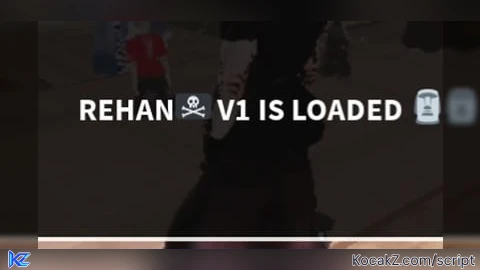
LoadingText.Text = "REHAN🏴☠️ V1 IS LOADED 🗿"
LoadingText.TextColor3 = Color3.fromRGB(255, 255, 255)
LoadingText.TextSize = 18
LoadingText.Font = Enum.Font.SourceSansBold
LoadingText.Parent = LoadingFrame
local MainFrame = Instance.new("Frame")
MainFrame.Visible = false
task.spawn(function()
task.wait(3)
local tween = TweenService:Create(LoadingFrame, TweenInfo.new(0.5), {BackgroundTransparency = 1})
TweenService:Create(LoadingText, TweenInfo.new(0.5), {TextTransparency = 1}):Play()
tween:Play()
tween.Completed:Connect(function()
LoadingFrame:Destroy()
MainFrame.Visible = true
end)
end)
-- मुख्य पैनल (साइज थोड़ा बढ़ाकर 400 किया है ताकि नया बटन फिट आए)
MainFrame.Name = "MainFrame"
MainFrame.Size = UDim2.new(0, 280, 0, 400)
MainFrame.Position = UDim2.new(0.35, 0, 0.2, 0)
MainFrame.BackgroundColor3 = Color3.fromRGB(12, 12, 12)
MainFrame.BackgroundTransparency = 0.2
MainFrame.BorderSizePixel = 2
MainFrame.BorderColor3 = Color3.fromRGB(40, 40, 40)
MainFrame.Parent = ScreenGui
MainFrame.Active = true
MainFrame.Draggable = true
local Title = Instance.new("TextLabel")
Title.Size = UDim2.new(1, 0, 0, 35)
Title.BackgroundColor3 = Color3.fromRGB(20, 20, 20)
Title.BackgroundTransparency = 0.5
Title.Text = "REHAN🏴☠️ V1 BANG"
Title.TextColor3 = Color3.fromRGB(255, 255, 255)
Title.TextSize = 14
Title.Font = Enum.Font.SourceSansBold
Title.Parent = MainFrame
local TextBox = Instance.new("TextBox")
TextBox.Size = UDim2.new(0, 250, 0, 40)
TextBox.Position = UDim2.new(0, 15, 0, 50)
TextBox.BackgroundColor3 = Color3.fromRGB(25, 25, 25)
TextBox.BorderColor3 = Color3.fromRGB(0, 0, 0)
TextBox.Text = ""
TextBox.PlaceholderText = "Target Username लिखें..."
TextBox.TextColor3 = Color3.fromRGB(255, 255, 255)
TextBox.TextSize = 14
TextBox.Font = Enum.Font.SourceSans
TextBox.Parent = MainFrame
TextBox.Changed:Connect(function(prop)
if prop == "Text" then TargetPlayerName = TextBox.Text end
end)
local SpeedBox = Instance.new("TextBox")
SpeedBox.Size = UDim2.new(0, 250, 0, 40)
SpeedBox.Position = UDim2.new(0, 15, 0, 100)
SpeedBox.BackgroundColor3 = Color3.fromRGB(25, 25, 25)
SpeedBox.BorderColor3 = Color3.fromRGB(0, 0, 0)
SpeedBox.Text = "35"
SpeedBox.TextColor3 = Color3.fromRGB(255, 255, 255)
SpeedBox.TextSize = 16
SpeedBox.Font = Enum.Font.SourceSans
SpeedBox.Parent = MainFrame
SpeedBox.Changed:Connect(function(prop)
if prop == "Text" then
local num = tonumber(SpeedBox.Text)
if num then BangSpeed = num else BangSpeed = 0 end
end
end)
-- एडवांस्ड लूप फंक्शन (Mouth Bang + Fast Rotation)
local function StartAttachLoop(mode)
if AttachLoop then AttachLoop:Disconnect() end
CurrentMode = mode
TimeCounter = 0
AttachLoop = RunService.Heartbeat:Connect(function(deltaTime)
if TargetPlayerName ~= "" then
local targetPlayer = nil
for _, p in pairs(Players:GetPlayers()) do
if string.sub(string.lower(p.Name), 1, string.len(TargetPlayerName)) == string.lower(TargetPlayerName) or
string.sub(string.lower(p.DisplayName), 1, string.len(TargetPlayerName)) == string.lower(TargetPlayerName) then
targetPlayer = p
break
end
end
if targetPlayer and targetPlayer.Character and targetPlayer.Character:FindFirstChild("HumanoidRootPart") and LocalPlayer.Character and LocalPlayer.Character:FindFirstChild("HumanoidRootPart") then
local targetRoot = targetPlayer.Character.HumanoidRootPart
local localRoot = LocalPlayer.Character.HumanoidRootPart
localRoot.Velocity = Vector3.new(0, 0, 0)
-- स्पीड कैलकुलेशन
if BangSpeed > 0 then
TimeCounter = TimeCounter + (deltaTime * BangSpeed * 2) -- रफ़्तार बूस्ट
else
TimeCounter = 0
end
if CurrentMode == "MOUTH" then
-- माउथ बैंग एनिमेशन (तीव्र इन-आउट मोशन)
local bangOffset = math.sin(TimeCounter) * 0.75
localRoot.CFrame = targetRoot.CFrame * CFrame.new(0, 1.25, -0.4 + bangOffset) * CFrame.Angles(0, math.rad(180), 0)
elseif CurrentMode == "BACK" then
-- बैक मोड एनिमेशन
local bangOffset = math.sin(TimeCounter) * 0.75
localRoot.CFrame = targetRoot.CFrame * CFrame.new(0, -0.5, 0.4 - bangOffset)
elseif CurrentMode == "ROTATE" then
-- **सुपर फ़ास्ट रोटेशन मैकेनिक्स**
-- प्लेयर के चारों ओर तेज़ी से घूमने के लिए Trigonometry (Cos और Sin) का उपयोग
local radius = 2 -- प्लेयर से दूरी
local x = math.cos(TimeCounter) * radius
local z = math.sin(TimeCounter) * radius
-- कैरेक्टर को टारगेट की तरफ मुंह करके तेज़ स्पीड से घुमाना
localRoot.CFrame = CFrame.new(targetRoot.Position + Vector3.new(x, 1, z), targetRoot.Position)
end
end
end
end)
end
-- ANTI-BANG
local AntiBang = Instance.new("TextButton")
AntiBang.Size = UDim2.new(0, 250, 0, 40)
AntiBang.Position = UDim2.new(0, 15, 0, 155)
AntiBang.BackgroundColor3 = Color3.fromRGB(45, 45, 45)
AntiBang.Text = "ANTI-BANG (STOP FOLLOW)"
AntiBang.TextColor3 = Color3.fromRGB(255, 255, 255)
AntiBang.TextSize = 13
AntiBang.Font = Enum.Font.SourceSansBold
AntiBang.Parent = MainFrame
AntiBang.MouseButton1Click:Connect(function()
if AttachLoop then AttachLoop:Disconnect() AttachLoop = nil end
end)
-- MOUTH BANG (सफ़ेद थीम)
local MouthBang = Instance.new("TextButton")
MouthBang.Size = UDim2.new(0, 250, 0, 40)
MouthBang.Position = UDim2.new(0, 15, 0, 205)
MouthBang.BackgroundColor3 = Color3.fromRGB(240, 240, 240)
MouthBang.Text = "MOUTH BANG"
MouthBang.TextColor3 = Color3.fromRGB(15, 15, 15)
MouthBang.TextSize = 13
MouthBang.Font = Enum.Font.SourceSansBold
MouthBang.Parent = MainFrame
MouthBang.MouseButton1Click:Connect(function() StartAttachLoop("MOUTH") end)
-- MODE 2 (BACK) (ग्रे थीम)
local Mode2 = Instance.new("TextButton")
Mode2.Size = UDim2.new(0, 250, 0, 40)
Mode2.Position = UDim2.new(0, 15, 0, 255)
Mode2.BackgroundColor3 = Color3.fromRGB(180, 180, 180)
Mode2.Text = "MODE 2 (BACK)"
Mode2.TextColor3 = Color3.fromRGB(15, 15, 15)
Mode2.TextSize = 13
Mode2.Font = Enum.Font.SourceSansBold
Mode2.Parent = MainFrame
Mode2.MouseButton1Click:Connect(function() StartAttachLoop("BACK") end)
-- **नया FAST ROTATION बटन (सफ़ेद थीम)**
local FastRotation = Instance.new("TextButton")
FastRotation.Size = UDim2.new(0, 250, 0, 40)
FastRotation.Position = UDim2.new(0, 15, 0, 305) -- नए स्लॉट पर पोजीशन किया गया है
FastRotation.BackgroundColor3 = Color3.fromRGB(240, 240, 240)
FastRotation.Text = "FAST ROTATION"
FastRotation.TextColor3 = Color3.fromRGB(15, 15, 15)
FastRotation.TextSize = 13
FastRotation.Font = Enum.Font.SourceSansBold
FastRotation.Parent = MainFrame
FastRotation.MouseButton1Click:Connect(function() StartAttachLoop("ROTATE") end)
-- STOP EXECUTION
local StopBtn = Instance.new("TextButton")
StopBtn.Size = UDim2.new(0, 250, 0, 30)
StopBtn.Position = UDim2.new(0, 15, 0, 355)
StopBtn.BackgroundColor3 = Color3.fromRGB(20, 20, 20)
StopBtn.Text = "STOP EXECUTION"
StopBtn.TextColor3 = Color3.fromRGB(150, 150, 150)
StopBtn.TextSize = 12
StopBtn.Font = Enum.Font.SourceSans
StopBtn.Parent = MainFrame
StopBtn.MouseButton1Click:Connect(function()
if AttachLoop then AttachLoop:Disconnect() AttachLoop = nil end
end)
-- Movable Hide/Show बटन (व्हाइट बॉर्डर)
local ToggleBtn = Instance.new("TextButton")
ToggleBtn.Name = "ToggleBtn"
ToggleBtn.Size = UDim2.new(0, 120, 0, 35)
ToggleBtn.Position = UDim2.new(0.05, 0, 0.1, 0)
ToggleBtn.BackgroundColor3 = Color3.fromRGB(15, 15, 15)
ToggleBtn.BackgroundTransparency = 0.3
ToggleBtn.BorderSizePixel = 1
ToggleBtn.BorderColor3 = Color3.fromRGB(255, 255, 255)
ToggleBtn.Text = "🏴☠️ REHAN BANG"
ToggleBtn.TextColor3 = Color3.fromRGB(255, 255, 255)
ToggleBtn.TextSize = 11
ToggleBtn.Font = Enum.Font.SourceSansBold
ToggleBtn.Parent = ScreenGui
ToggleBtn.Active = true
ToggleBtn.Draggable = true
ToggleBtn.MouseButton1Click:Connect(function()
MainFrame.Visible = not MainFrame.Visible
end)No comments yet for this script.