KeylessUniversal
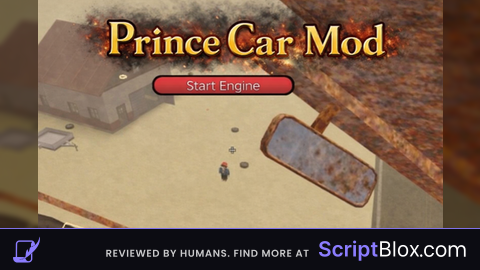
local player = game.Players.LocalPlayer
local runService = game:GetService("RunService")
local userInputService = game:GetService("UserInputService")

local function makeDraggable(frame)
    local dragging, dragInput, dragStart, startPos

    local function update(input)
        local delta = input.Position - dragStart
        frame.Position = UDim2.new(startPos.X.Scale, startPos.X.Offset + delta.X,
                                  startPos.Y.Scale, startPos.Y.Offset + delta.Y)
    end

    frame.InputBegan:Connect(function(input)
        if input.UserInputType == Enum.UserInputType.MouseButton1 or input.UserInputType == Enum.UserInputType.Touch then
            dragging = true
            dragStart = input.Position
            startPos = frame.Position

            input.Changed:Connect(function()
                if input.UserInputState == Enum.UserInputState.End then
                    dragging = false
                end
            end)
        end
    end)

    frame.InputChanged:Connect(function(input)
        if input.UserInputType == Enum.UserInputType.MouseMovement or input.UserInputType == Enum.UserInputType.Touch then
            dragInput = input
        end
    end)

    userInputService.InputChanged:Connect(function(input)
        if input == dragInput and dragging then
            update(input)
        end
    end)
end

-- Main GUI
local mainGui = Instance.new("ScreenGui")
mainGui.Name = "PrinceCarMenuGui"
mainGui.Parent = player:WaitForChild("PlayerGui")

local mainFrame = Instance.new("Frame")
mainFrame.Size = UDim2.new(0, 320, 0, 360)
mainFrame.Position = UDim2.new(0.35, 0, 0.35, 0)
mainFrame.BackgroundColor3 = Color3.fromRGB(25, 25, 25)
mainFrame.Parent = mainGui
makeDraggable(mainFrame)

local title = Instance.new("TextLabel")
title.Size = UDim2.new(1, 0, 0, 30)
title.BackgroundColor3 = Color3.fromRGB(15, 15, 15)
title.TextColor3 = Color3.fromRGB(255, 255, 255)
title.Text = "Prince Car Menu"  -- Updated title text here
title.Parent = mainFrame

local closeBtn = Instance.new("TextButton")
closeBtn.Size = UDim2.new(0, 30, 0, 30)
closeBtn.Position = UDim2.new(1, -35, 0, 0)
closeBtn.Text = "X"
closeBtn.TextColor3 = Color3.fromRGB(255, 100, 100)
closeBtn.BackgroundColor3 = Color3.fromRGB(35, 35, 35)
closeBtn.Parent = mainFrame

local flyToggle = Instance.new("TextButton")
flyToggle.Size = UDim2.new(0, 260, 0, 30)
flyToggle.Position = UDim2.new(0, 20, 0, 50)
flyToggle.Text = "Toggle Flying Mode (F)"
flyToggle.Parent = mainFrame

local forwardButton = Instance.new("TextButton")
forwardButton.Size = UDim2.new(0, 260, 0, 40)
forwardButton.Position = UDim2.new(0, 20, 0, 100)
forwardButton.Text = "Move Forward: OFF"
forwardButton.BackgroundColor3 = Color3.fromRGB(70, 70, 70)
forwardButton.TextColor3 = Color3.fromRGB(255, 255, 255)
forwardButton.Visible = false
forwardButton.Parent = mainFrame

local speedLabel = Instance.new("TextLabel")
speedLabel.Size = UDim2.new(0, 260, 0, 20)
speedLabel.Position = UDim2.new(0, 20, 0, 150)
speedLabel.BackgroundTransparency = 1
speedLabel.TextColor3 = Color3.fromRGB(255, 255, 255)
speedLabel.Text = "Flight Speed: 50"
speedLabel.TextXAlignment = Enum.TextXAlignment.Left
speedLabel.Parent = mainFrame

local sliderFrame = Instance.new("Frame")
sliderFrame.Size = UDim2.new(0, 260, 0, 20)
sliderFrame.Position = UDim2.new(0, 20, 0, 175)
sliderFrame.BackgroundColor3 = Color3.fromRGB(50, 50, 50)
sliderFrame.Parent = mainFrame

local sliderFill = Instance.new("Frame")
sliderFill.Size = UDim2.new(0.5, 0, 1, 0)
sliderFill.BackgroundColor3 = Color3.fromRGB(100, 200, 255)
sliderFill.Parent = sliderFrame

local sliderButton = Instance.new("TextButton")
sliderButton.Size = UDim2.new(0, 20, 1, 0)
sliderButton.Position = UDim2.new(0.5, -10, 0, 0)
sliderButton.BackgroundColor3 = Color3.fromRGB(150, 220, 255)
sliderButton.Text = ""
sliderButton.Parent = sliderFrame

-- Stop Button GUI (separate)
local stopGui = Instance.new("ScreenGui")
stopGui.Name = "PrinceCarStopGui"
stopGui.Parent = player:WaitForChild("PlayerGui")

local stopFrame = Instance.new("Frame")
stopFrame.Size = UDim2.new(0, 80, 0, 35) -- Smaller size
stopFrame.Position = UDim2.new(0.7, 0, 0.35, 0)
stopFrame.BackgroundColor3 = Color3.fromRGB(40, 40, 40)
stopFrame.Parent = stopGui
makeDraggable(stopFrame)

local stopButton = Instance.new("TextButton")
stopButton.Size = UDim2.new(1, 0, 1, 0)
stopButton.BackgroundColor3 = Color3.fromRGB(220, 70, 70)
stopButton.TextColor3 = Color3.fromRGB(255, 255, 255)
stopButton.Text = "STOP"
stopButton.Parent = stopFrame
stopButton.Font = Enum.Font.SourceSansBold
stopButton.TextScaled = true

stopGui.Enabled = false

-- Open/Close Icon GUI
local iconGui = Instance.new("ScreenGui")
iconGui.Name = "PrinceCarIconGui"
iconGui.Parent = player:WaitForChild("PlayerGui")

local iconButton = Instance.new("ImageButton")
iconButton.Size = UDim2.new(0, 50, 0, 50)
iconButton.Position = UDim2.new(0, 20, 0.9, 0)
iconButton.BackgroundColor3 = Color3.fromRGB(30, 30, 30)
iconButton.Image = "rbxassetid://7072714003"
iconButton.Visible = false
iconButton.Parent = iconGui
iconButton.AutoButtonColor = true

-- Variables
local flying = false
local movingForward = false
local flightSpeed = 50
local stopped = false -- Tracks if stop button is active (stopped)
local bodyVelocity, bodyGyro
local vehicleSeat

local function getVehicleSeat()
    if player.Character and player.Character:FindFirstChild("Humanoid") then
        local seat = player.Character.Humanoid.SeatPart
        if seat and seat:IsA("VehicleSeat") then
            return seat
        end
    end
    return nil
end

local function enableFlying()
    vehicleSeat = getVehicleSeat()
    if not vehicleSeat then
        flyToggle.Text = "No Vehicle Seat"
        return
    end

    if not bodyVelocity then
        bodyVelocity = Instance.new("BodyVelocity")
        bodyVelocity.MaxForce = Vector3.new(1e6, 1e6, 1e6)
        bodyVelocity.Parent = vehicleSeat
    end

    if not bodyGyro then
        bodyGyro = Instance.new("BodyGyro")
        bodyGyro.MaxTorque = Vector3.new(1e6, 1e6, 1e6)
        bodyGyro.Parent = vehicleSeat
    end

    flying = true
    stopped = false
    flyToggle.Text = "Flying: ON (F)"
    forwardButton.Visible = true
    stopGui.Enabled = true
    mainGui.Enabled = true
    iconButton.Visible = false
end

local function disableFlying()
    flying = false
    movingForward = false
    stopped = false
    flyToggle.Text = "Flying: OFF (F)"
    forwardButton.Visible = false
    forwardButton.Text = "Move Forward: OFF"
    forwardButton.BackgroundColor3 = Color3.fromRGB(70, 70, 70)
    stopGui.Enabled = false
    stopButton.Text = "STOP"
    stopButton.BackgroundColor3 = Color3.fromRGB(220, 70, 70)

    if bodyVelocity then
        bodyVelocity:Destroy()
        bodyVelocity = nil
    end
    if bodyGyro then
        bodyGyro:Destroy()
        bodyGyro = nil
    end
end

local function toggleFlying()
    if flying then
        disableFlying()
    else
        enableFlying()
    end
end

flyToggle.MouseButton1Click:Connect(toggleFlying)

forwardButton.MouseButton1Click:Connect(function()
    movingForward = not movingForward
    stopped = false -- Reset stop state when toggling forward manually
    if movingForward then
        forwardButton.Text = "Move Forward: ON"
        forwardButton.BackgroundColor3 = Color3.fromRGB(100, 200, 100)
        stopButton.Text = "STOP"
        stopButton.BackgroundColor3 = Color3.fromRGB(220, 70, 70)
    else
        forwardButton.Text = "Move Forward: OFF"
        forwardButton.BackgroundColor3 = Color3.fromRGB(70, 70, 70)
    end
end)

stopButton.MouseButton1Click:Connect(function()
    if not flying then return end

    if stopped then
        -- Resume forward movement
        movingForward = true
        stopped = false
        forwardButton.Text = "Move Forward: ON"
        forwardButton.BackgroundColor3 = Color3.fromRGB(100, 200, 100)
        stopButton.Text = "STOP"
        stopButton.BackgroundColor3 = Color3.fromRGB(220, 70, 70)
    else
        -- Stop movement
        movingForward = false
        stopped = true
        forwardButton.Text = "Move Forward: OFF"
        forwardButton.BackgroundColor3 = Color3.fromRGB(70, 70, 70)
        stopButton.Text = "GO"
        stopButton.BackgroundColor3 = Color3.fromRGB(70, 220, 70)
        if bodyVelocity then
            bodyVelocity.Velocity = Vector3.new(0, 0, 0)
        end
    end
end)

closeBtn.MouseButton1Click:Connect(function()
    mainGui.Enabled = false
    iconButton.Visible = true
end)

iconButton.MouseButton1Click:Connect(function()
    mainGui.Enabled = true
    iconButton.Visible = false
end)

userInputService.InputBegan:Connect(function(input, gameProcessed)
    if gameProcessed then return end
    if input.KeyCode == Enum.KeyCode.F then
        toggleFlying()
    end
end)

local draggingSlider = false

sliderButton.InputBegan:Connect(function(input)
    if input.UserInputType == Enum.UserInputType.MouseButton1 or input.UserInputType == Enum.UserInputType.Touch then
        draggingSlider = true
    end
end)

sliderButton.InputEnded:Connect(function(input)
    if input.UserInputType == Enum.UserInputType.MouseButton1 or input.UserInputType == Enum.UserInputType.Touch then
        draggingSlider = false
    end
end)

sliderFrame.InputChanged:Connect(function(input)
    if draggingSlider and (input.UserInputType == Enum.UserInputType.MouseMovement or input.UserInputType == Enum.UserInputType.Touch) then
        local relativeX = math.clamp(input.Position.X - sliderFrame.AbsolutePosition.X, 0, sliderFrame.AbsoluteSize.X)
        local percent = relativeX / sliderFrame.AbsoluteSize.X
        sliderFill.Size = UDim2.new(percent, 0, 1, 0)
        flightSpeed = math.clamp(percent * 100, 1, 100)
        speedLabel.Text = "Flight Speed: "..math.floor(flightSpeed)
    end
end)

runService.RenderStepped:Connect(function()
    if flying and vehicleSeat and bodyVelocity and bodyGyro then
        vehicleSeat.Throttle = 0
        vehicleSeat.Steer = 0

        local velocityVector = Vector3.new(0, 0, 0)
        if movingForward then
            local camCFrame = workspace.CurrentCamera.CFrame
            local lookVector = camCFrame.LookVector
            velocityVector = lookVector.Unit * flightSpeed
        end

        bodyVelocity.Velocity = velocityVector

        local camCFrame = workspace.CurrentCamera.CFrame
        local lookVector = camCFrame.LookVector
        local upVector = Vector3.new(0, 1, 0)
        local rightVector = lookVector:Cross(upVector).Unit
        local newUpVector = rightVector:Cross(lookVector).Unit

        local targetCFrame = CFrame.fromMatrix(vehicleSeat.Position, rightVector, newUpVector)
        bodyGyro.CFrame = targetCFrame
    end
end)No comments yet for this script.