


KeylessUniversal
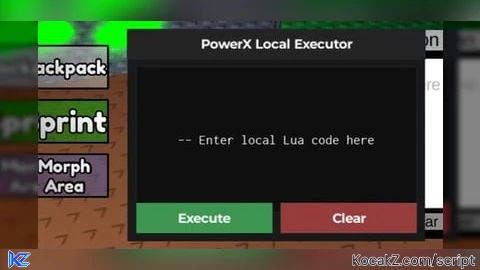
-- PowerMAX V2 完整安全版
local Players = game:GetService("Players")
local lp = Players.LocalPlayer

-- GUI 安全 parent
local ScreenGui = Instance.new("ScreenGui")
ScreenGui.Name = "PowerMAX_V2"
ScreenGui.Parent = lp:WaitForChild("PlayerGui") -- 安全 parent

-- 主框架
local Frame = Instance.new("Frame", ScreenGui)
Frame.Size = UDim2.new(0, 400, 0, 300)
Frame.Position = UDim2.new(0.5, -200, 0.5, -150)
Frame.BackgroundColor3 = Color3.fromRGB(25,25,25)
Frame.Active = true
Frame.Draggable = true

-- 標題
local Title = Instance.new("TextLabel", Frame)
Title.Size = UDim2.new(1,0,0,30)
Title.BackgroundColor3 = Color3.fromRGB(35,35,35)
Title.Text = "PowerMAX V2"
Title.Font = Enum.Font.GothamBold
Title.TextColor3 = Color3.fromRGB(255,255,255)
Title.TextSize = 18

-- 輸入框
local CodeBox = Instance.new("TextBox", Frame)
CodeBox.Size = UDim2.new(1, -20, 0, 100)
CodeBox.Position = UDim2.new(0, 10, 0, 40)
CodeBox.BackgroundColor3 = Color3.fromRGB(20,20,20)
CodeBox.TextColor3 = Color3.fromRGB(255,255,255)
CodeBox.PlaceholderText = "輸入 Lua 腳本..."
CodeBox.ClearTextOnFocus = false
CodeBox.MultiLine = true
CodeBox.TextWrapped = true

-- Execute 按鈕
local ExecuteBtn = Instance.new("TextButton", Frame)
ExecuteBtn.Size = UDim2.new(0.3, 0, 0, 35)
ExecuteBtn.Position = UDim2.new(0.05, 0, 0, 150)
ExecuteBtn.BackgroundColor3 = Color3.fromRGB(0,150,80)
ExecuteBtn.Text = "Execute"
ExecuteBtn.TextColor3 = Color3.fromRGB(255,255,255)
ExecuteBtn.Font = Enum.Font.GothamBold
ExecuteBtn.TextSize = 16

ExecuteBtn.MouseButton1Click:Connect(function()
    local code = CodeBox.Text
    if code ~= "" then
        local func, err = loadstring(code)
        if func then
            pcall(func)
        else
            warn("Lua Error: "..err)
        end
    end
end)

-- Clear 按鈕
local ClearBtn = Instance.new("TextButton", Frame)
ClearBtn.Size = UDim2.new(0.3, 0, 0, 35)
ClearBtn.Position = UDim2.new(0.35, 0, 0, 150)
ClearBtn.BackgroundColor3 = Color3.fromRGB(200,0,0)
ClearBtn.Text = "Clear"
ClearBtn.TextColor3 = Color3.fromRGB(255,255,255)
ClearBtn.Font = Enum.Font.GothamBold
ClearBtn.TextSize = 16

ClearBtn.MouseButton1Click:Connect(function()
    CodeBox.Text = ""
end)

-- Respawn 按鈕
local RespawnBtn = Instance.new("TextButton", Frame)
RespawnBtn.Size = UDim2.new(0.3,0,0,35)
RespawnBtn.Position = UDim2.new(0.65,0,0,150)
RespawnBtn.BackgroundColor3 = Color3.fromRGB(0,120,200)
RespawnBtn.Text = "Respawn"
RespawnBtn.TextColor3 = Color3.fromRGB(255,255,255)
RespawnBtn.Font = Enum.Font.GothamBold
RespawnBtn.TextSize = 16

RespawnBtn.MouseButton1Click:Connect(function()
    if lp.Character and lp.Character:FindFirstChildOfClass("Humanoid") then
        local hum = lp.Character:FindFirstChildOfClass("Humanoid")
        if hum then
            hum.Health = 0 -- 安全重生,其他玩家可見
        end
    end
end)

-- FPS Cap 輸入框
local US = UserSettings()
local GS = US.GameSettings

local FPSBox = Instance.new("TextBox", Frame)
FPSBox.Size = UDim2.new(0.4, 0, 0, 35)
FPSBox.Position = UDim2.new(0.05,0,0,200)
FPSBox.BackgroundColor3 = Color3.fromRGB(40,40,40)
FPSBox.TextColor3 = Color3.fromRGB(255,255,255)
FPSBox.PlaceholderText = "輸入 FPS Cap (30~240)"
FPSBox.ClearTextOnFocus = false

FPSBox.FocusLost:Connect(function(enterPressed)
    if not enterPressed then return end
    local fps = tonumber(FPSBox.Text)
    if fps and fps >= 30 and fps <= 240 then
        GS.MaximumSimulationFPS = fps
        print("FPS capped to "..fps)
    else
        warn("FPS value must be between 30 and 240")
    end
end)

-- Local require 功能
local RequireBtn = Instance.new("TextButton", Frame)
RequireBtn.Size = UDim2.new(0.4,0,0,35)
RequireBtn.Position = UDim2.new(0.55,0,0,200)
RequireBtn.BackgroundColor3 = Color3.fromRGB(180,100,0)
RequireBtn.Text = "Require Module"
RequireBtn.TextColor3 = Color3.fromRGB(255,255,255)
RequireBtn.Font = Enum.Font.GothamBold
RequireBtn.TextSize = 16

RequireBtn.MouseButton1Click:Connect(function()
    local moduleId = CodeBox.Text
    if moduleId ~= "" then
        local success, result = pcall(function()
            return require(tonumber(moduleId))
        end)
        if success then
            print("Module Loaded:", result)
        else
            warn("Require Error: "..tostring(result))
        end
    end
end)No comments yet for this script.


