


Key RequiredUniversal
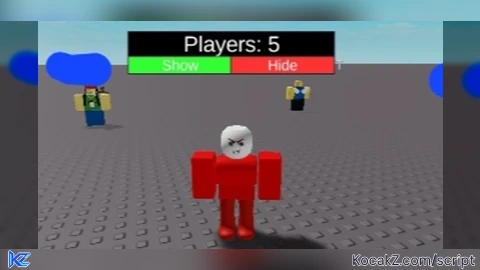
local player = game.Players.LocalPlayer
local players = game:GetService("Players")

-- Create Player Count GUI
local screenGui = Instance.new("ScreenGui")
screenGui.Parent = player:WaitForChild("PlayerGui")

local frame = Instance.new("Frame")
frame.Size = UDim2.new(0.25, 0, 0.12, 0)
frame.Position = UDim2.new(0.05, 0, 0.7, 0) -- Adjust position as needed
frame.BackgroundColor3 = Color3.fromRGB(30, 30, 30)
frame.BackgroundTransparency = 0.3
frame.Active = true
frame.Draggable = true -- Make it moveable
frame.Parent = screenGui

local playerText = Instance.new("TextLabel")
playerText.Size = UDim2.new(1, 0, 0.6, 0)
playerText.Position = UDim2.new(0, 0, 0, 0)
playerText.BackgroundColor3 = Color3.fromRGB(0, 0, 0)
playerText.TextColor3 = Color3.fromRGB(255, 255, 255)
playerText.TextScaled = true
playerText.Text = "Players: 0"
playerText.Parent = frame

-- Create Show Button
local showButton = Instance.new("TextButton")
showButton.Size = UDim2.new(0.5, 0, 0.4, 0)
showButton.Position = UDim2.new(0, 0, 0.6, 0)
showButton.BackgroundColor3 = Color3.fromRGB(50, 255, 50)
showButton.TextColor3 = Color3.fromRGB(255, 255, 255)
showButton.TextScaled = true
showButton.Text = "Show"
showButton.Parent = frame

-- Create Hide Button
local hideButton = Instance.new("TextButton")
hideButton.Size = UDim2.new(0.5, 0, 0.4, 0)
hideButton.Position = UDim2.new(0.5, 0, 0.6, 0)
hideButton.BackgroundColor3 = Color3.fromRGB(255, 50, 50)
hideButton.TextColor3 = Color3.fromRGB(255, 255, 255)
hideButton.TextScaled = true
hideButton.Text = "Hide"
hideButton.Parent = frame

local isPlayerCountVisible = false

-- Function to update player count
local function updatePlayerCount()
    playerText.Text = "Players: " .. #players:GetPlayers()
end

-- Show Button Function
showButton.MouseButton1Click:Connect(function()
    isPlayerCountVisible = true
    playerText.Visible = true
    updatePlayerCount()
end)

-- Hide Button Function
hideButton.MouseButton1Click:Connect(function()
    isPlayerCountVisible = false
    playerText.Visible = false
end)

-- Update player count when players join or leave
players.PlayerAdded:Connect(updatePlayerCount)
players.PlayerRemoving:Connect(updatePlayerCount)

-- Initial update
updatePlayerCount()


Bro I saw u like 1ms ago
If in game type your username